Муқаддима
The Technoline WT175 is a compact and versatile quartz alarm clock designed for convenience and portability. It features a clear digital display and offers multiple functions including time, date, temperature, humidity, and various alarm settings. Its magnetic casing makes it suitable for travel and everyday use.

Расми 1: Пеш view of the Technoline WT175 Mini Travel Alarm Clock, displaying the time and control buttons.
Хусусиятҳои асосӣ
- Намоиши вақти 12/24 соат
- Намоиши сана
- Temperature display (in Celsius)
- Намоиши намӣ
- Ҳушдор бо функсияи такрорӣ
- Configurable alarm settings: Weekday, Weekend, or Daily
- Timer with countdown and stop function
- Нишондиҳандаи пасти батарея
- Магнитӣ вasing for versatile placement
Мундариҷаи баста
- Technoline WT175 Mini Travel Alarm Clock
- Дастури корбар (ин ҳуҷҷат)
- Эзоҳ: Батареяҳо дохил карда намешаванд ва бояд алоҳида харидорӣ карда шаванд.

Расми 2: Product packaging for the Technoline WT175, detailing specifications and features.
Ташкил кардан
1. Насби батарея
- Locate the battery compartment on the back of the alarm clock.
- Сарпӯши қисмати батареяро кушоед.
- Insert 1x AAA Micro LR03 battery, ensuring correct polarity (+/-).
- Сарпӯши қисмати батареяро бехатар пӯшед.
2. Фаъолсозии ибтидоӣ
Upon successful battery installation, the display will activate. You may need to press the САТ button to begin initial time and date configuration.
Дастурҳои амалиётӣ
The Technoline WT175 features several control buttons: САТ, START/STOP/RESET, ZZ (Snooze/Light), AL SET ON-OFF, +, ва РЕЖИМ.
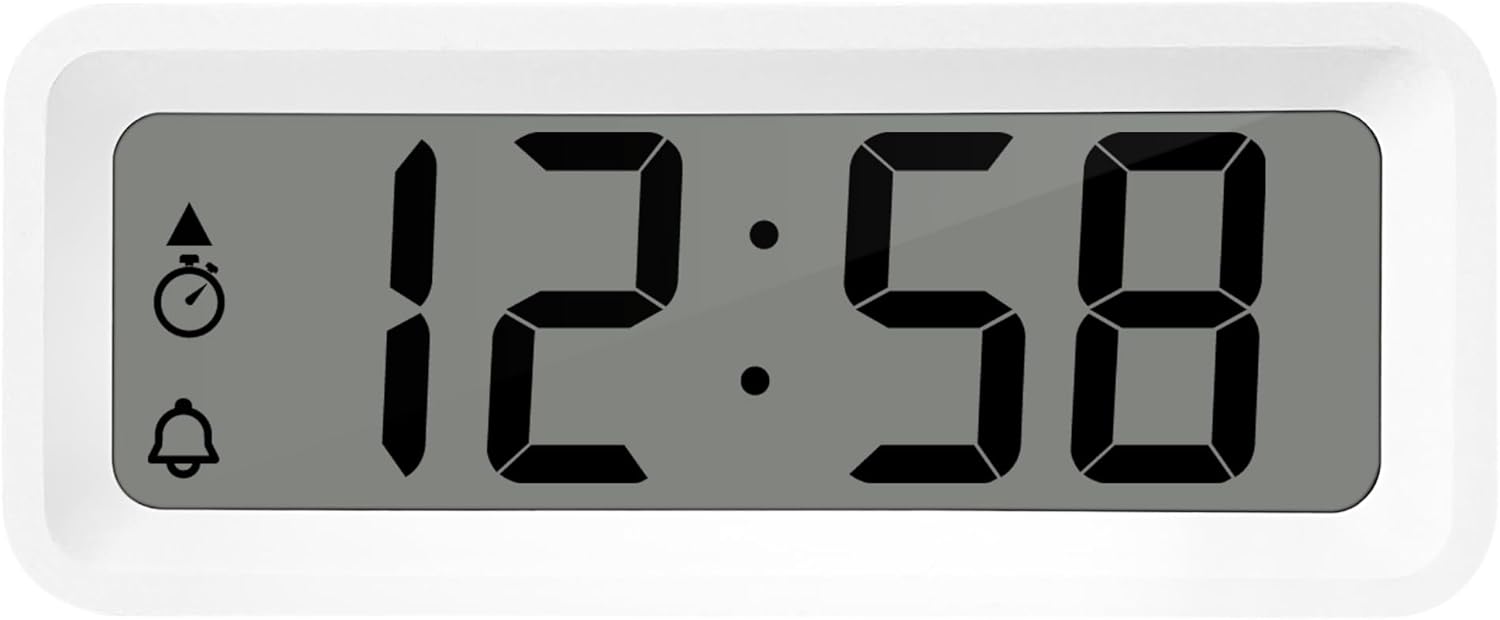
Расми 3: Муфассал view of the alarm clock's display and control buttons.
1. Муқаррар кардани вақт ва сана
- -ро пахш карда нигоҳ доред САТ тугмаро то он даме ки дисплейи вақт милт-милт кунад, пахш кунед.
- -ро истифода баред + or - тугмаҳо барои танзими соат.
- пахш кунед САТ боз барои тасдиқи соат ва гузаштан ба дақиқа.
- Истифода баред + or - дақиқаро танзим кардан.
- Пахшро давом диҳед САТ to cycle through and set the year, month, and day using the + or - тугмаҳо.
- пахш кунед САТ бори охир барои баромадан аз ҳолати танзимот.
2. 12/24 Hour Format Selection
Ҳангоми дар ҳолати муқаррарии намоиши вақт, тугмаи РЕЖИМ button to toggle between 12-hour and 24-hour time formats.
3. Танзими ҳушдор
- -ро пахш кунед AL SET ON-OFF button once to enter alarm setting mode. The alarm time will flash.
- -ро истифода баред + or - тугмаҳо барои танзими соати ҳушдор.
- пахш кунед AL SET ON-OFF again to confirm the hour and move to alarm minutes.
- Истифода баред + or - барои танзими дақиқаҳои зангдор.
- пахш кунед AL SET ON-OFF again to confirm and exit alarm setting mode.
4. Activating/Deactivating Alarm and Snooze
- Барои фаъол кардани занги ҳушдор ON or ХОМӮШ, пахш кунед AL SET ON-OFF button while in normal time display mode. An alarm icon will appear/disappear on the display.
- Вақте ки ҳушдор садо медиҳад, тугмаи ZZ (Snooze) button to activate the snooze function. The alarm will temporarily stop and sound again after a few minutes.
- Барои қатъ кардани пурраи ҳушдор, ягон тугмаи дигарро пахш кунед (масалан, САТ or РЕЖИМ).
5. Weekday/Weekend/Daily Alarm Settings
The WT175 allows for flexible alarm scheduling. While in alarm setting mode (after pressing AL SET ON-OFF), you can cycle through alarm types by pressing the + or - buttons after setting the alarm time. Look for indicators on the display for:
- Ҳушдори ҳаррӯза: Ҳар рӯз занги ҳушдор садо медиҳад.
- Weekday Alarm: Alarm sounds Monday to Friday.
- Weekend Alarm: Alarm sounds Saturday and Sunday.
6. Timer and Countdown Function
- -ро пахш кунед РЕЖИМ button repeatedly until the timer display appears (often indicated by a stopwatch icon).
- To set the countdown timer, press and hold САТ. Истифода баред + or - to set the desired hours, minutes, and seconds. Press САТ to confirm each segment.
- пахш кунед START/STOP/RESET барои оғози ҳисобкунӣ.
- пахш кунед START/STOP/RESET боз барои таваққуф/аз нав оғоз кардани шумориш пахш кунед.
- Барои аз нав танзим кардани вақтсанҷ, пахш кунед ва нигоҳ доред START/STOP/RESET.
7. Намоиши ҳарорат ва намӣ
The Technoline WT175 continuously displays the current indoor temperature (in Celsius) and humidity levels. These readings are typically shown alongside the time and date on the main display.

Расми 4: The WT175 alarm clock displaying time, temperature, and humidity in a bedroom setting.
Нигоҳдорӣ
1. Иваз кардани батарея
When the low battery indicator appears on the display, it is time to replace the battery. Follow the battery installation steps outlined in the Ташкил кардан section. Ensure to dispose of old batteries responsibly according to local regulations.
2. Тозакунӣ
To clean the alarm clock, use a soft, dry cloth. Do not use abrasive cleaners, solvents, or immerse the device in water. Avoid spraying cleaning solutions directly onto the unit.
Мушкилкушо
- Дисплей холӣ ё хира аст:
- Check if the battery is correctly installed.
- Батареяро бо батареяи нав иваз кунед.
- Сигнал садо намедиҳад:
- Ensure the alarm is activated (alarm icon visible on display).
- Verify the alarm time is set correctly.
- Check the alarm type (Daily, Weekday, Weekend) matches your desired schedule.
- Вақт ё санаи нодуруст:
- Re-enter the time and date following the instructions in the Дастурҳои амалиётӣ ҷудокунӣ.
- Ensure the 12/24 hour format is set as desired.
- Тугмаҳо ҷавоб намедиҳанд:
- Барои аз нав танзимкунии нарм батареяро хориҷ ва аз нав ҷойгир кунед.
- Ensure the device is not in a specific setting mode that locks other buttons.
Мушаххасоти
| Хусусият | Тафсилот |
|---|---|
| Модели | WT175 |
| Бренд | Технолайн |
| Андозаҳо (L x W x H) | 8.8 х 3.81 х 3.7 см |
| Вазн | 120 грамм |
| Манбаи нерӯ | 1x AAA Micro LR03 Battery (not included) |
| Навъи намоиш | Рақамӣ |
| Хусусиятҳои махсус | Alarm, Snooze, Temperature, Humidity, Date, Timer, Countdown, Magnetic Casing, Low Battery Indicator |
| Ранги | Сафед (мувофиқи варианти ҷории маҳсулот) |
| Истифодаи дарунӣ/берунӣ | Дарунӣ |

Расми 5: Dimensions of the Technoline WT175 alarm clock.
Кафолат ва дастгирӣ
For warranty information or technical support regarding your Technoline WT175 Mini Travel Alarm Clock, please refer to the warranty card included with your purchase or visit the official Technoline webсайт.
Official Technoline Webсайт: http://www.technoline.de


