Муқаддима
This manual provides detailed instructions for setting up, operating, and maintaining your PXN P5 Wireless Gaming Controller. The PXN P5 is a versatile controller designed for a wide range of gaming platforms, including PC, Nintendo Switch, Android, and iOS devices, offering multiple connection modes and advanced features for an enhanced gaming experience.
Маҳсулот ба охир расидview
The PXN P5 controller incorporates several advanced technologies to deliver precision and responsiveness. Key features include:
- Ҷойстикҳои Hall Effect: Provides precise, drift-free control with enhanced durability.
- Триггерҳои эффекти Холл: Offers smooth and accurate linear input for racing and precise actions.
- POM Rings: Ensures smooth joystick movement and reduces wear.
- 2-Сtage Trigger Travel Control: Allows switching between short travel for quick response (FPS) and long travel for linear precision (racing).
- 4 Programmable Back Buttons: Customizable M1, M2, M3, M4 buttons for macro functions.
- Dual Vibrators: Provides immersive haptic feedback.
- Пайвастшавии сегона: Supports 2.4G wireless, Bluetooth, and wired connections.
- PXN Nexus App: For advanced customization of button mapping, macros, vibration, and more.
- Ҳаёти батареяи дароз: Built-in 1000mAh battery for extended gaming sessions.

Тасвир: Муфассал view of the PXN P5 controller's internal components, highlighting the Hall Effect Joystick, Hall Effect Trigger, POM Ring, 2-Stage Trigger Travel Control, 4 Programming Buttons, and Disc Style Cross Keys.
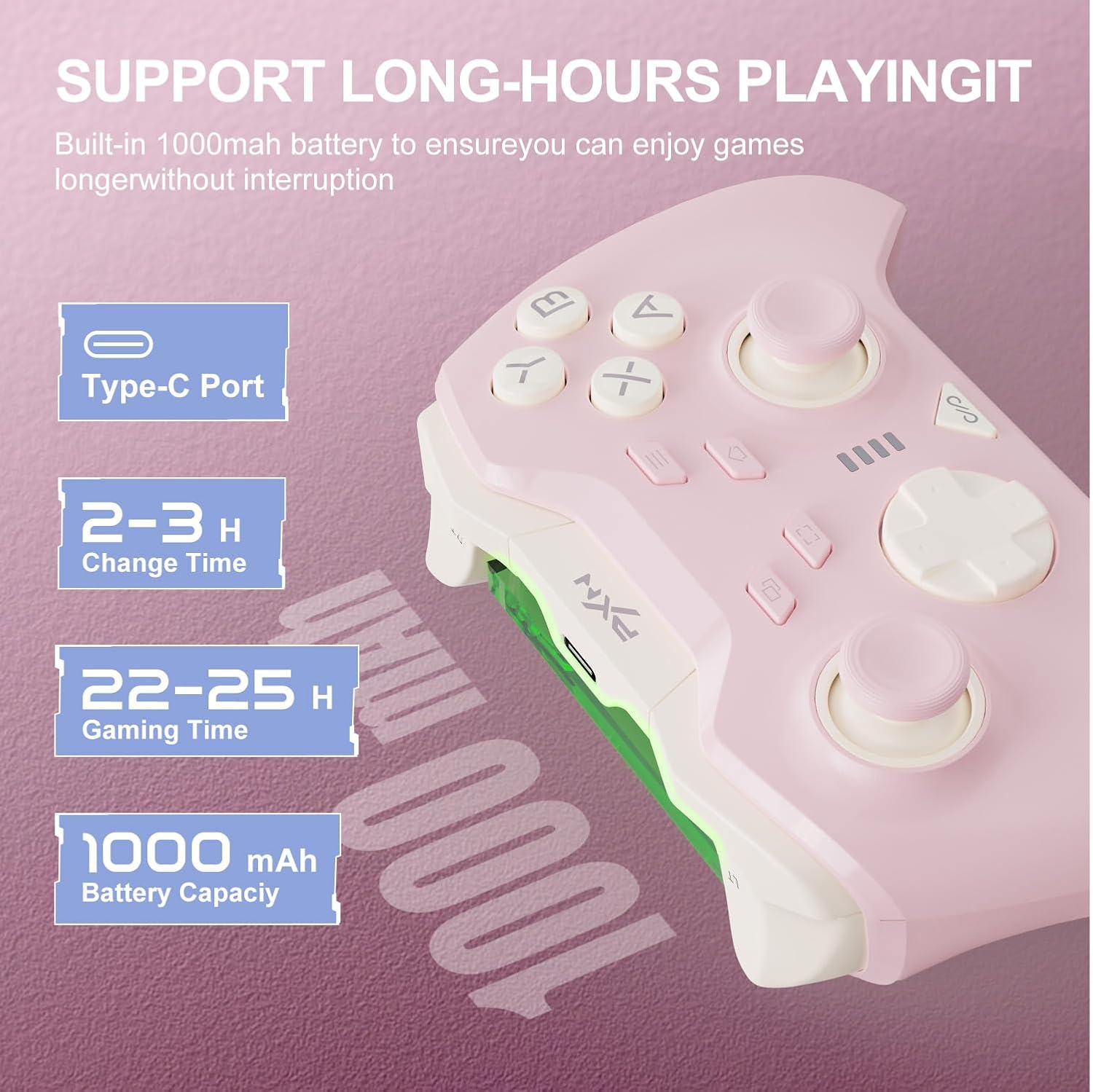
Тасвир: Information regarding the PXN P5 controller's 1000mAh built-in battery, showing Type-C port, 2-3 hours charging time, and 22-25 hours gaming time.
Танзим ва пайвастшавӣ
The PXN P5 controller supports three primary connection modes: 2.4G Wireless, Bluetooth, and Wired. Ensure the controller is charged before initial use.
1. 2.4G Wireless Connection (for PC/Laptop, Android TV, Android TV Box)
- Insert the 2.4G USB receiver into an available USB port on your device.
- Turn on the controller. The controller will automatically attempt to connect to the receiver.
- Once connected, the indicator light on the controller will stabilize.
2. Bluetooth Connection (for MAC OS, Phone/Android/Tablet, Steam Deck, Tesla, Switch/Switch OLED/Switch Lite)
- Боварӣ ҳосил кунед, ки Bluetooth дар дастгоҳи шумо фаъол аст.
- On the controller, switch to the Bluetooth mode (refer to the mode switch on the back of the controller).
- On your device, search for available Bluetooth devices and select "PXN P5" to pair.
- For Nintendo Switch, navigate to "Controllers" -> "Change Grip/Order" and then follow the pairing steps.
- Once paired, the indicator light on the controller will stabilize.
3. Wired Connection (for PC/Laptop, Android TV, Android TV Box)
- Connect the controller to your device using the provided USB-C cable.
- The controller will automatically be recognized by your device.
- This mode is plug-and-play and does not require additional pairing.

Тасвир: Visual representation of the three connection modes (2.4G, Bluetooth, Wired) and compatible devices for the PXN P5 controller.
Дастурҳои амалиётӣ
Функсияи барномасозии макро
The PXN P5 controller features four programmable back buttons (M1, M2, M3, M4) that can be customized with up to 32 macro combinations. This function can be configured directly on the controller or through the PXN Nexus App.
- On-Controller Programming: Refer to the detailed instructions in the included quick start guide for specific button combinations to record and assign macros.
- PXN Nexus App: For more advanced customization, download the PXN Nexus App. The app allows you to easily map buttons, create complex macro sequences, and adjust timing.

Тасвир: Illustration of the macro programming function, showing the location of the M1, M2, M3, M4 buttons and examples of programmable button combinations.
Adjustable Trigger Travel Settings
The controller offers two distinct trigger travel settings to optimize performance for different game genres:
- Mode 1 (Short Travel Quick Trigger Response): Ideal for rapid-fire actions in FPS games. This mode provides a shorter trigger press for faster input.
- Mode 2 (Long Travel with 256 Levels of Linear Precision): Suitable for racing games and other genres requiring fine-tuned acceleration or braking. This mode captures subtle finger pressure changes for precise control.
Use the physical switch located on the back of the controller to toggle between these two modes.

Тасвир: Visual explanation of the two adjustable trigger travel settings, showing the short travel mode for quick response and the long travel mode with 256 levels of linear precision.
PXN Nexus Application
The PXN Nexus App provides comprehensive customization options for your controller. It is available for download on Google Play and the App Store.
- Танзимоти макро: Create and manage complex macros for the back buttons.
- Button Testing: Verify button functionality and calibration.
- Танзимоти ларзиш: Adjust the intensity of the dual vibrators.
- Навсозии нармафзор: Барои кори беҳтарин ва хусусиятҳои нав, нармафзори контроллери худро навсозӣ нигоҳ доред.
- Дарсӣ: Access product tutorials and support.

Тасвир: Screenshots of the PXN Nexus App interface, demonstrating macro settings, device information, function settings, and vibration adjustments.
Видеои расмии маҳсулот
Видео: Намоиши видеоии расмии маҳсулотasing the PXN P5 PC Gaming Controller's features, including Hall Effect joysticks, 2-stage trigger lock, adjustable dead zones, asymmetric dual motors, and triple mode connection. This video provides a dynamic overview of the controller's capabilities.
Нигоҳдорӣ
Proper maintenance ensures the longevity and optimal performance of your PXN P5 controller.
- Тозакунӣ: Барои тоза кардани контроллер матои мулоими хушкро истифода баред. Барои лойҳои якрав, каме гampдар матои об. Аз истифодаи кимиёвии сахт ё маводи абразивӣ худдорӣ намоед.
- Нигоҳдорӣ: Контроллерро дар ҷои хунук ва хушк аз нури бевоситаи офтоб ва ҳарорати аз ҳад зиёд дур нигоҳ доред.
- Пур кардан: Use the provided USB-C cable for charging. Avoid overcharging or completely draining the battery frequently to prolong its lifespan.
- Муносибат: Avoid dropping the controller or exposing it to excessive force, which can damage internal components.
Мушкилкушо
If you encounter issues with your PXN P5 controller, refer to the following common solutions:
| Мушкилот | Ҳалли |
|---|---|
| Controller does not connect via 2.4G/Bluetooth. |
|
| Тугмаҳо ё джойстикҳо ҷавоб намедиҳанд. |
|
| Контроллер зуд-зуд хомӯш мешавад. |
|
| Vibration is too weak or too strong. | Adjust vibration intensity through the PXN Nexus App settings. |
Мушаххасоти
- Модели: PXN-P5
- Усулҳои пайвастшавӣ: 2.4G бесим, Bluetooth, симӣ (USB-C)
- Мутобиқат: PC, Nintendo Switch, Android, iOS, MAC OS, Steam Deck, Tesla
- Joystick Type: Таъсири Хол
- Навъи триггер: Hall Effect with 2-Stage Travel Control
- Тугмаҳои барномарезишаванда: 4 (M1, M2, M3, M4)
- Вибрация: Моторҳои дугона
- Иқтидори батарея: 1000 мАч
- Вақти пуркунӣ: Тақрибан 2-3 соат
- Gaming Time: Тақрибан 22-25 соат
- Вазни ашё: 0.48 унсия (тақрибан 13.6 грамм)
Кафолат ва дастгирӣ
For warranty information and technical support, please refer to the warranty card included with your product or visit the official PXN website. You can also contact PXN customer service for assistance with any product-related inquiries.
Official PXN Webсайт: PXN Gaming Store


