1. Муқаддима
This manual provides essential information for the installation, operation, and maintenance of your new Vetroo 850W 80 Plus Gold Full Modular ATX 3.1 Power Supply. Please read this manual thoroughly before installation and keep it for future reference.

Figure 1: Vetroo 850W Power Supply (White)
2. Хусусиятҳои маҳсулот
- PCIe Gen 5.1 Омода: Meets the latest PCIE 5.1 standards for improved performance and efficiency. Backward compatible with both PCIE 4.0 and 3.0.
- Fully ATX 3.1 Compliant: Designed to meet the newest, most advanced power supply standards.
- Premium 105°C Capacitors: High-quality materials and construction ensure stable, low-temperature operation.
- 80 Plus Gold Certified: Meets high standards for quality and efficiency, ensuring reliable performance and energy savings.
- Тарҳрезии пурраи модулӣ: Allows for easy cable management and customization, reducing cable clutter by only installing necessary cables.
- Амалиёти ором: Features a 120mm FDB (Fluid Dynamic Bearing) fan for quiet cooling.
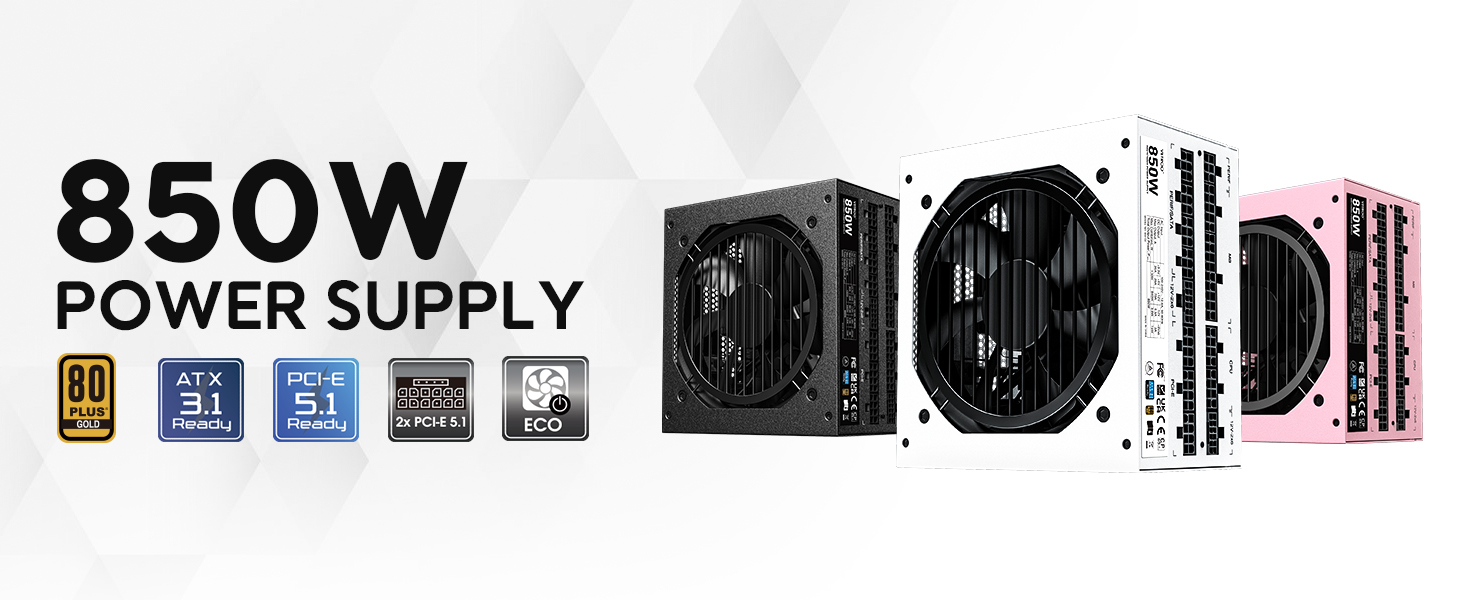
Расми 2: Зиёдview of Vetroo 850W Power Supply features
3. Мундариҷаи баста
Боварӣ ҳосил кунед, ки ҳама ҷузъҳо дар баста мавҷуданд:
- Vetroo 850W Power Supply Unit
- Modular Cable Set (including 24-pin ATX, CPU, PCIe, SATA, Molex, FDD connectors)
- Сими барқи AC
- Виддаҳои васлкунӣ
- Пайвастҳои идоракунии кабел
- Storage Bag for Unused Cables
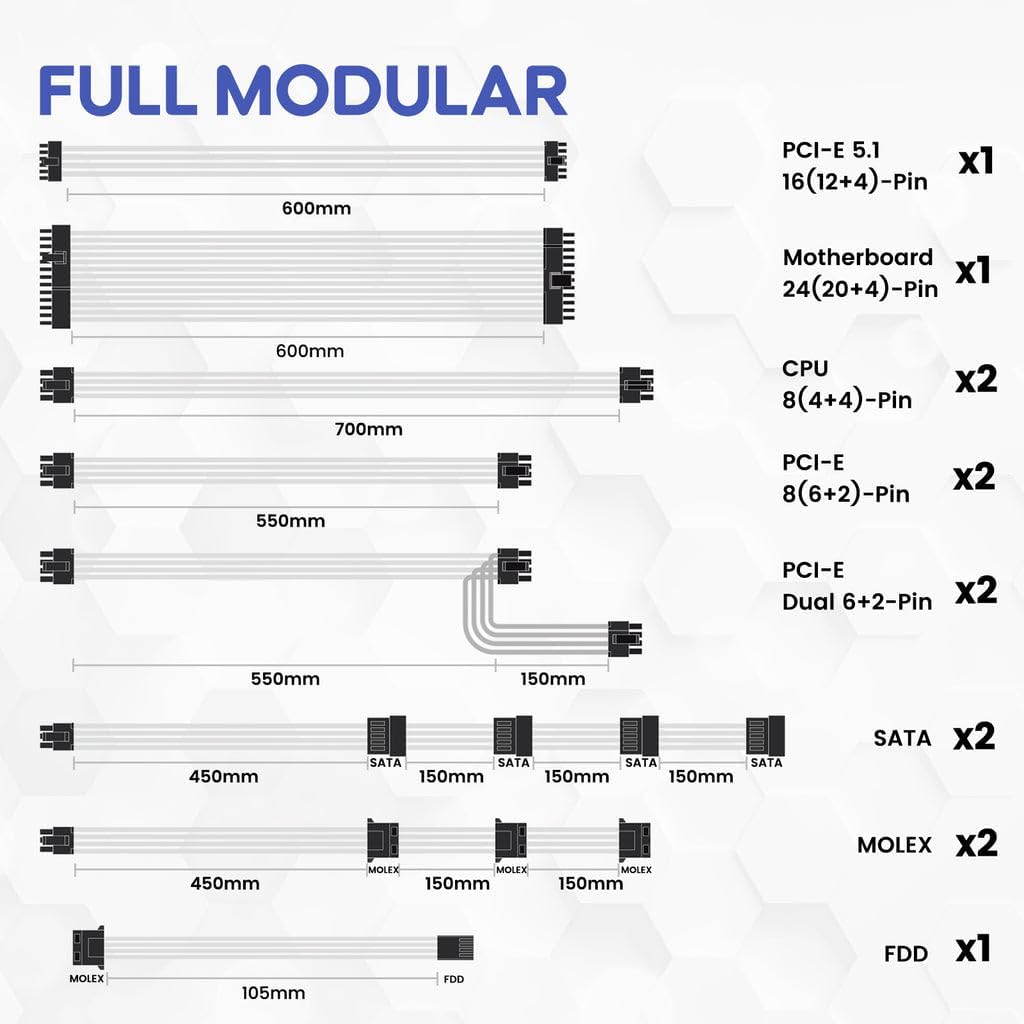
Тасвири 3: Кабелҳои модулӣ дохил карда шудаанд
4. Маълумот оид ба бехатарӣ
WARNING: Improper installation or use can result in serious injury or damage to your system.
- Always disconnect the AC power cord from the wall outlet before installing or removing the power supply.
- Шӯъбаи таъминоти барқро накушоед. Ҷилди баландtages are present inside, even when disconnected.
- Ensure all cables are securely plugged into their respective ports. Loose connections can cause damage.
- Use only the modular cables provided with this power supply. Third-party cables may not be compatible and could cause serious damage.
- Install the power supply in a well-ventilated area, away from high humidity and extreme temperatures.
5. Танзим ва насб
Follow these general steps for installing your power supply. Refer to your PC case and motherboard manuals for specific instructions.
- Системаи худро омода кунед: Боварӣ ҳосил кунед, ки компютери шумо хомӯш карда шудааст ва аз розеткаи деворӣ ҷудо карда шудааст.
- Таъмини барқро насб кунед: Secure the power supply unit into the designated bay in your PC case using the provided mounting screws.
- Connect Main Power Cables: Сими 24-pin ATX-ро ба motherboard пайваст кунед.
- Connect CPU Power Cables: Сими(ҳо)-и 8-pin (4+4) CPU-ро ба motherboard пайваст кунед.
- Connect PCIe Power Cables: Connect the necessary PCIe power cables (e.g., 12V-2x6 for PCIe 5.1 GPUs, or 8-pin (6+2) for older GPUs) to your graphics card(s).

Figure 4: Dual PCIe 5.1 Connectors
- Пайваст кардани кабелҳои периферӣ: Connect SATA, Molex, and FDD cables to your storage drives and other peripherals as needed.
- Идоракунии кабелӣ: Utilize the fully modular design and included cable ties to route cables neatly, improving airflow and aesthetics.
- Санҷиши ниҳоӣ: Double-check all connections to ensure they are secure before closing your PC case.
Video 1: Vetroo Power Supply Installation Guide. This video demonstrates the process of installing a Vetroo power supply into a PC case, including cable connections.
6. Дастурҳои истифодабарӣ
After successful installation, you can power on your system.
- Фаъол: Connect the AC power cord to the power supply and a wall outlet. Flip the main power switch on the power supply to the 'ON' position.
- Усули ЭКО: The power supply features an ECO mode switch. When 'ON', the fan will stop spinning unless the load is above approximately 50% of the rated capacity, ensuring silent operation at low loads. When 'OFF', the fan will spin continuously.

Figure 5: Power Switch and ECO Mode
7. Нигоҳдорӣ
Нигоҳдории дуруст дарозумрӣ ва кори оптималии таъминоти барқро таъмин мекунад.
- Тозакунӣ: Periodically clean the exterior of the power supply and the fan grille to prevent dust buildup, which can impede airflow and cooling. Use compressed air or a soft brush. Ensure the power supply is off and unplugged before cleaning.
- Амалиёти мухлисон: The 120mm Fluid Dynamic Bearing fan is designed for durability and quiet operation. In ECO mode, the fan may not spin at low loads; this is normal.
8. Баррасии мушкилот
If you encounter issues with your power supply, consider the following:
- Не қудрат: Ensure the AC power cord is securely connected to both the power supply and the wall outlet. Verify the main power switch on the power supply is in the 'ON' position. Check your wall outlet with another device.
- System Instability/Shutdowns: This power supply includes multiple protection features (OVP, OCP, OPP, SCP, UVP, OTP) to safeguard your components. If your system is unstable or shuts down unexpectedly, it could indicate an issue with power delivery or another component. Ensure all power connections are firm.
- Мухлиси чарх намезанад: If the ECO mode is enabled, the fan will not spin until the power supply reaches approximately 50% load. This is normal operation for quiet performance. If the fan does not spin under heavy load, contact support.
- Садоҳои ғайриоддӣ: If you hear unusual noises (e.g., coil whine, grinding), power down your system immediately and contact support.
9. Мушаххасоти
| Хусусият | Тафсилот |
|---|---|
| Номи модел | 850 Г5 |
| Натиҷаи Ватtage | 850 Ватт |
| Сертификатсияи самаранокӣ | 80 Plus тилло |
| Стандарти ATX | ATX 3.1 Compliant |
| PCIe Стандарт | PCIe Gen 5.1 Ready |
| Формаи форма | ATX |
| Усули хунуккунӣ | Ҳаво (вентилятор FDB 120 мм) |
| Навъи модулӣ | Модули пурра |
| Конденсаторҳо | Premium 105°C |
| Андозаҳои маҳсулот (L x W x H) | 5.9 x 5.5 x 3.4 инч |
| Вазни ашё | 5.7 фунт (2.59 килограмм) |
| Дастгоҳҳои мувофиқ | Компютери шахсӣ |
| Хусусиятҳои муҳофизатӣ | OVP (Зиёда аз ҷилдtage Protection), OCP (Over Current Protection), OPP (Over Power Protection), SCP (Short Circuit Protection), UVP (Under Voltage Protection), OTP (Over Temperature Protection) |
10. Кафолат ва дастгирӣ
The Vetroo 850W Power Supply comes with a Кафолати 10 сол, ensuring long-term reliability and peace of mind. For technical support, warranty claims, or any questions regarding your product, please visit the official Vetroo webсайт ё шӯъбаи хидматрасонии муштариёни онҳо тамос гиред.
Video 2: Vetroo 850W Power Supply - White Product Overview. Ин видео тасвири визуалиро пешкаш мекунадview of the white Vetroo 850W Power Supply.


