Муқаддима
Ташаккур ба шумо барои харидasing the REACHER Digital Alarm Clock Radio (Model CR7WCA). This device is designed to enhance your sleep and wake-up experience by combining an alarm clock, FM radio, sleep sound machine, and a multi-color night light. Please read this manual carefully to ensure proper use and optimal performance.
Маълумот оид ба бехатарӣ
- Дастгоҳро ба об ё намии аз ҳад зиёд нагузоред.
- Дастгоҳро дар наздикии манбаъҳои гармӣ ё зери нури бевоситаи офтоб ҷойгир накунед.
- Танҳо адаптери барқро истифода баред.
- Дастгоҳро худатон ба қисмҳо ҷудо кунед ё таъмир накунед. Барои кӯмак бо дастгирии мизоҷон тамос гиред.
- Аз дастрасии кӯдакон дур нигоҳ доред.
Мундариҷаи баста
- REACHER Digital Alarm Clock Radio (CR7WCA)
- Адаптери барқ
- Дастури корбар
Маҳсулот ба охир расидview
The REACHER CR7WCA combines multiple functions in a compact design, ideal for your bedside table.

Тасвир: Пеш view of the REACHER Digital Alarm Clock Radio, displaying the time 12:05 PM with a warm glowing night light at the base.

Тасвир: The alarm clock radio placed on a wooden table, illustrating its versatile functions as an alarm clock, FM radio, nightlight, and sound machine. Note: Not solid wood, wood-look finish.
Тугмаҳо ва портҳои идоракунӣ

Тасвир: A diagram illustrating the control buttons on the top panel (e.g., Time Set, Alarm Set, Snooze) and the ports on the back (DC 5V power input, radio antenna, display dimmer, nightlight brightness control).
- Тугмаҳои болоии панел: Sleep Sound On/Off, Music Selection, Volume Up/Down, Time Set, Alarm Set/On/Off, Snooze/Nightlight Switch, FM Radio On/Off/Auto Scan.
- Back Panel Ports/Controls: DC 5V Power Input, Radio Antenna, Display Dimmer, Nightlight Brightness Control.
Ташкил кардан
- Пайвасти барқ: Connect the provided power adapter to the DC 5V input port on the back of the clock and plug it into a wall outlet. The display will light up.
- Нусхаи батарея: The device includes a CR2023 battery (pre-installed) to maintain time and alarm settings during a power outage. This battery does not power the display or functions.
- Танзими вақти ибтидоӣ:
- Press and hold the 'Time Set' button. The hour digits will flash.
- Use the 'Volume Up/Down' buttons to adjust the hour.
- Press 'Time Set' again to confirm the hour and move to minutes. Adjust minutes using 'Volume Up/Down'.
- Press 'Time Set' once more to save the time.
Дастурҳои амалиётӣ
Муқаррар кардани ҳушдор
- Вақти ҳушдорро таъин кунед:
- Press and hold the 'Alarm Set' button. The alarm hour digits will flash.
- Use the 'Volume Up/Down' buttons to adjust the alarm hour.
- Press 'Alarm Set' again to confirm the hour and move to minutes. Adjust minutes using 'Volume Up/Down'.
- Press 'Alarm Set' once more to save the alarm time.
- Select Alarm Sound: After setting the time, the alarm sound icon will flash. Use the 'Music Selection' button to cycle through the 9 available alarm sounds (8 natural sounds + beep) or select FM radio.
- Баландии садои зангро танзим кунед: Use the 'Volume Up/Down' buttons to set the desired alarm volume (20-105dB).
- Ҳушдорро фаъол/ғайрифаъол кунед: Briefly press the 'Alarm Set' button to toggle the alarm on or off. An alarm icon will appear on the display when active.
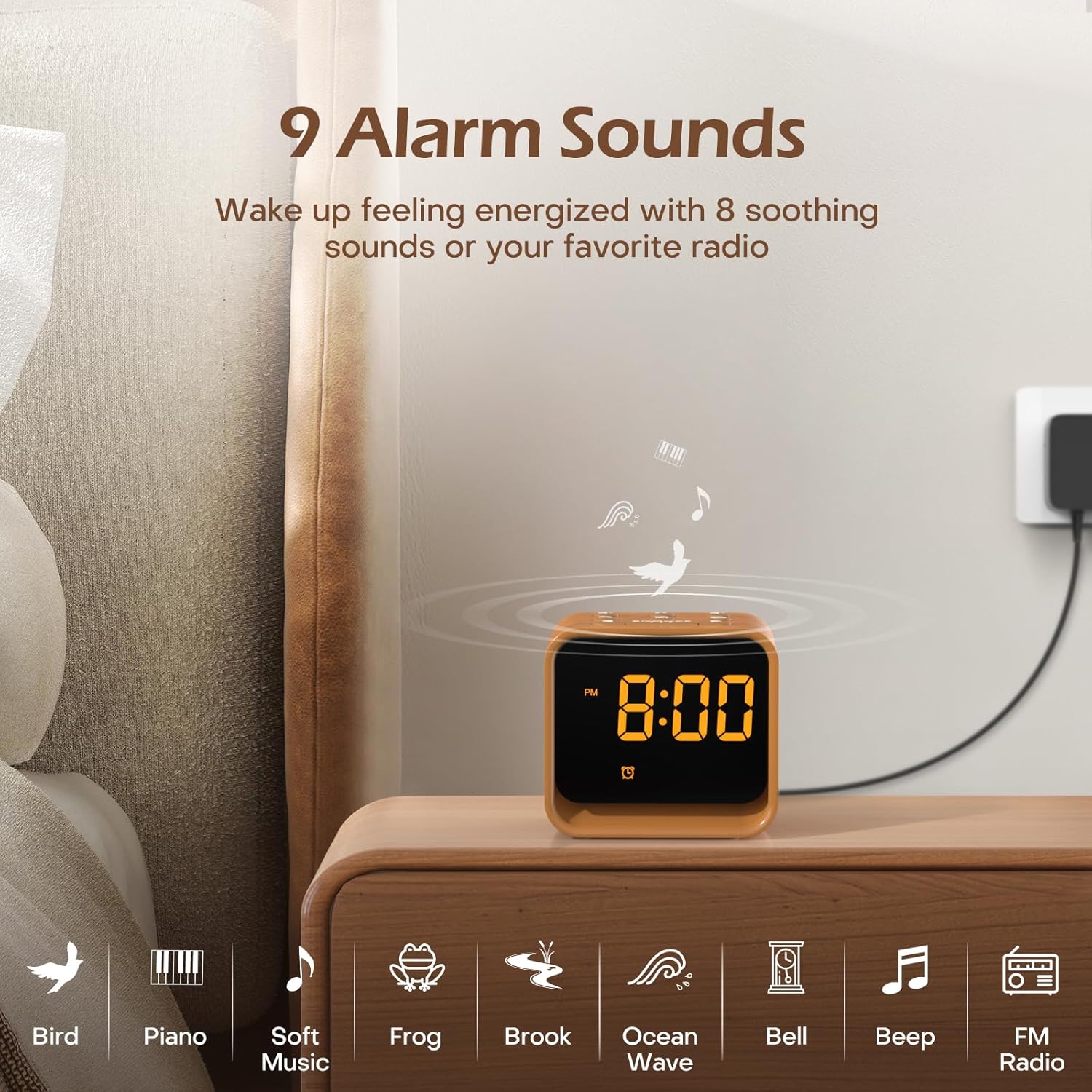
Тасвир: An illustration of the nine available alarm sounds, including various natural sounds and classic alarm tones, designed for a gentle wake-up.
Фаъолияти радиои FM
- Фурӯзон/хомӯш кардан: Press the 'FM Radio On/Off/Auto Scan' button to turn the FM radio on or off.
- Auto Scan and Save: When the radio is on, press and hold the 'FM Radio On/Off/Auto Scan' button to automatically scan for available stations and save them as presets.
- Истгоҳҳои ивазкунӣ: Use the 'Volume Up/Down' buttons to cycle through saved FM stations.
- Танзими овоз: Use the 'Volume Up/Down' buttons to adjust the radio volume (0-30 levels).

Тасвир: Details of the FM Radio function, including frequency range (76-108 MHz), adjustable volume (0-30 levels), and an auto-off timer (0-180 minutes).
Мошини садои хоб
- Фурӯзон/хомӯш кардан: Press the 'Sleep Sound On/Off' button to activate or deactivate the sleep sounds.
- Овозро интихоб кунед: Use the 'Music Selection' button to cycle through the 24 available soothing sounds (white noise, fan sounds, baby favorites, nature sounds).
- Танзими овоз: Use the 'Volume Up/Down' buttons to set the desired volume for the sleep sounds.
- Вақти хоб: The sleep timer allows the sound to play for a set duration before automatically turning off. Available settings typically include 30, 60, 90, 120, 150, or 180 minutes. Refer to the specific timer button or sequence on your device.

Тасвир: Як дохилӣ view of the clock radio, emphasizing its speaker and the variety of 24 soothing sounds available, categorized into white noise, fan sounds, baby favorites, and nature sounds.
Нури шаб
- Фурӯзон/хомӯш кардан: Briefly press the 'Snooze/Nightlight Switch' button to turn the night light on or off.
- Тағир додани ранг: Press the 'Snooze/Nightlight Switch' button repeatedly to cycle through the 7 available colors.
- Танзими равшанӣ: Use the 'Nightlight Brightness Control' on the back of the device to adjust the intensity of the night light.

Тасвир: The clock radio featuring its 7-color dimmable bottom night light, which can be turned on or off to create a desired ambiance.
Равшании намоиш
The LED display brightness can be adjusted from 0% to 100% to suit your preference and avoid disturbing sleep.
- Танзими равшанӣ: Use the 'Display Dimmer' control on the back of the device to slide and set the desired display brightness.
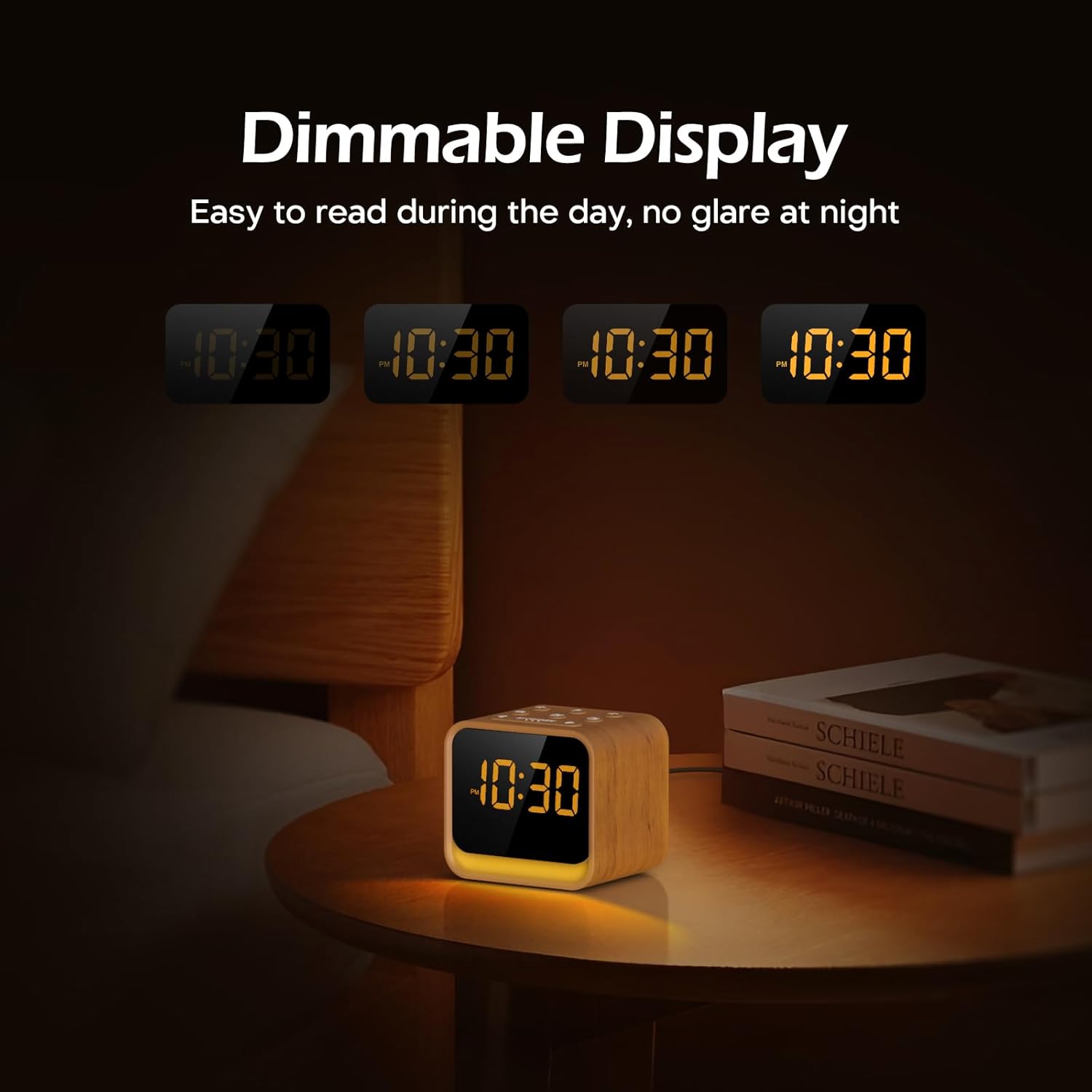
Тасвир: The clock's display at different brightness settings, from 0% to 100%, illustrating the dimmable LED feature for comfortable viewшабу рӯз кор кардан.
Функсияи таъхир
When the alarm sounds, briefly press the 'Snooze/Nightlight Switch' button to activate the 9-minute snooze function. The alarm will sound again after 9 minutes.
Нигоҳдорӣ
- Тозакунӣ: Дастгоҳро бо матои мулоим ва хушк пок кунед. Тозакунанда ё ҳалкунандаҳои абразивиро истифода набаред.
- Нигоҳдорӣ: If storing for an extended period, disconnect from power and keep in a cool, dry place.
- Иваз кардани батарея: The CR2023 backup battery should last for several years. If settings are lost during a power outage, replace the battery by opening the battery compartment on the bottom of the unit.
Мушкилкушо
| Мушкилот | Сабаби эҳтимолӣ | Ҳалли |
|---|---|---|
| Дастгоҳ фаъол нест. | Адаптери барқ пайваст нест ё нодуруст аст. | Ensure power adapter is securely connected to the device and a working power outlet. |
| Огоҳӣ садо намедиҳад. | Ҳушдор фаъол карда нашудааст ё садо хеле паст аст. | Check if the alarm icon is displayed. Increase alarm volume. |
| Қабули радиои FM бад аст. | Антенна дароз карда нашудааст ё халал намерасонад. | Fully extend the radio antenna. Try repositioning the device to reduce interference. |
| Time/settings are lost after power outage. | Батареяи эҳтиётии CR2023 тамом шудааст. | Replace the CR2023 backup battery. |
Мушаххасоти
- Бренд: РЕЙЧЕР
- Модели: CR7WCA
- Мавод: Пластмасса
- Ранги: Oak Wood finish
- Навъи намоиш: НН - НУРНИШОН
- Равшании намоиш: 0-100% хирашаванда
- Нури шаб: 7 Colors, Dimmable
- Овозҳои ҳушдор: 9 options (8 natural sounds + beep/FM radio)
- Овозҳои хоб: 24 options (White Noise, Fan, Baby Favorites, Nature Sounds)
- Басомади радиои FM: 76-108 МГц
- Манбаи нерӯ: Corded (DC 5V adapter)
- Батареяи эҳтиётӣ: CR2023 (for settings memory)
- Андозаҳои тахминӣ (баста): 13.9 х 9.4 х 8 см
- Approximate Weight (Package): 0.49 кг
Кафолат ва дастгирӣ
REACHER products come with a standard manufacturer's warranty. For specific warranty details, technical support, or any questions regarding your device, please refer to the contact information provided with your purchase or visit the official REACHER webсайт.
For customer service inquiries, please retain your purchase receipt and product model number (CR7WCA).


