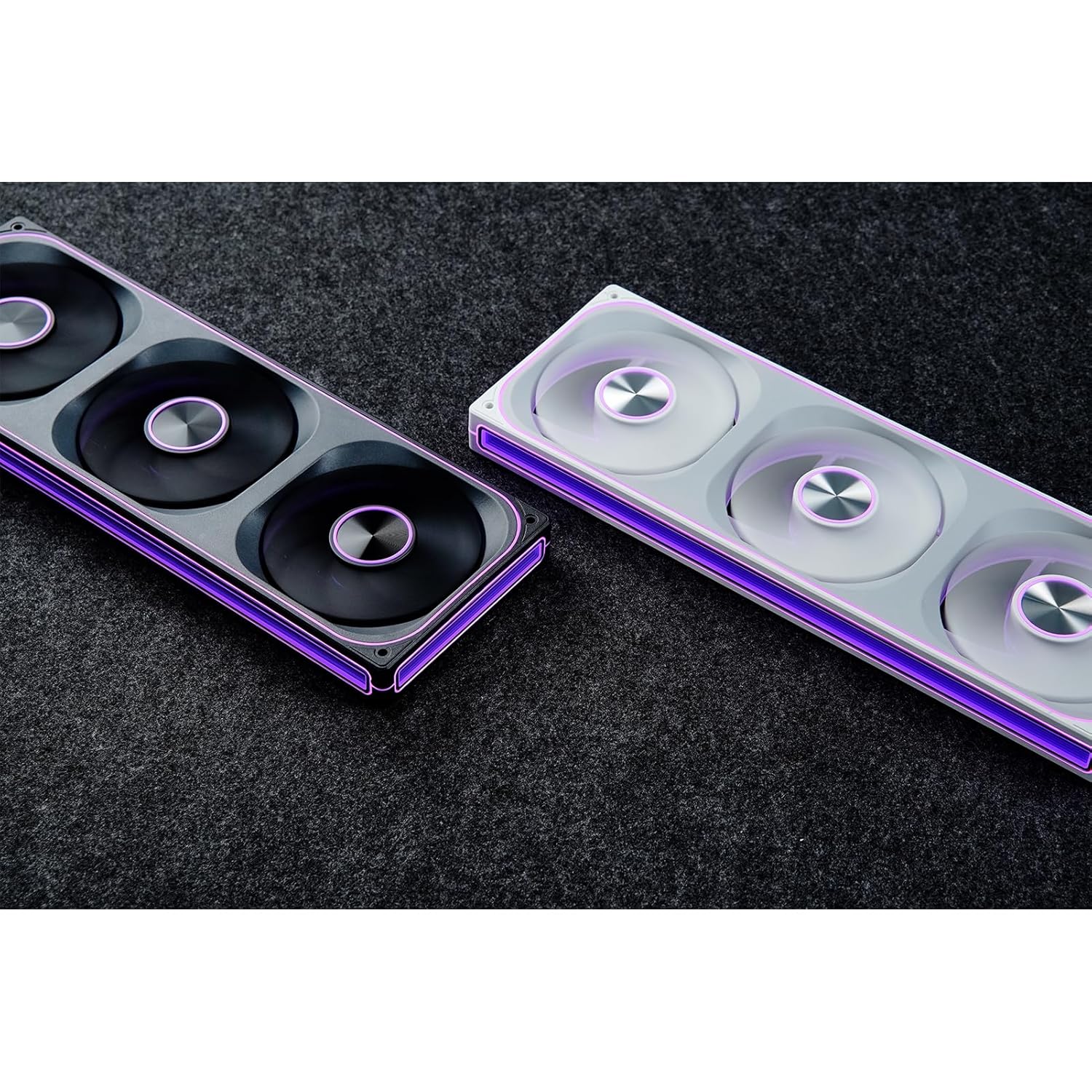
This manual provides detailed instructions for the installation, operation, and maintenance of your JONSBO ZA-240B PC Case Fan. Please read this manual thoroughly before installation and use to ensure proper function and longevity of the product. The JONSBO ZA-240B is an all-in-one unit featuring two 120mm ARGB fans, designed for efficient cooling and customizable lighting within a PC chassis.
2. Маълумот оид ба бехатарӣ
Ensure your computer system is powered off and unplugged from the wall outlet before installation or maintenance.
Avoid touching the fan blades while the fan is operating.
Handle the fan unit carefully to prevent damage to components or wiring.
Do not expose the product to moisture or extreme temperatures.
Use only compatible power and ARGB connectors as specified. Incorrect connections may cause damage.
JONSBO ZA-240B PC Case Fan Unit (with 2x120mm ARGB Fans)
Виддаҳои васлкунӣ
Ҳуҷҷатҳо (ин дастур)
Image: JONSBO ZA-240B fan unit with its integrated cables for power and ARGB connection.
4. Хусусиятҳои маҳсулот
Тарҳрезии ҳама дар як: Single frame unit integrating two 120mm ARGB fans, simplifying installation and cable management.
ARGB Infinity Mirror: Features 4-sides thousand-layer mirror illusion with 52 lamp beads around the circumference and 18 in the axis for dynamic lighting effects.
Addressable RGB Sync: Direct 3-pin ARGB connection to compatible motherboards for synchronized lighting control and over 16 million color effects.
Назорати PWM: Quiet and low-noise PWM fan operation with an integrated male/female head for speed regulation.
Номи лавҳаи алюминий: Includes an aluminum CD pattern nameplate for enhanced aesthetics.
Simplified Cabling: One-line connection to the motherboard for both fan power and ARGB lighting.
Тасвир: Пеш view of the JONSBO ZA-240B PC Case Fan showcasing равшании ARGB ва эффекти оинаи беохири он.
5. Танзим ва насб
Follow these steps to install the JONSBO ZA-240B PC Case Fan into your computer chassis:
Системаи худро омода кунед: Power off your computer and unplug it from the power outlet. Open your PC case to access the interior.
Муайян кардани макони насб: Determine the desired mounting location for the fan unit (e.g., top, front, bottom, or side of the case). Ensure there is sufficient clearance.
Secure the Fan Unit: Align the fan unit with the screw holes in your PC case. Use the provided mounting screws to firmly attach the fan unit to the chassis. Do not overtighten.
Image: JONSBO ZA-240B fan unit installed at the top of a PC case, demonstrating typical mounting.
Пайваст кардани кабели PWM: Locate an available 4-pin PWM fan header on your motherboard. Connect the 4-pin PWM connector from the fan unit to this header. This allows the motherboard to control fan speed.
Пайваст кардани кабели ARGB: Locate an available 3-pin 5V Addressable RGB header on your motherboard. Connect the 3-pin ARGB connector from the fan unit to this header. Ensure the arrow on the connector aligns with the +5V pin on the motherboard header to prevent damage. Ба сарлавҳаи 12V RGB пайваст накунед.
Идоракунии кабелӣ: Route the cables neatly to avoid interference with other components and to improve airflow.
Парвандаи пӯшида ва фурӯзон: Once all connections are secure, close your PC case, plug in the power cable, and power on your system.
6. Амалиёт
Назорати суръати мухлиси (PWM)
The JONSBO ZA-240B fan unit utilizes Pulse Width Modulation (PWM) technology, allowing your motherboard to dynamically adjust fan speeds based on system temperature. This ensures optimal cooling performance while minimizing noise levels. You can configure fan curves through your motherboard's BIOS/UEFI settings or using compatible software provided by your motherboard manufacturer.
Назорати равшании ARGB
The Addressable RGB (ARGB) lighting of the ZA-240B can be controlled via your motherboard's ARGB software (e.g., ASUS Aura Sync, MSI Mystic Light Sync, GIGABYTE RGB Fusion, ASRock Polychrome Sync). Ensure your motherboard supports 3-pin 5V ARGB headers. This software allows you to customize lighting effects, colors, and synchronization with other ARGB components in your system.
Image: The JONSBO ZA-240B fan unit displaying its customizable ARGB lighting within a computer system.
7. Нигоҳдорӣ
Regular maintenance helps ensure optimal performance and extends the lifespan of your fan unit.
Тоза кардани чанг: Periodically clean dust from the fan blades and frame using compressed air or a soft brush. Ensure the system is powered off and unplugged before cleaning.
Санҷиш: Occasionally inspect the fan and its cables for any signs of wear, damage, or loose connections.
8. Баррасии мушкилот
Чоп
Сабаби эҳтимолӣ
Ҳалли
Фан чарх намезанад
Loose or incorrect PWM cable connection. Insufficient power.
Check the 4-pin PWM cable connection to the motherboard. Ensure the motherboard is supplying power to the fan header.
Равшании ARGB кор намекунад
Loose or incorrect ARGB cable connection. Connected to 12V RGB header. Motherboard ARGB software not configured.
Verify the 3-pin ARGB cable is securely connected to a 5V ARGB header. Ensure it is not connected to a 12V RGB header. Check motherboard ARGB software settings.
Фан хеле баланд аст
Fan speed set too high. Obstruction.
Adjust fan speed settings in your motherboard's BIOS/UEFI or software. Ensure no cables or objects are obstructing the fan blades.
Иҷрои сусти хунуккунӣ
Insufficient airflow. Dust buildup. Incorrect fan orientation.
Ensure proper airflow within the case. Clean dust from fans. Verify fan is oriented to push or pull air in the desired direction.
9. Мушаххасоти
Хусусият
Тафсилот
Рақами модел
ZA-240B
Андозаи мухлис
2 x 120mm (integrated unit)
Fan Thickness
28мм
Суръати гардиш
700-2400 RPM (±10%)
Сатҳи садо
21.3-37.3 дБ(А)
Пайвасткунаки барқ
4-Pin PWM
Пайвасткунаки ARGB
3-Pin 5V ARGB
Ҷилдиtage
Ҷараёни доимии 12 волт (вентилятор), 5 волт (LED)
Ватtage
5.16 watts (Fan), 5.80 watts (LED)
Дастгоҳҳои мувофиқ
Парвандаи компютер
Андозаҳо (Баста)
29.97 х 15.75 х 4.19 см
Вазн (Баста)
707.6 гр
10. Кафолат ва дастгирӣ
For warranty information and technical support, please refer to the official JONSBO webсайт ё фурӯшандаи худ тамос гиред. Барои даъвоҳои кафолат далели хариди худро нигоҳ доред.
Ҳуҷҷатҳои марбут - ZA-240B
Дастурҳо ва огоҳиҳои бехатарии Jonsbo Fan Ин ҳуҷҷат дастурҳо ва огоҳиҳои муҳими бехатариро барои мухлиси Jonsbo пешниҳод мекунад, ки бехатарии механикӣ, бехатарии барқ, вентилятсия ва нигоҳубинро дар бар мегирад. Он барои коркарди бехатар ва истифодаи дурусти маҳсулот пешбинӣ шудааст.
Jonsbo D31 Дастури насби Парвандаи компютерӣ ва мушаххасоти Дастури ҳамаҷониба барои парвандаи компютерии Jonsbo D31, ки рӯйхати қисмҳо, мушаххасоти шасси, насби PSU ва корти графикӣ, имконоти хунуккунӣ ва мутобиқатро дар бар мегирад. Хусусиятҳои қадамҳои муфассал барои сохтани компютери шумо.
Парвандаи PC JONSBO C6: Дастури корбар ва дастур оид ба насб Дастури ҳамаҷонибаи корбар ва дастури насб барои парвандаи PC JONSBO C6. Ин ҳуҷҷат мундариҷаи баста, муайянкунии ҷузъҳо ва дастурҳои зина ба зина васлкуниро барои сохтани компютери шумо тафсилот медиҳад.