
1. Маҳсулот ба охир расидview
The OWON HDS241 is a versatile 3-in-1 handheld device integrating a single-channel oscilloscope, a 24000-count digital multimeter, and a 100kHz signal generator. Designed for both outdoor and indoor use, it offers a compact form factor with powerful measurement capabilities for various electrical and electronic applications.

Image 1.1: The OWON HDS241 device, highlighting its oscilloscope, multimeter, and signal generator functions.
2. Маълумот оид ба бехатарӣ
Before using the OWON HDS241, please read and understand all safety instructions to prevent electric shock, injury, or damage to the device. Keep this manual for future reference.
- Бехатарии умумӣ: Always use the device within its specified voltage and current limits. Do not operate the device in wet or damp шароит.
- Бехатарии санҷиш: Ensure probes are correctly connected and rated for the measurement being performed. Avoid touching exposed wiring or components when the device is powered on.
- Бехатарии батарея: Use only the specified battery type. Do not disassemble, crush, or expose the battery to extreme temperatures.
- Нигоҳдорӣ: Refer all servicing to qualified personnel. Do not attempt to repair the device yourself.
3. Хусусиятҳои асосӣ
- Мултиметри рақамӣ: 4 1/2 digit True RMS digital multimeter for measuring AC/DC voltage/current, resistance, diode, capacitance, and continuity. Maximum input voltage is AC 750V, DC 1000V.
- Signal Waveform Generator: 1-channel 100 kHz generator supporting sine, square, ramp, and pulse wave outputs. Maximum output amplitude is 2.5 Vpp.
- Осциллограф: Waveform refresh rate up to 10,000 wfms/s, 40MHz bandwidth, and real-time sampling rate up to 250MSa/s. Features auto-setup, multiple measurement functions, 8K record length, cursor measurement, and slow scan mode for long-term signal monitoring.
- Тарҳрезии компакт: Portable form factor with a 3.5-inch high-definition color LCD screen, suitable for various environments.
- Ҳаёти батареяи дароз: Low-power design with a 2000 mAh high-capacity lithium battery and standard Type-C port for charging and power bank compatibility.
4. Мундариҷаи баста
The standard package for the OWON HDS241 includes:
- OWON HDS241 Handheld Oscilloscope Unit
- Test Leads for Multimeter
- Зондҳои осциллограф
- Сими USB Type-C
- Дастури корбар (ин ҳуҷҷат)
Note: Additional accessories such as a BNC-to-alligator clip cable or carrying case may need to be purchased separately.
5. Тарҳбандии дастгоҳ ва идоракунӣ
Familiarize yourself with the physical components and controls of the HDS241.

Тасвири 5.1: Пеш ва паҳлӯ view of the OWON HDS241 with key controls and ports labeled. Labels include: signal input connector, display area, multifunction keys, channel key, mode switching key, system settings, save settings, power button, relative value/activation menu key, multimeter input port, horizontal time base setting/signal adjustment, return key, range switch/measurement menu key, arrow keys, auto range/auto setting key, hold value/Stop/Run key, probe compensation output (2.5V/1kHz square wave or signal generator output), USB charging/communication interface, approximate weight (0.6 kg host, excluding battery), gross weight (1.2 kg).
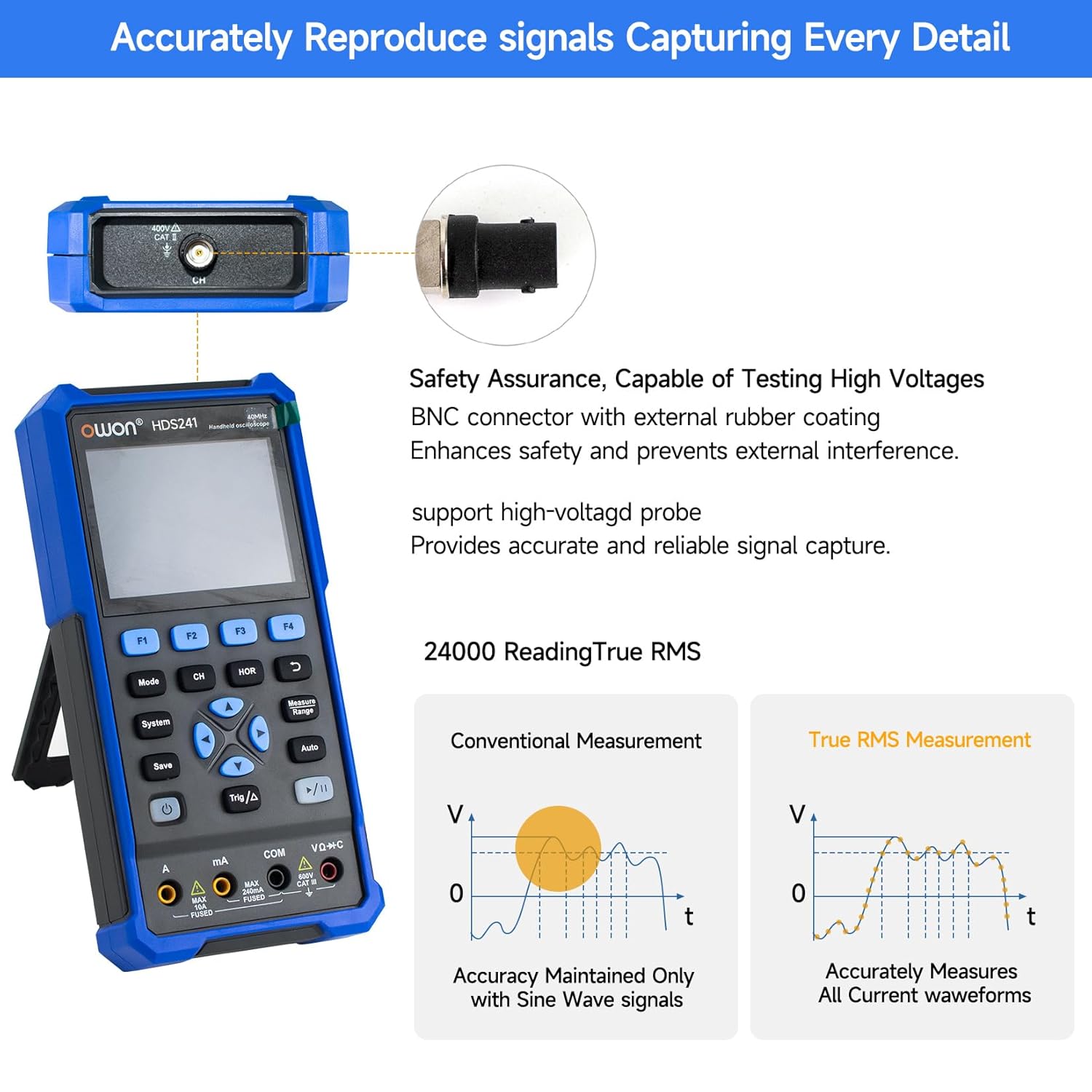
Image 5.2: Detail of the BNC connector, designed for safety and signal integrity, with external rubber coating.
6. Танзимоти ибтидоӣ
6.1 Пур кардани дастгоҳ
The HDS241 is equipped with a built-in 2000 mAh lithium battery. Before first use, fully charge the device using the provided USB Type-C cable and a compatible power adapter (not included) or a computer USB port.
- Connect the USB Type-C cable to the device's Type-C port.
- Қисми дигари симро ба манбаи қувваи USB пайваст кунед.
- Нишондиҳандаи барқгиранда ҳолати барқро нишон медиҳад.

Image 6.1: The USB Type-C charging port and internal battery compartment, emphasizing long-lasting performance.
6.2 Фурӯзон/хомӯш кардан
-ро пахш карда нигоҳ доред Қувва тугмаи барои фаъол ё хомӯш кардани дастгоҳ.
7. Реҷаҳои корӣ
The HDS241 features three primary operating modes: Oscilloscope, Multimeter, and Signal Generator. Press the Режим тугмаи "гузариш байни ин функсияҳо".
7.1 Ҳолати осциллограф
In Oscilloscope mode, the device displays real-time waveforms, allowing for detailed analysis of electrical signals. Connect the oscilloscope probe to the BNC connector on the top of the device.
- Auto-Setup: -ро пахш кунед Авто button for automatic scaling and positioning of the waveform.
- Андозаҳо: -ро истифода баред Чен кардан menu (accessed via F1) to select automatic measurements like Frequency, Period, Amplitude, Max, Min, Peak-to-Peak, and RMS.
- Андозагирии курсор: Activate cursor measurements (accessed via F2) to manually measure voltage (ΔV) and time (ΔT) differences between points on the waveform.
- Танзимоти триггер: Adjust trigger type, level, and mode using the Trig/Δ тугма.
- Horizontal/Vertical Controls: Use the navigation arrows to adjust time base (horizontal) and voltage scale (vertical).

Тасвири 7.1.1: Мисamples of oscilloscope display features including dual sampling mode, high refresh rate, 8 types of auto-measurements, and cursor measurements.

Тасвири 7.1.2: Мисamples of actual measured waveforms, demonstrating the oscilloscope's signal capture capabilities for different signal types.
7.2 Режими мултиметр
In Multimeter mode, the HDS241 functions as a digital multimeter. Connect the test leads to the appropriate input ports (VΩ+C, COM, A, mA) at the bottom of the device.
- Интихоби функсия: -ро истифода баред Режим button to cycle through measurement types (Voltage, Current, Resistance, Capacitance, Diode, Continuity).
- Танзими худкор: The device supports auto-ranging for convenient measurement.
- Нигоҳ доштани маълумот: -ро истифода баред Захира кунед button or a dedicated hold function (if available) to freeze the current reading.
7.3 Ҳолати генератори сигнал
The Signal Generator mode allows the device to output various waveforms. Connect the output to the circuit under test using the appropriate cable (e.g., BNC to alligator clips, not included).
- Интихоби шакли мавҷ: Use the F-keys to select sine, square, ramp, or pulse waveforms.
- Танзими параметр: Adjust frequency and amplitude using the navigation arrows. The maximum output amplitude is 2.5 Vpp.
8. Идоракунии маълумот
The HDS241 supports data transfer to a computer via its USB Type-C port for further analysis and record-keeping.
- Пайвастшавӣ ба компютер: Use the provided USB Type-C cable to connect the device to your computer.
- Нармафзор: Refer to the OWON website for any necessary drivers or software to facilitate data transfer and analysis.
- Нигоҳ доштани маълумот: -ро истифода баред Захира кунед button to store waveform images, settings, or measurement data directly on the device.
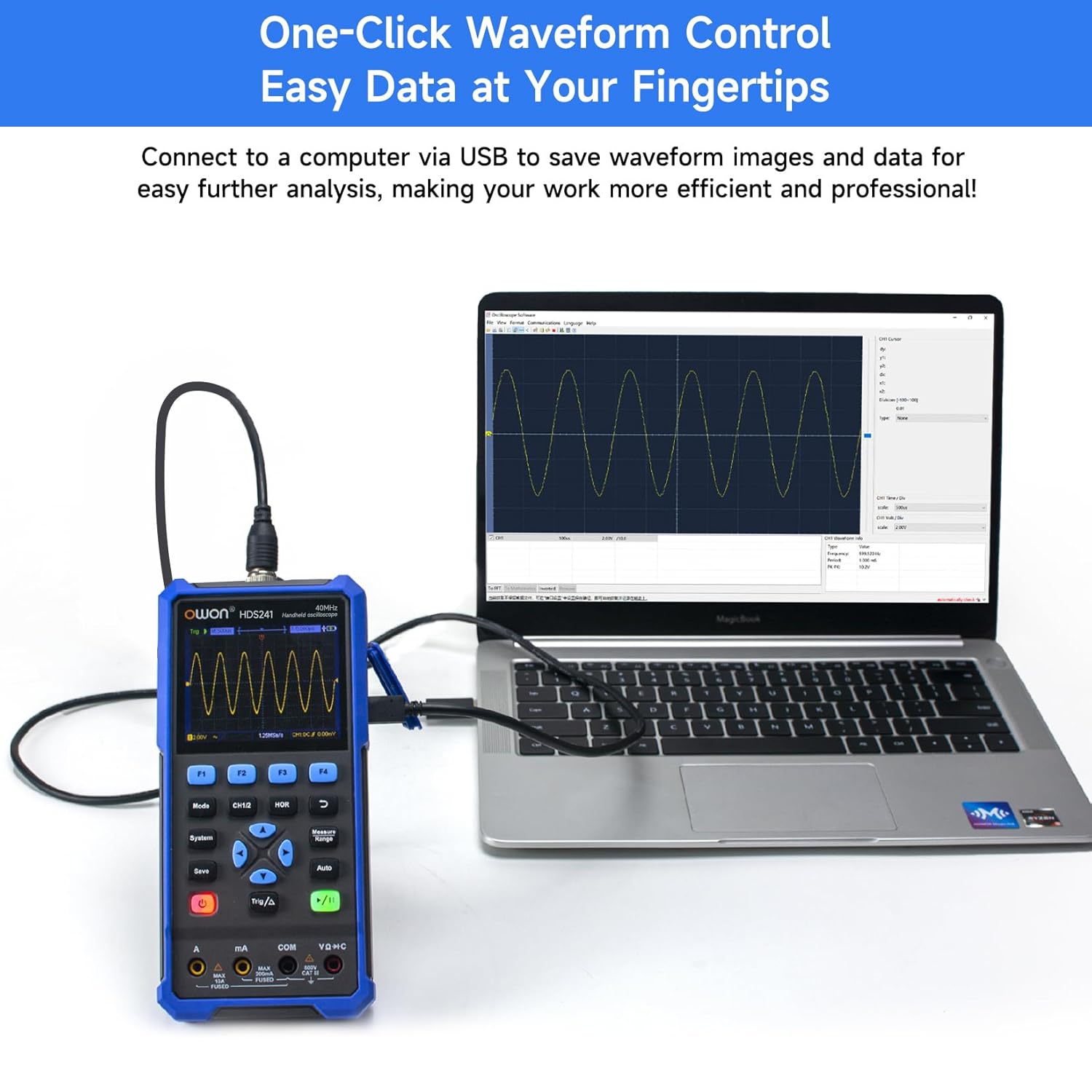
Image 8.1: The OWON HDS241 connected to a computer for data transfer and analysis, enabling easy waveform control.
9. Нигоҳдорӣ
- Тозакунӣ: Дастгоҳро бо матои хушк ва мулоим тоза кунед. Тозакунанда ё ҳалкунандаҳои абразивиро истифода набаред.
- Нигоҳдорӣ: Дастгоҳро дар ҷои хунук ва хушк дур аз нури бевоситаи офтоб ва ҳарорати аз ҳад зиёд нигоҳ доред.
- Нигоҳубини батарея: For long-term storage, ensure the battery is partially charged (around 50%) and recharge it every few months to maintain battery health.
- Калибрченкунии зонд: Periodically calibrate the oscilloscope probe using the dedicated probe compensation output to ensure accurate measurements.
10. Баррасии мушкилот
| Мушкилот | Сабаби эҳтимолӣ | Ҳалли |
|---|---|---|
| Дастгоҳ фаъол нест. | Батареяи кам ё тамомшуда. | Connect the device to a power source using the USB Type-C cable and allow it to charge. |
| Дар ҳолати осциллограф шакли мавҷ намоиш дода намешавад. | Probe not connected correctly; signal too small or too large; incorrect time base or voltagд миқёс. | Ensure probe is securely connected. Press Авто for automatic setup. Adjust vertical and horizontal scales manually. Check trigger settings. |
| Хондани мултиметр нодуруст аст. | Test leads not properly connected; incorrect measurement function selected; external interference. | Verify test lead connections. Ensure the correct measurement mode (voltage, current, resistance) is selected. Minimize external electrical noise. |
| Баромади генератори сигнал он тавре ки интизор мерафт, нест. | Incorrect waveform type, frequency, or amplitude set. | Шакли мавҷ, басомад ва параметрҳои интихобшударо санҷед amplitude settings in the signal generator menu. |
11. Мушаххасоти техникӣ
Мушаххасоти осциллограф:
| Параметр | Арзиш |
|---|---|
| Маҷрои маҷрои | 40 МГц |
| Канал | 1 |
| SampLing Rate | 250MSa / s |
| Ҳолати ба даст овардани | Sample, Қуллаи ошкоркунӣ |
| Дарозии сабт | Max. 8K |
| Намоиш | LCD 3.5 дюйм |
| Суръати навсозии шакли мавҷ | 10,000 wfms/s |
| Пайвасткунии вуруд | DC, AC, заминӣ |
| Импеданси вуруд | 1 MΩ±2%, дар баробари 16 pF±10 pF |
| Пастшавии зонд | 1Х, 10Х, 100Х, 1000Х |
| Ҳаҷми ҳадди вурудtage | 400V (DC + AC, PK-PK) |
| Ҳалли ҳассосият | 10мВ/див-10В/див |
| Қарори амудӣ | 8 бит |
| Миқёси уфуқӣ | 5ns/div-1000s/div, step 1-2-5 |
| Навъи триггер | Edge |
| Ҳолати триггер | Автоматӣ, муқаррарӣ, ягона |
| Андозаи худкор | Давра, Басомад, Миёна, PK-PK, Макс., Ҳадди ақал, Amplitude, RMS |
| Андозаи курсор | ΔV, ΔT |

Image 11.1: Detailed oscilloscope specifications.
Digital Multimeter Specifications:
| Параметр | Арзиш |
|---|---|
| Ҳисоби ҳисоб | 4½ digits (max 24000 counts) |
| Усулҳои санҷиш | Ҷилдиtage, Ҷараён, Муқовимат, Иқтидор, Диод, Пайвастагӣ |
| Ҳаҷми ҳадди вурудtage | AC 750V, DC 1000V |
| Ҷараёни максималии вуруд | AC 10A, DC 10A |
| Қатораи худкор | Бале |
| RMS ҳақиқӣ | Бале |

Image 11.2: Detailed digital multimeter specifications.
Signal Waveform Generator Specifications:
| Параметр | Арзиш |
|---|---|
| Шаклҳои мавҷҳо | Синус, Майдон, Рamp, Набз |
| Басомади баромад | 10Гц-100КГц |
| Ampгиря | 2Vpp-2.5Vpp |

Image 11.3: Detailed signal waveform generator specifications.
Мушаххасоти умумӣ:
- Андозаҳо: 9.6 х 3.8 х 19.8 см
- Вазни ашё: 1.2 килограмм
- Манбаи нерӯ: Battery Powered (2000 mAh Lithium Battery)
- Ранги: Кабуд
- Сертификатсияҳо: CE, True RMS
12. Кафолат ва дастгирӣ
OWON products are designed for reliability and performance. For warranty information, technical support, or service inquiries, please refer to the official OWON webсайт ё дистрибютори маҳаллии худ тамос гиред.
- Мӯҳлати кафолат: Standard manufacturer's warranty applies. Please check your purchase documentation for specific terms and duration.
- Пуштибонии фаннӣ: Visit the OWON official website for FAQs, software downloads, and contact information for technical assistance.
- Бозгашт: Refer to the retailer's return policy for details on product returns and exchanges.


