Муқаддима
This user manual provides detailed instructions for the Reacher R9BT-RA-DE, a versatile 4-in-1 device designed for convenience and functionality. It integrates a 15W magnetic wireless charger, a digital alarm clock with natural sound options, an FM radio with 40 presets, and a 10W Bluetooth 5.3 speaker. Please read this manual thoroughly to ensure proper setup, operation, and maintenance of your device.

Image: The Reacher R9BT-RA-DE highlighting its four core functionalities: wireless charging, Bluetooth speaker, FM radio, and alarm clock, presented as a stylish clock.
Маҳсулот ба охир расидview
The Reacher R9BT-RA-DE is engineered to simplify your daily routine by combining multiple essential functions into one elegant unit. Its design features a grey textile body with a wood-look top panel, suitable for various interior styles.
Хусусиятҳои асосӣ:
- 15W Magnetic Wireless Charging: Fast and secure charging for compatible smartphones, especially iPhone 12-16 series with magnetic alignment.
- Соати зангдори рақамӣ: Features a dimmable LED display (0-100%), 12/24-hour format, 6 natural alarm sounds (bird, sea, beep, wind chimes, piano, radio), and a 9-minute snooze function.
- Радиои FM: Stable reception (87.5-108 MHz) with an extendable antenna, supporting up to 40 preset stations and both manual and automatic tuning.
- Баландгӯяки Bluetooth 5.3: 10W stereo speakers deliver 360° sound, offering stable connection up to 10 meters for streaming music and podcasts. Automatic time synchronization upon phone connection.
- Тарҳрезии барои истифодабарандагон: Intuitive button layout on the top panel and rotary controls on the back for volume and display brightness.

Image: The Reacher R9BT-RA-DE in operation, showing a smartphone wirelessly charging on its magnetic pad and the digital clock display.
Ташкил кардан
1. Кушодан ва ҷойгиркунӣ:
- Дастгоҳро бодиққат аз бастааш хориҷ кунед.
- Place the device on a stable, flat surface, such as a bedside table or office desk.
- Дар атрофи дастгоҳ вентилятсияи мувофиқро таъмин кунед.
2. Пайвасти барқ:
- Connect the provided power cable to the DC input port on the back of the device.
- Plug the other end of the power cable into a standard wall outlet.
- Дар экран нишондиҳанда фурӯзон мешавад, ки нишон медиҳад, ки дастгоҳ фаъол аст.
3. Initial Time Setting:
- Upon initial power-on, the time may need to be set manually or will synchronize automatically when connected via Bluetooth to a smartphone.
- Refer to the "Alarm Clock and Display" section for manual time adjustment instructions.
Дастурҳои амалиётӣ
1. Пуркунии бесим:
- Place your Qi-compatible smartphone (e.g., iPhone 12-16 series) on the magnetic charging pad located on the top surface of the device.
- The strong magnet will automatically align your phone for optimal charging.
- Charging will begin automatically. The device supports up to 15W fast charging.
- Ensure your phone case is compatible with MagSafe and is not thicker than 8mm for efficient charging.
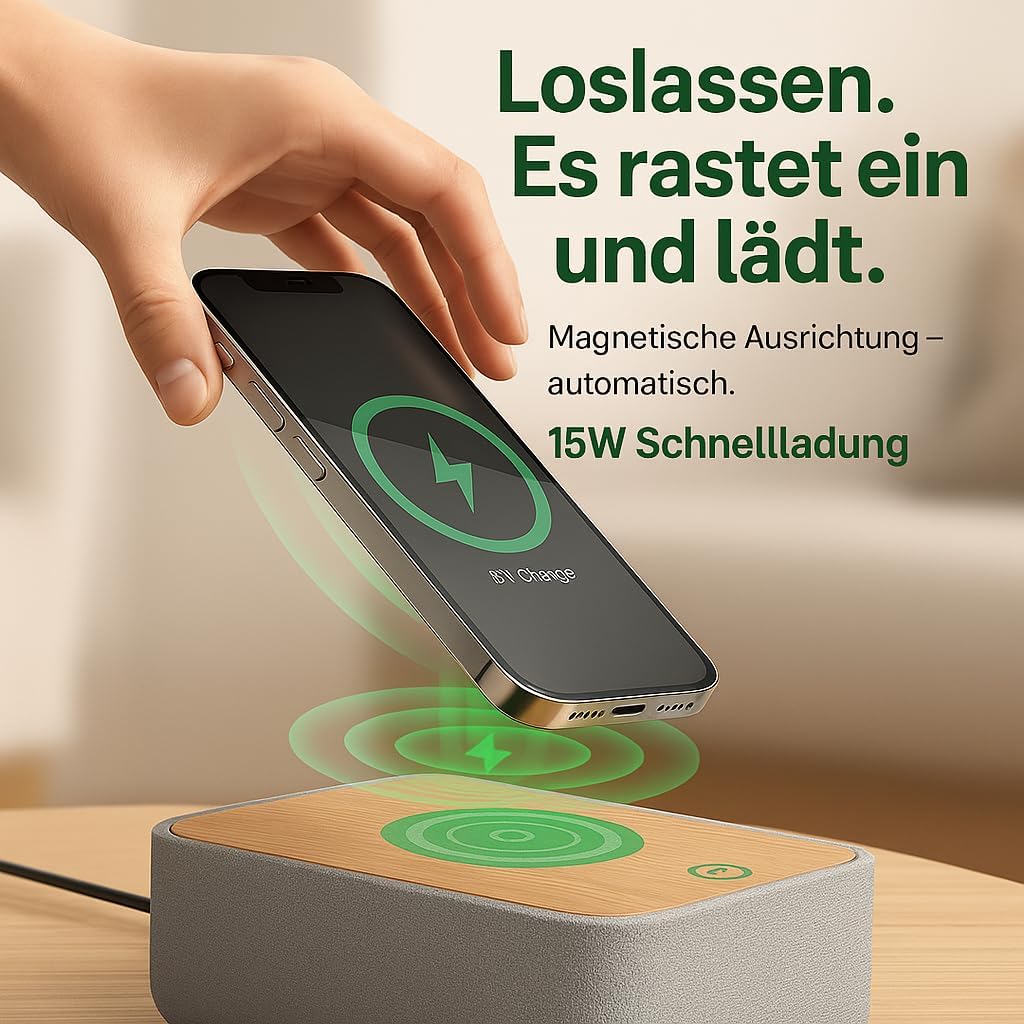
Image: Illustrates the magnetic alignment feature for wireless charging, showing a phone being placed on the charging pad.

Image: Demonstrates the 15W fast wireless charging capability of the device.
2. Радиои FM:
- Extend the antenna located at the back of the device for optimal reception.
- -ро пахш кунед FM тугмаи барои гузаштан ба ҳолати радиои FM.
- Танзими худкор: -ро пахш карда нигоҳ доред Скан button (or similar, refer to device buttons) to automatically scan and save available stations (up to 40 presets).
- Танзими дастӣ: -ро истифода баред Танзим кардан +/- buttons (or rotary knob) to manually adjust the frequency (87.5-108 MHz).
- Интихоби танзимоти пешакӣ: -ро истифода баред Танзимоти пешакӣ +/- тугмаҳо барои давр задан дар байни истгоҳҳои захирашуда.
- Adjust the volume using the rotary knob on the back of the device.

Image: Visual guide to the FM radio features, showing options for manual and automatic tuning, and the capacity for 40 preset stations.
3. Bluetooth Speaker:
- -ро пахш кунед блутуз button to enter Bluetooth pairing mode. The Bluetooth icon on the display will flash.
- On your smartphone or other Bluetooth-enabled device, search for "R9BT-RA-DE" (or similar device name) in the Bluetooth settings.
- Select the device to pair. Once connected, the Bluetooth icon will stop flashing and remain solid.
- You can now stream audio from your connected device.
- The device features 10W stereo speakers for 360° sound and Bluetooth 5.3 for stable connection up to 10 meters.
- When connected, the device may automatically synchronize its time with your phone.
- Adjust the volume using the rotary knob on the back of the device (30 volume levels available).
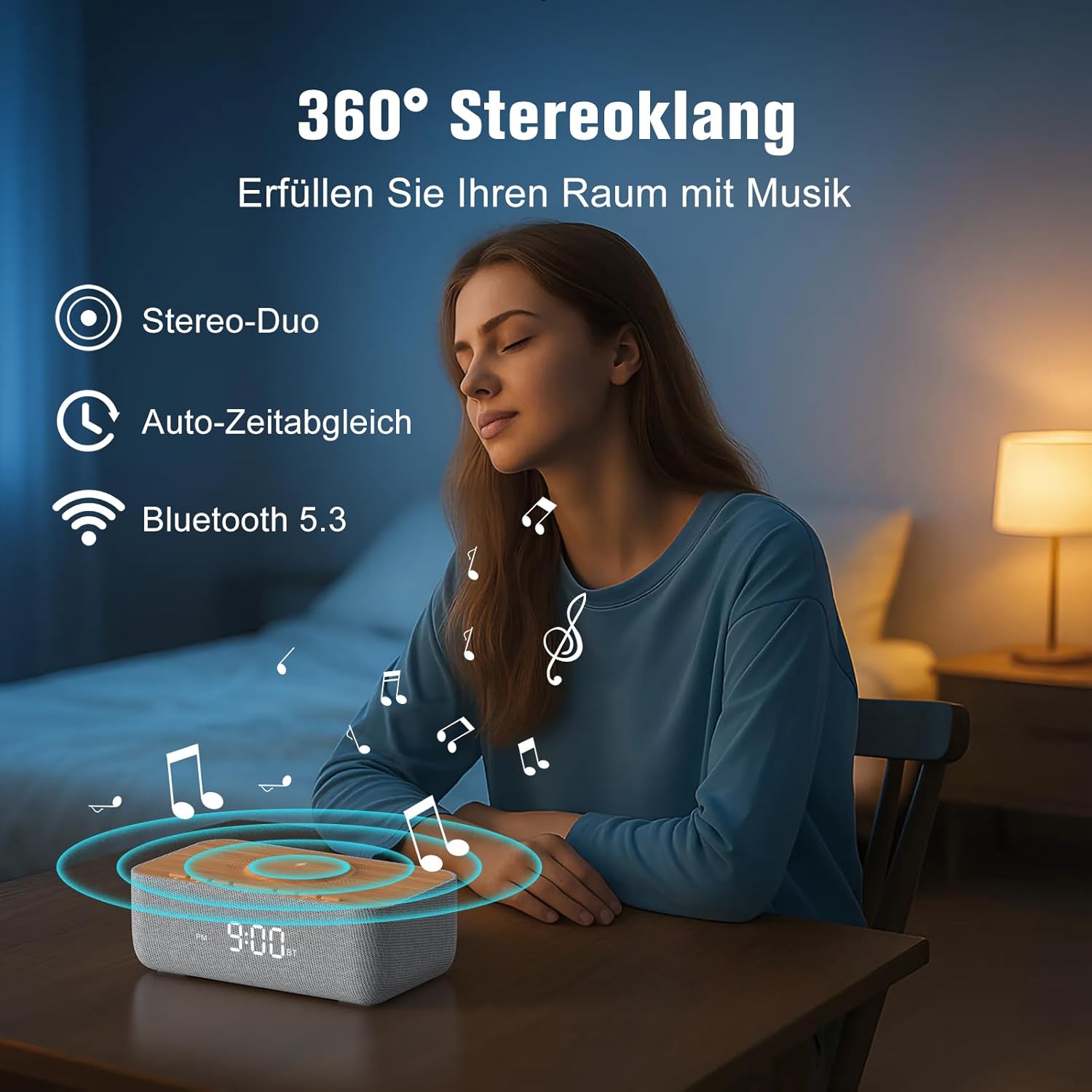
Image: Depicts the device's 360-degree stereo sound capability, Bluetooth 5.3 connectivity, and automatic time synchronization.
4. Alarm Clock and Display:
- Вақти танзим: -ро пахш кунед Танзими вақт тугмача. -ро истифода баред +/- тугмаҳоро барои танзими соат ва дақиқа пахш кунед. Танзими вақт бори дигар барои тасдиқ.
- Формати 12/24 соат: -ро пахш кунед 12/24 тугмаи барои гузаштан байни форматҳои 12-соата (бо нишондиҳандаи AM/PM) ва 24-соата.
- Танзими ҳушдор: -ро пахш кунед Маҷмӯи ҳушдор тугма. Истифода баред +/- барои таъин кардани вақти ҳушдор. -ро пахш кунед. Маҷмӯи ҳушдор again. Then, use +/- to select one of the 6 alarm tones (bird, sea, beep, wind chimes, piano, or FM radio). Press Маҷмӯи ҳушдор тасдиқ кардан.
- Фаъолсозӣ/хомӯш кардани ҳушдор: -ро пахш кунед Огоҳӣ / Хомӯш button to toggle the alarm. An alarm icon will appear on the display when active.
- Функсияи ҳифз: Вақте ки ҳушдор садо медиҳад, тугмаи Боздор button (usually a large button on top) to temporarily silence it for 9 minutes.
- Қатъи ҳушдор: To turn off the alarm for the day, press any button other than Snooze.
- Равшании намоиш: Use the rotary knob on the back of the device to adjust the LED display brightness from 0% (off) to 100%.

Image: Illustrates the 0-100% dimmable LED display, showing how the brightness can be adjusted.
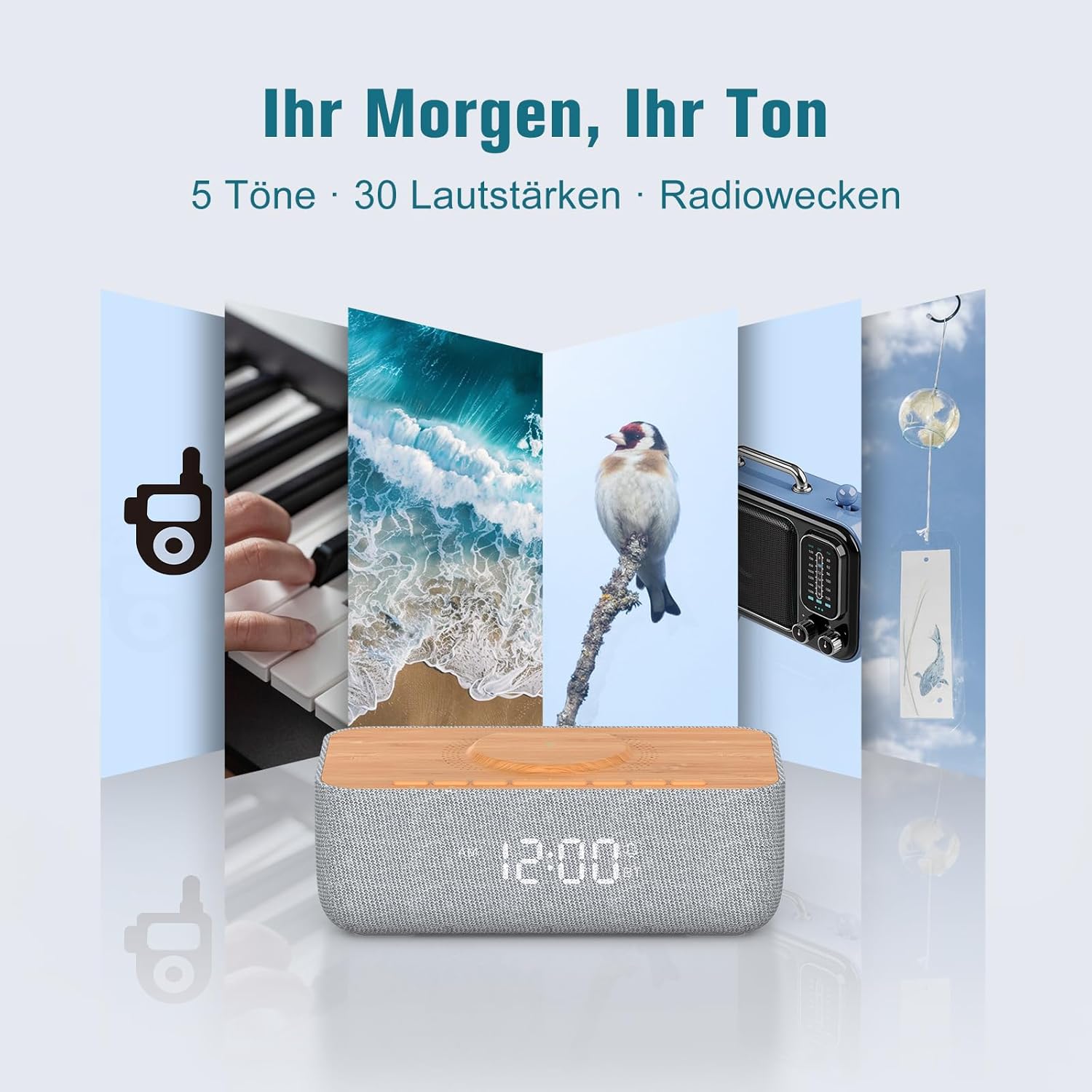
Image: Displays the variety of alarm tones, including natural sounds and FM radio, available on the device.
Нигоҳдорӣ
- Тозакунӣ: Use a soft, dry cloth to wipe the device. Do not use liquid cleaners or abrasive materials.
- Нигоҳдорӣ: If storing the device for an extended period, unplug it from the power source and store it in a cool, dry place.
- Аз об канорагирӣ кунед: This device is for indoor use only and is not waterproof. Keep it away from water and high humidity.
- Таъмини нерӯ: Only use the provided power adapter or a certified equivalent.
Мушкилкушо
| Мушкилот | Сабаби эҳтимолӣ | Ҳалли |
|---|---|---|
| Дастгоҳ фаъол нест. | Power cable not connected or power outlet not working. | Ensure the power cable is securely connected to both the device and a functional power outlet. |
| Пуркунии бесим кор намекунад. | Phone not Qi-compatible, misaligned, or phone case too thick. | Ensure your phone supports Qi wireless charging. Realign the phone on the charging pad. Remove thick phone cases (over 8mm) or non-MagSafe cases. |
| Қабули сусти радиои FM. | Antenna not extended or environmental interference. | Fully extend the FM antenna. Try repositioning the device or antenna for better signal. |
| Bluetooth пайваст намешавад. | Дастгоҳ дар ҳолати ҷуфтшавӣ нест, берун аз диапазони пайвастшавӣ аст ё аллакай ба дастгоҳи дигар пайваст аст. | Ensure the device is in Bluetooth pairing mode (flashing icon). Move your phone closer. Disconnect from other Bluetooth devices. |
| Alarm volume too low/high. | Volume not adjusted correctly. | Adjust the volume using the rotary knob on the back of the device. Note that some alarm tones may have a gradual volume increase. |
| Дисплей хеле равшан/хирад аст. | Танзими равшанӣ ба танзим ниёз дорад. | Use the rotary knob on the back of the device to adjust the display brightness. |
Мушаххасоти
| Бренд | РЕЙЧЕР |
| Рақами модел | R9BT-RA-DE |
| Ранги | Хокистар / Браун |
| Андозаҳои маҳсулот (L x W x H) | 25 х 12.5 х 8.05 см |
| Вазни ашё | 700 грамм |
| Натиҷаи пуркунии бесим | То 15 Вт |
| Мутобиқати пуркунии бесим | Qi-compatible smartphones, iPhone 12-16 series (magnetic alignment) |
| Диапазони басомади радиои FM | 87.5 - 108 МГс |
| Танзимоти радиои FM | То 40 истгоҳ |
| Версияи Bluetooth | 5.3 |
| Диапазони Bluetooth | То 10 метр |
| Натиҷаи баландгӯяк | Стерео 10 Вт |
| Навъи намоиш | LED рақамӣ |
| Равшании намоиш | 0-100% хирашаванда |
| Оҳангҳои ҳушдор | 6 (Bird, Sea, Beep, Wind Chimes, Piano, FM Radio) |
| Давомнокии боздорӣ | дақиқа 9 |
| Манбаи нерӯ | Кабели электр |
| Маводи чаҳорчӯба | Wood (top panel) |
| Батареяҳо дохил карда шудаанд | Не |
Кафолат ва дастгирӣ
For warranty information and customer support, please refer to the documentation included with your purchase or visit the official REACHER website. If you encounter any issues not covered in this manual, please contact REACHER customer service for assistance.
Product is certified CE and RoHS compliant, with integrated overcurrent and short-circuit protection.


