1. Муқаддима
This manual provides comprehensive instructions for the installation, operation, and maintenance of your Sapphire Pulse AMD Radeon RX 9070 XT Gaming Graphics Card. Please read this manual thoroughly before installation and use to ensure proper functionality and to prevent damage.
The Sapphire Pulse AMD Radeon RX 9070 XT is a high-performance graphics card designed for gaming and demanding graphical applications, featuring 16GB of GDDR6 memory, AMD RDNA 4 Architecture, and support for AMD FidelityFX Super Resolution 4 with AI Upscaling.
2. Мундариҷаи баста
Verify that all items are present in the package. Typical contents include:
- Корти графикии Sapphire Pulse AMD Radeon RX 9070 XT
- Дастури насби зуд (ин дастур)
- Driver CD/DVD (or instructions for download)
- Additional accessories (e.g., power adapters, if required and not integrated)

Тасвири 1: Пеш view of the Sapphire Pulse AMD Radeon RX 9070 XT retail packaging. The box features the Sapphire logo, Pulse branding, AMD Radeon RX 9070 XT model name, and indicates 16GB of memory with HDMI support.
3. Талаботи система
Пеш аз насб кардани корти графикӣ, боварӣ ҳосил кунед, ки системаи шумо ба талаботи ҳадди ақали зерин мувофиқат мекунад:
- PCI Express-compliant motherboard with one x16 graphics slot.
- Minimum Power Supply Unit (PSU): Consult your PSU manufacturer for compatibility. The card typically requires two 8-pin power connectors.
- Низоми амал: Windows 10/11 64-bit or Linux 64-bit.
- Хотираи система (RAM): 8GB or more recommended.
- Намоиш: Monitor with DisplayPort or HDMI input.
- Пайвастшавӣ ба интернет: For driver installation and updates.
4. Танзим ва насб
Follow these steps carefully to install your graphics card:
- Тайёрӣ:
- Компютери худро хомӯш кунед ва сими барқро ҷудо кунед.
- Корти компютери худро кушоед.
- Ground yourself to discharge any static electricity (e.g., by touching a metal part of the case).
- Remove Existing Graphics Card (if applicable):
- Unscrew any retaining screws holding the old card.
- Carefully unclip the PCI Express retention tab.
- Gently pull the old card straight out of the slot.
- Install the New Graphics Card:
- Дар motherboard-и худ слоти PCI Express x16-и дастрасро пайдо кунед.
- Remove the corresponding expansion slot cover(s) from your case.
- Align the graphics card with the slot and press it down firmly until it is fully seated and the retention tab clicks into place.
- Secure the card with the retaining screw(s).
- Кабелҳои барқро пайваст кунед:
- Connect the required 8-pin PCI Express power connectors from your PSU to the graphics card. Ensure all connectors are securely attached.
- Close Case and Connect Peripherals:
- Корти компютери худро пӯшед.
- Connect your monitor cable(s) to the graphics card's DisplayPort or HDMI outputs.
- Reconnect the power cable and other peripherals.
- Насби ронанда:
- Ба компютери худ барқ диҳед.
- Навтарин драйверҳои AMD Radeon -ро аз AMD расмии зеркашӣ кунед webсайт (www.amd.com/en/support).
- Барои насб кардани драйверҳо дастурҳои экранро иҷро кунед.
- Пас аз анҷоми насб компютери худро бозоғоз намоед.
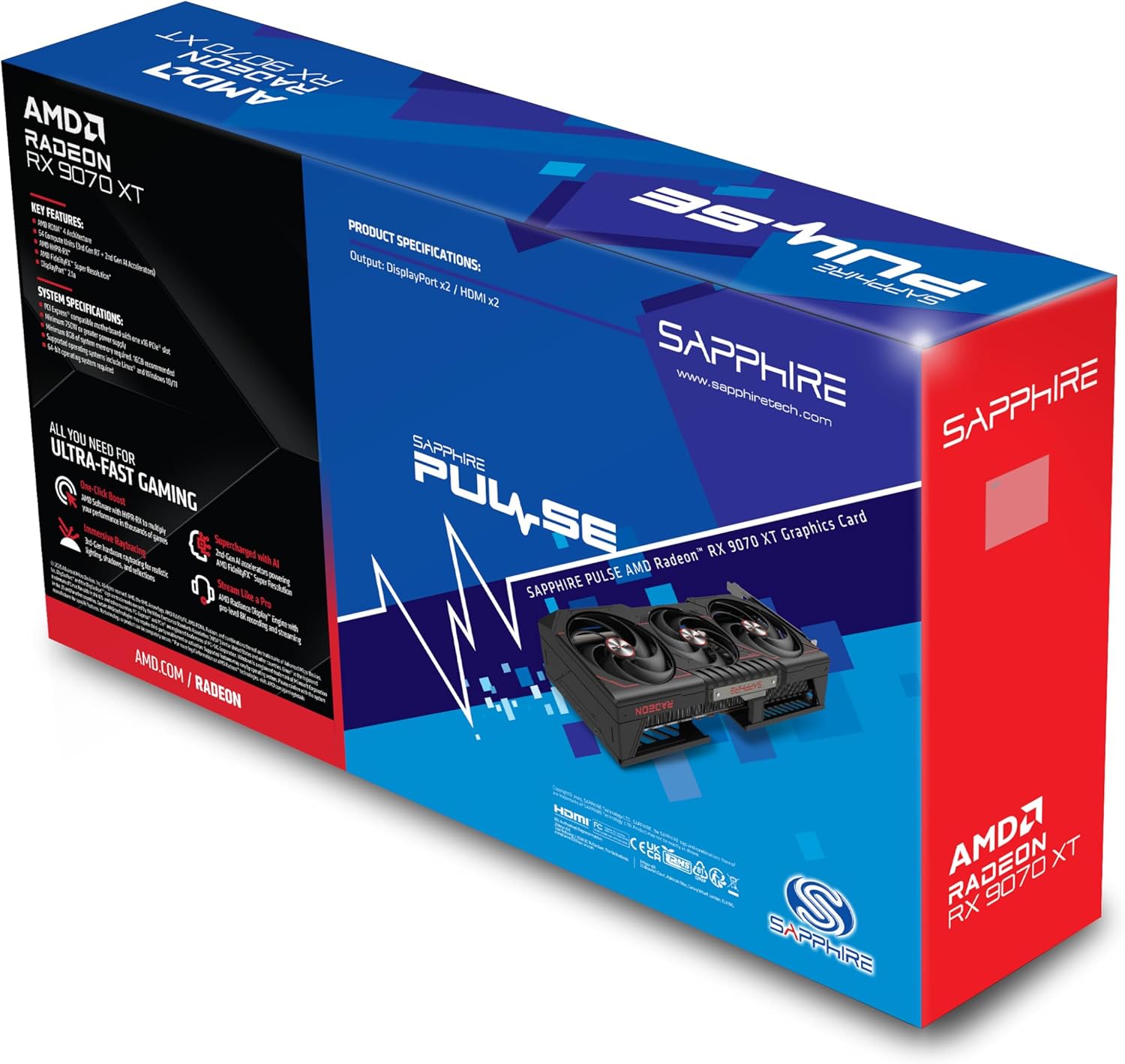
Тасвири 2: Қафо view of the Sapphire Pulse AMD Radeon RX 9070 XT retail packaging, showing key features, system specifications, and product specifications. The graphics card itself is visible within the box, highlighting its triple-fan cooling solution. Output ports are listed as DisplayPort x2 and HDMI x2.
5. Коркарди корти графикӣ
Once installed and drivers are updated, your Sapphire Pulse RX 9070 XT is ready for use. The card operates automatically with your system. For optimal performance and customization, utilize the AMD Software: Adrenalin Edition application.
5.1 AMD Software: Adrenalin Edition
This software provides a comprehensive suite of tools for managing your graphics card, including:
- Game Optimization: Automatically optimizes game settings for the best performance.
- Мониторинги иҷроиш: Real-time display of GPU usage, temperature, and clock speeds.
- Навсозии ронандагон: Notifications and easy installation of the latest drivers.
- Танзимоти намоиш: Configuration of resolution, refresh rate, and color settings.
- AMD FidelityFX Super Resolution (FSR): Enable FSR for enhanced performance in supported games.
Refer to the AMD Software: Adrenalin Edition documentation for detailed usage instructions.
6. Нигоҳдорӣ
Нигоҳдории дуруст умри дароз ва кори оптималии корти графикаи шуморо таъмин мекунад:
- Тоза кардани чанг: Periodically clean dust from the fans and heatsink using compressed air. Ensure the computer is powered off and unplugged before cleaning. Hold the fan blades gently to prevent them from spinning rapidly during cleaning.
- Навсозии ронандагон: Regularly update your graphics drivers to the latest version from the official AMD webсайт барои баҳрабардорӣ аз беҳбудиҳо ва ислоҳи хатогиҳо.
- Мониторинги ҳарорат: Use monitoring software (e.g., AMD Software: Adrenalin Edition) to keep an eye on GPU temperatures, especially during heavy loads. Ensure adequate airflow within your PC case.
7. Баррасии мушкилот
Агар шумо бо мушкилот рӯ ба рӯ шавед, ба қадамҳои маъмулии ҳалли мушкилот муроҷиат кунед:
- Намоиши баромад:
- Боварӣ ҳосил кунед, ки сими монитор ба корти графикӣ ва монитор боэътимод пайваст шудааст.
- Verify the graphics card is fully seated in the PCI Express slot.
- Check that all power connectors are securely attached to the graphics card.
- Агар имконпазир бошад, бо монитор ё кабели дигар санҷед.
- Driver Issues / Crashes:
- Perform a clean installation of the latest AMD drivers. Use a driver uninstaller utility (like DDU) to remove old drivers before installing new ones.
- Боварӣ ҳосил кунед, ки системаи оператсионии шумо нав аст.
- Аз ҳад зиёд гармшавӣ:
- Check for dust buildup on the heatsink and fans. Clean if necessary.
- Ensure proper airflow within your PC case. Consider adding or repositioning case fans.
- Verify fan functionality on the graphics card.
- Low Performance in Games:
- Боварӣ ҳосил кунед, ки шумо драйверҳои охирини графикаро насб кардаед.
- Check in-game settings; reduce demanding options if necessary.
- Verify that your system meets the game's recommended specifications.
- Monitor GPU usage and clock speeds using AMD Software: Adrenalin Edition to ensure the card is boosting correctly.
8. Мушаххасоти
| Хусусият | Тафсилот |
|---|---|
| Модели | 11348-03-20Г |
| Процессори графикӣ | AMD Radeon VII (Note: Product title indicates RX 9070 XT) |
| Бренди Chipset | AMD |
| Андозаи корти графикии RAM | 16 ГБ GDDR6 |
| Автобуси хотира | 256-бит |
| Архитектура | AMD RDNA 4 |
| Воҳидҳои ҳисоббарор | 64 |
| Интерфейси баромади видео | Намоиш Порт, HDMI (Дугона HDMI / Дугона DP) |
| Ҳалномаи максималии экран | 3840х2160 |
| Вазни ашё | 3.3 фунт |
| Андозаҳои маҳсулот (LxWxH) | 11.81 x 11.81 x 0.04 инч (Note: These dimensions likely refer to packaging) |
| Истеъмоли муқаррарии қувваи барқ | 304 Ватт |
| Пайвасткунакҳои барқ | Two 8-pin |
Note: Some specifications, such as typical power consumption and power connectors, are derived from customer reviews due to lack of explicit listing in product specifications. Product dimensions may refer to packaging.
9. Кафолат ва дастгирӣ
For warranty information, please refer to the official Sapphire website or the warranty card included with your product. Sapphire provides technical support for its products. For assistance, visit the Sapphire support page or contact their customer service.
- Расмии Sapphire Webсайт: www.sapphiretech.com
- Дастгирии AMD: For driver-related issues and software support, visit www.amd.com/en/support


