1. Маҳсулот ба охир расидview
The ShanWan Q38 is a versatile wireless Bluetooth controller designed for a wide range of gaming platforms. It features advanced controls such as Hall Effect joysticks and micro-switch buttons for enhanced precision and responsiveness.

Тасвири 1.1: Аз боло ба поён view of the ShanWan Q38 Wireless Bluetooth Controller, showcasing its compact design and button layout.
2. Мундариҷаи баста
Лутфан боварӣ ҳосил кунед, ки ҳама ашё дар баста мавҷуд аст:
- ShanWan Q38 Wireless Bluetooth Controller
- Сими пуркунандаи USB
- Дастури корбар (ин ҳуҷҷат)
- 1 AAA Battery (pre-installed or included separately)
3. Насбкунӣ ва пайвастшавӣ
3.1 Пур кардани контроллер
Before initial use, ensure the controller is sufficiently charged. Connect the provided USB charging cable to the controller's charging port and to a USB power source (e.g., computer, USB wall adapter). The LED indicator will show charging status.
3.2 Мутобиқат
The ShanWan Q38 controller is compatible with the following platforms:
- Nintendo Switch / Switch 2 (firmware upgrade may be required for Switch 2)
- Саҳни буғӣ
- Компютер (Windows)
- Android devices (phones, tablets)
- iPhone
- iPad
- дастгоҳҳои macOS
- PS4 (as indicated by mode switch, specific compatibility may vary)

Image 3.1: The ShanWan Q38 controller demonstrating compatibility with multiple gaming platforms.
3.3 Пайвастшавӣ тавассути Bluetooth
Барои пайваст кардани контроллер ба дастгоҳи худ:
- Фаъол: Press and hold the Home button on the controller until the indicator lights begin to flash.
- Интихоби режим: Use the mode switch located on the top edge of the controller to select the appropriate mode for your device:
- X Mode: For Mobile & Computer (Android, PC, macOS, iOS).
- S Усул: For Nintendo Switch.
- Ҳолати P: For PS4 (if compatible).
- Ҷуфт кардан: On your device, navigate to the Bluetooth settings and search for available devices. Select "ShanWan Q38" (or similar) from the list to pair.
- Тасдиқ: Once successfully paired, the indicator light on the controller will become solid.
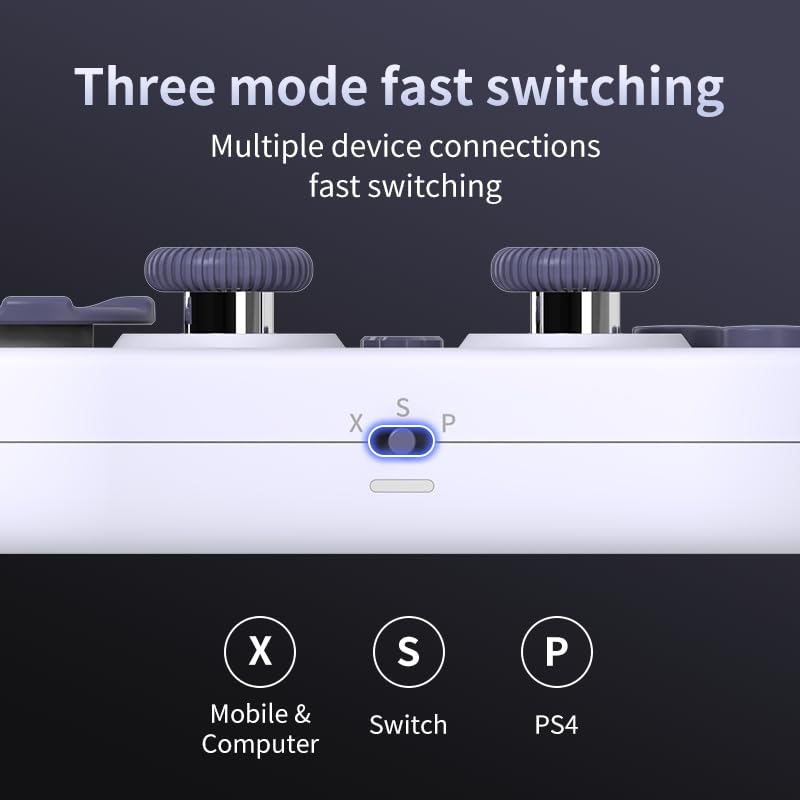
Image 3.2: Detail of the three-mode fast switching selector on the controller.
3.4 Customization and Calibration
For advanced customization, including button remapping and macro functions, download the official "gamepad space" application. This application also allows for controller calibration to ensure optimal performance.
4. Истифодабарии контроллер
4.1 Хусусиятҳои асосӣ
- Ҷойстикҳои Hall Effect: Provides high precision and sensitivity. The joystick height is adjustable between 5mm and 8mm for personalized comfort.
- Composite Micro-Switch Buttons: These buttons offer a tactile response similar to mechanical keyboards, providing quick and precise input.
- Mechanical Triggers: Designed for fast response times.
- Dual Micro Motors: Provides dual vibration feedback for an immersive gaming experience.
- Somatosensory Gyroscope: Equipped with a 6-axis gyroscope for motion control in supported games.

Image 4.1: Detail of the adjustable Hall Effect joysticks.

Image 4.2: Close-up of the composite micro-switch action buttons.

Image 4.3: Diagram illustrating the internal components of the composite micro-keypad.
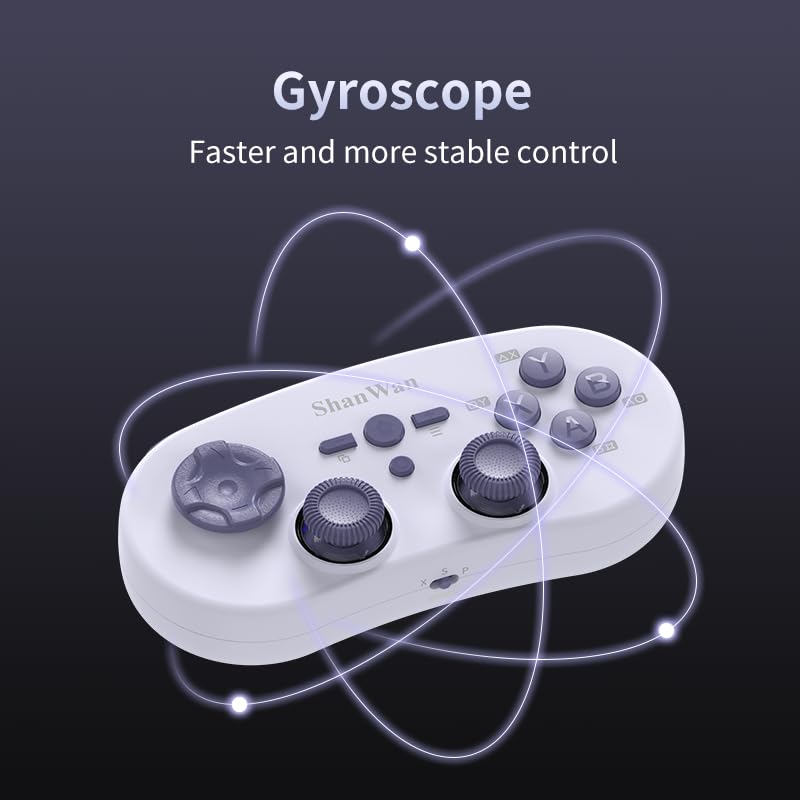
Image 4.4: Visual representation of the controller's gyroscope functionality.
4.2 Таҷрибаи бозӣ
The compact design allows for portability, making it suitable for gaming on the go with devices like the Nintendo Switch or smartphones.

Image 4.5: Controller in use with a Nintendo Switch.

Image 4.6: Controller paired with a smartphone for mobile gaming.
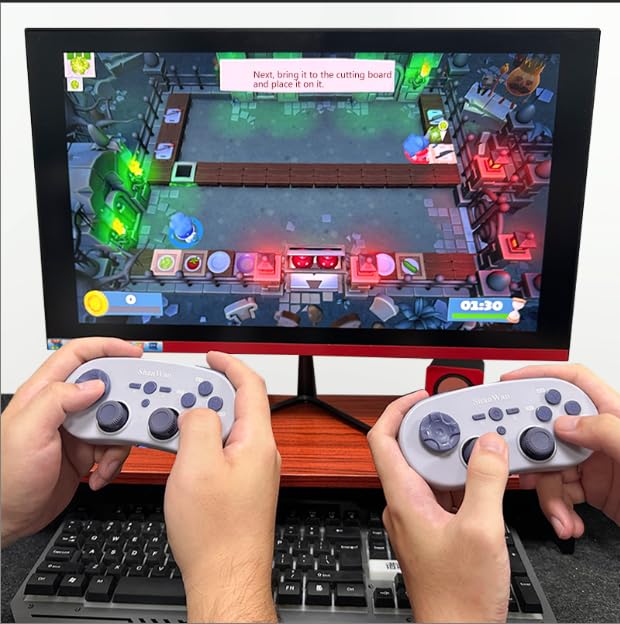
Image 4.7: Two controllers in use for multiplayer gaming on a PC.
5. Нигоҳдорӣ
To ensure the longevity and optimal performance of your ShanWan Q38 controller, follow these maintenance guidelines:
- Тозакунӣ: Use a soft, dry cloth to wipe the controller. For stubborn dirt, a slightly damp матоъро истифода бурдан мумкин аст, аммо боварӣ ҳосил кунед, ки намӣ ба дастгоҳ ворид намешавад. Аз маводи кимиёвии сахт ё тозакунандаҳои абразивӣ худдорӣ кунед.
- Нигоҳдорӣ: Контроллерро дар ҷои хунук ва хушк аз нури бевоситаи офтоб ва ҳарорати аз ҳад зиёд дур нигоҳ доред.
- Нигоҳубини батарея: If using replaceable AAA batteries, remove them if the controller will not be used for an extended period to prevent leakage.
- Аз қатраҳо канорагирӣ кунед: Protect the controller from physical impact and drops, which can damage internal components.
6. Баррасии мушкилот
If you encounter issues with your ShanWan Q38 controller, refer to the following common problems and solutions:
- Controller Does Not Power On:
- Ensure the battery is correctly inserted and has sufficient charge. Replace AAA batteries if necessary.
- Connect the controller to a power source using the USB cable to confirm if it charges.
- Difficulty Connecting via Bluetooth:
- Ensure the controller is in the correct mode (X, S, or P) for your device.
- Bluetooth-и дастгоҳи худро хомӯш ва фаъол созед.
- Дастгоҳро дар танзимоти Bluetooth-и худ фаромӯш кунед ва кӯшиш кунед, ки дубора ҷуфт кунед.
- Ensure the controller is within the effective range of your device.
- Buttons or Joysticks Not Responding Correctly:
- Calibrate the controller using the "gamepad space" application.
- Дар атрофи тугмаҳо ё джойстикҳо ягон монеаҳои ҷисмонӣ ё партовҳоро тафтиш кунед.
- Ensure the controller's firmware is up to date, especially for Switch 2 compatibility.
- Random Disconnections:
- Боварӣ ҳосил кунед, ки дар наздикӣ халалҳои бесими қавӣ вуҷуд надоранд.
- Keep the controller close to the connected device.
- Re-pair the controller if disconnections are frequent.
7. Мушаххасоти
| Хусусият | Тафсилот |
|---|---|
| Рақами модел | Q38 |
| Истеҳсолкунанда | ШанВан |
| Пайвастшавӣ | Bluetooth бесими |
| Мутобиқати | Switch/Switch 2, Steam Deck, PC, Android, iPhone, iPad, macOS, PS4 |
| Навъи джойстик | Hall Effect, Adjustable Height (5mm-8mm) |
| Навъи тугма | Composite Micro-Switch |
| Вибрация | Dual Micro Motors |
| Назорати ҳаракат | Гироскопи 6-меҳвар |
| Андозаҳои бастаҳо | 5.63 x 4.53 x 1.54 инч |
| Вазни ашё | 4.6 унция |
| Батареяҳо | 1 батареяи AAA лозим аст (дохил карда шудааст) |

Image 7.1: Physical dimensions of the ShanWan Q38 controller.
8. Кафолат ва дастгирӣ
For warranty information and customer support, please refer to the official ShanWan webсайт ё фурӯшандае, ки шумо маҳсулотро аз он харидед, тамос гиред. Барои даъвоҳои кафолат далели хариди худро нигоҳ доред.


