Муқаддима
This manual provides essential instructions for the safe and efficient use of your Macap LEO 55 Touch Burr Coffee Grinder. Please read it thoroughly before initial use and retain it for future reference.

The Macap LEO 55 Touch Burr Coffee Grinder in Chrome finish, featuring a clear bean hopper and touch screen interface.
Ташкил кардан
Кушодан ва ҷойгиркунӣ
- Carefully remove the grinder from its packaging.
- Place the grinder on a stable, level, and dry surface.
- Дар атрофи дастгоҳ вентилятсияи мувофиқро таъмин кунед.
- Сими барқро ба васлаки барқии мувофиқ пайваст кунед.
Initial Grind Adjustment
The LEO 55 Touch features stepless micrometric adjustment for precise grind size control. Before first use, familiarize yourself with the adjustment knob.

A hand rotating the stepless micrometric adjustment knob to fine-tune the grind size.
- To adjust the grind, rotate the aluminum knob located on the side of the grinder.
- Turning the knob clockwise results in a finer grind, suitable for espresso.
- Turning the knob counter-clockwise results in a coarser grind, suitable for pour-over, cold brew, or French press.
- Make small adjustments and test the grind to achieve the desired consistency.
Амалиёт
Пур кардани зарфи лӯбиё
- Ensure the grinder is off before filling the hopper.
- Lift the hopper lid and pour fresh whole coffee beans into the hopper.
- Сарпӯшро бехатар иваз кунед.
Using the Touch Screen Interface
The 2.4'' color display provides intuitive control over grinding parameters.
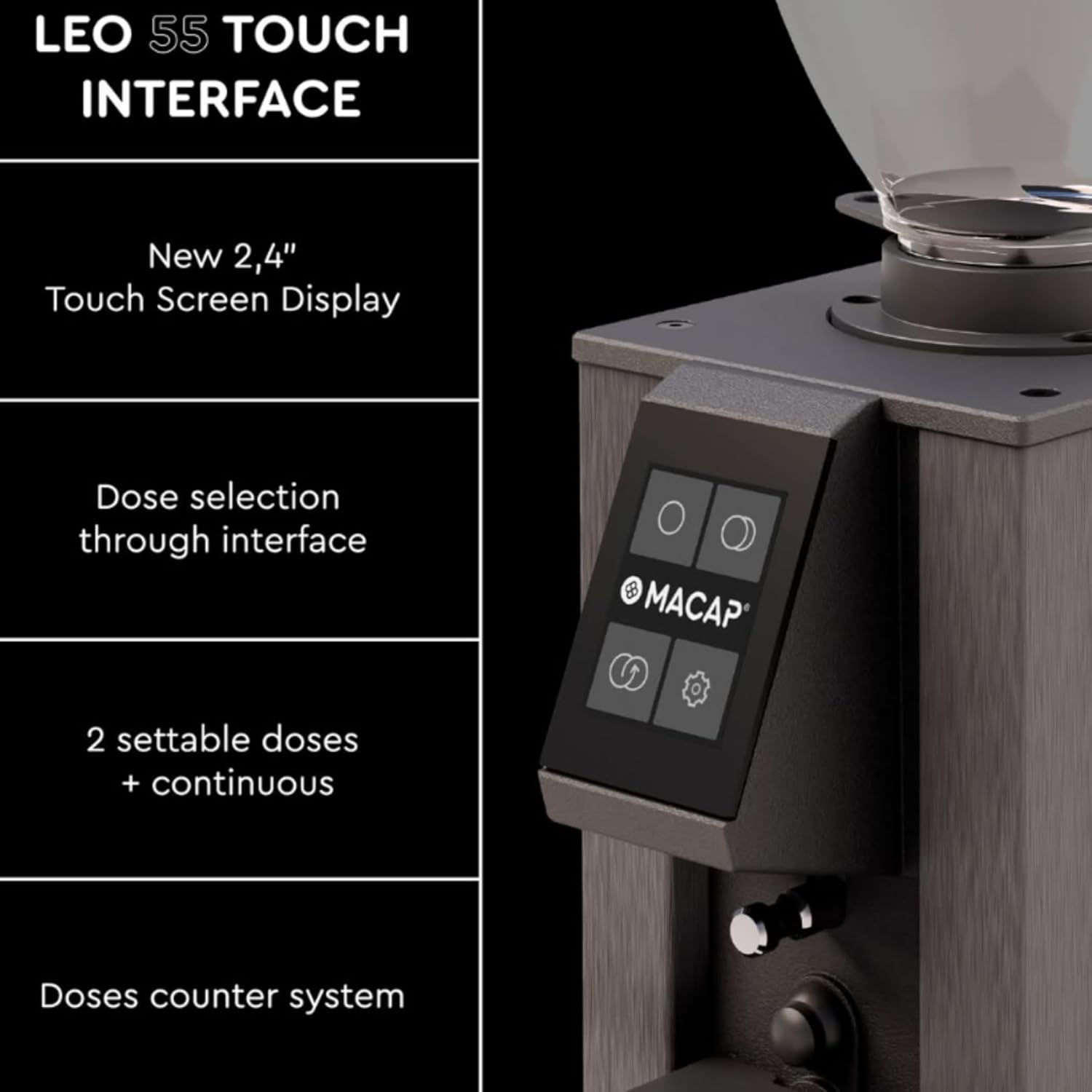
Муфассал view of the grinder's touch screen, showing dose selection options.
- Dose Selection: The interface allows selection of two settable doses (single and double shot) and a continuous grinding mode.
- Dose Counter: The system includes a dose counter for tracking usage.
- Танзимот: Access additional settings and preferences through the touch screen.
Hands-Free Auto Grinding
The LEO 55 Touch is designed for convenient, hands-free operation.
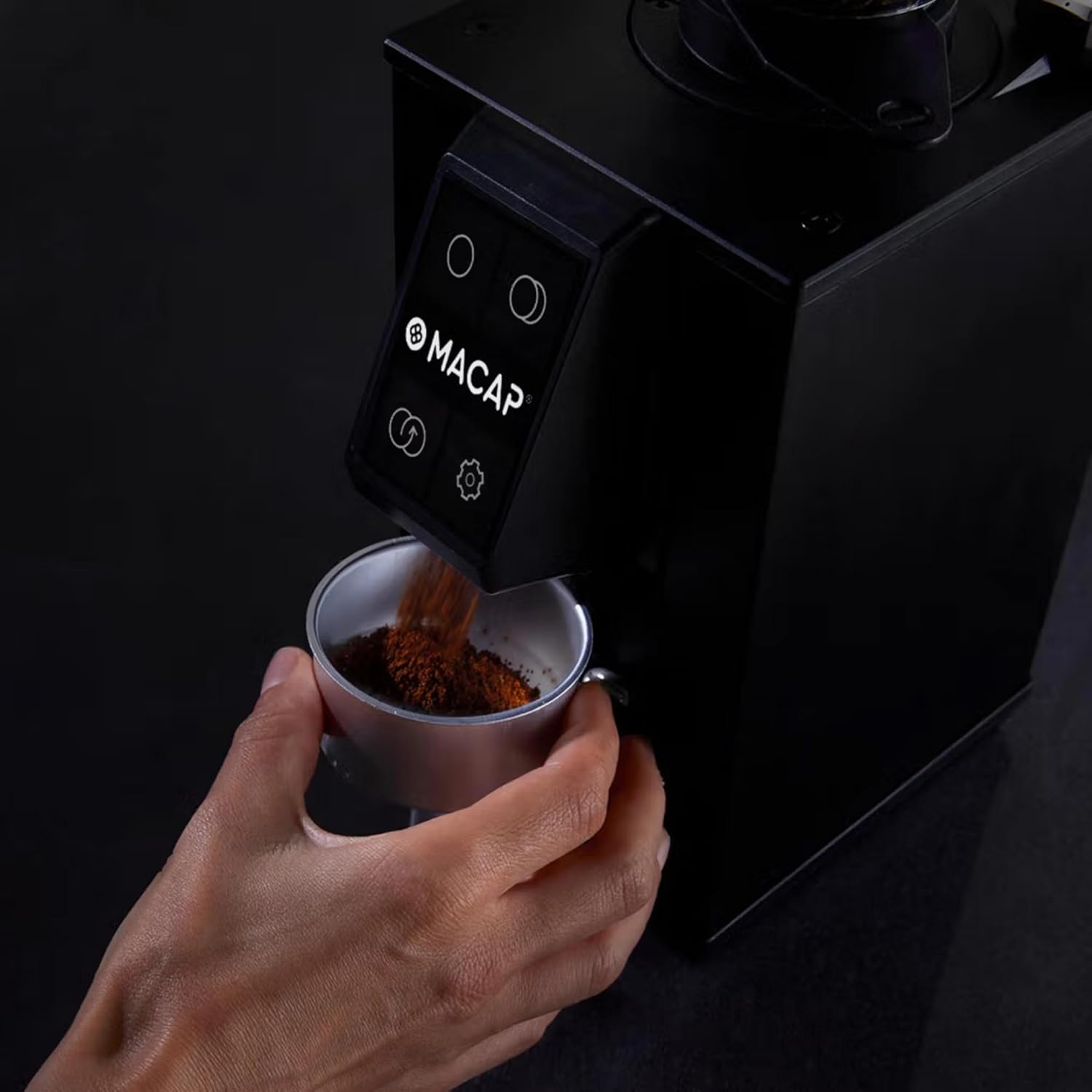
Ground coffee being dispensed directly into a portafilter from the grinder.
- Position your portafilter or grinding container under the dispensing chute.
- The grinder will automatically activate upon detection of the portafilter, dispensing the selected dose.
- For continuous grinding, select the continuous mode on the touch screen.
Нигоҳдорӣ
Тоза кардани суфтакунанда
Regular cleaning ensures optimal performance and extends the life of your grinder. The low retention design minimizes grind waste and static, simplifying the cleaning process.
- Ҳамеша суфтакунандаро пеш аз тоза кардан ҷудо кунед.
- беруниро бо нарм пок кунед, гamp матоъ. Тозакунакҳои абразивиро истифода набаред ё дастгоҳро ба об нагузоред.
- Clean the bean hopper and ground coffee chute regularly to prevent oil buildup.
Burr Removal and Cleaning
The LEO 55 Touch features an exclusive no-screw system for easy burr removal, facilitating thorough cleaning. This blind flat burr design also improves grind consistency and reduces retention.

A hand demonstrating the removal of a flat burr from the grinder for cleaning, highlighting the no-screw system.
- Refer to the specific instructions for burr removal in the full product manual.
- Use a brush or vacuum to remove any trapped coffee grounds from the burrs and grinding chamber.
- Reassemble the burrs carefully, ensuring they are properly seated.
Мушкилкушо
This section addresses common issues you might encounter with your Macap LEO 55 Touch grinder. For more detailed troubleshooting or issues not listed here, please contact customer support.
| Мушкилот | Сабаби эҳтимолӣ | Ҳалли |
|---|---|---|
| Суфтакунанда ба кор намеояд | васл карда нашудааст; хомӯш кардани барқ; монтажи электр аз кор баромад. | Боварӣ ҳосил кунед, ки сими барқӣ боэътимод пайваст аст. Калиди барқро тафтиш кунед. Дар ҳолати зарурӣ автомати муҳофизатиро аз нав танзим кунед. |
| Андозаи ноустувор | Burrs are dirty or worn; grind setting too coarse/fine. | Clean the burrs thoroughly (refer to Maintenance). Adjust grind setting incrementally. Consider burr replacement if burrs are worn. |
| Қаҳва тақсим карда намешавад | Chute is clogged; hopper is empty; portafilter not detected. | Clear any blockages in the dispensing chute. Refill the bean hopper. Ensure portafilter is correctly positioned to activate the sensor. |
| Садои аз ҳад зиёд ҳангоми кор | Foreign object in burrs; burrs misaligned. | Immediately unplug the grinder. Inspect burrs for foreign objects. If no object is found, contact customer support for assistance with burr alignment. |
Мушаххасоти
| Хусусият | Тафсилот |
|---|---|
| Модели | LEO 55 Touch |
| Бренд | Macap |
| Ранги | Chrome |
| Навъи Бурр | 55mm Flat Burrs (Blind design) |
| Танзим | Микрометрии беқадам |
| Намоиш | 2.4'' Color Touch Screen |
| Capacity (Hopper) | 0.3 килограмм |
| Қувва | 390 В |
| Андозаҳои маҳсулот (L x W x H) | 5.1"L x 7.2"W x 14.9"H |
| Вазни ашё | 13.67 фунт |
| Материал | Пулоди Зангнамезадагӣ |
| Истеҳсолкунанда | MACAP |
Кафолат ва дастгирӣ
For warranty information and customer support, please refer to the documentation included with your product or contact the manufacturer directly.
- Истеҳсолкунанда: MACAP
- Фурӯшанда: Pro Coffee Gear LLC (for purchase-related inquiries)
- Нақшаҳои муҳофизатӣ: Optional protection plans are available for purchase. Please refer to your retailer for details on 3-Year and 4-Year protection plans.
Always ensure to register your product if required to activate your warranty.


