1. Муқаддима
Ташаккур ба шумо барои харидasing the Gembird GMB Audio TWS-LCD-ANC-01-W Wireless In-Ear Headphones. These headphones are designed to provide a high-quality audio experience for music and calls, featuring Active Noise Cancellation (ANC) and an integrated microphone. This manual provides essential information for setting up, operating, maintaining, and troubleshooting your device.
2. Мундариҷаи баста
- 1x Pair of Gembird GMB Audio TWS-LCD-ANC-01-W Wireless In-Ear Headphones
- 1x Қуттии пуркунандаи барқ
- 1x сими пуркунандаи USB Type-C
3. Маҳсулот ба охир расидview
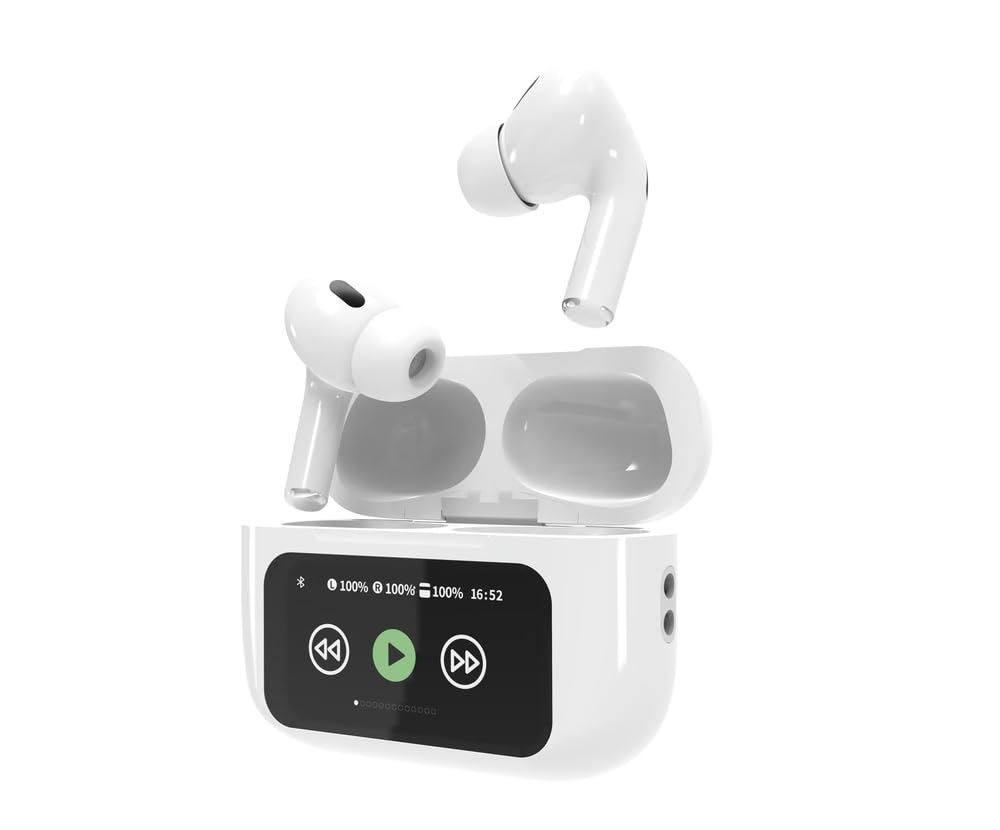
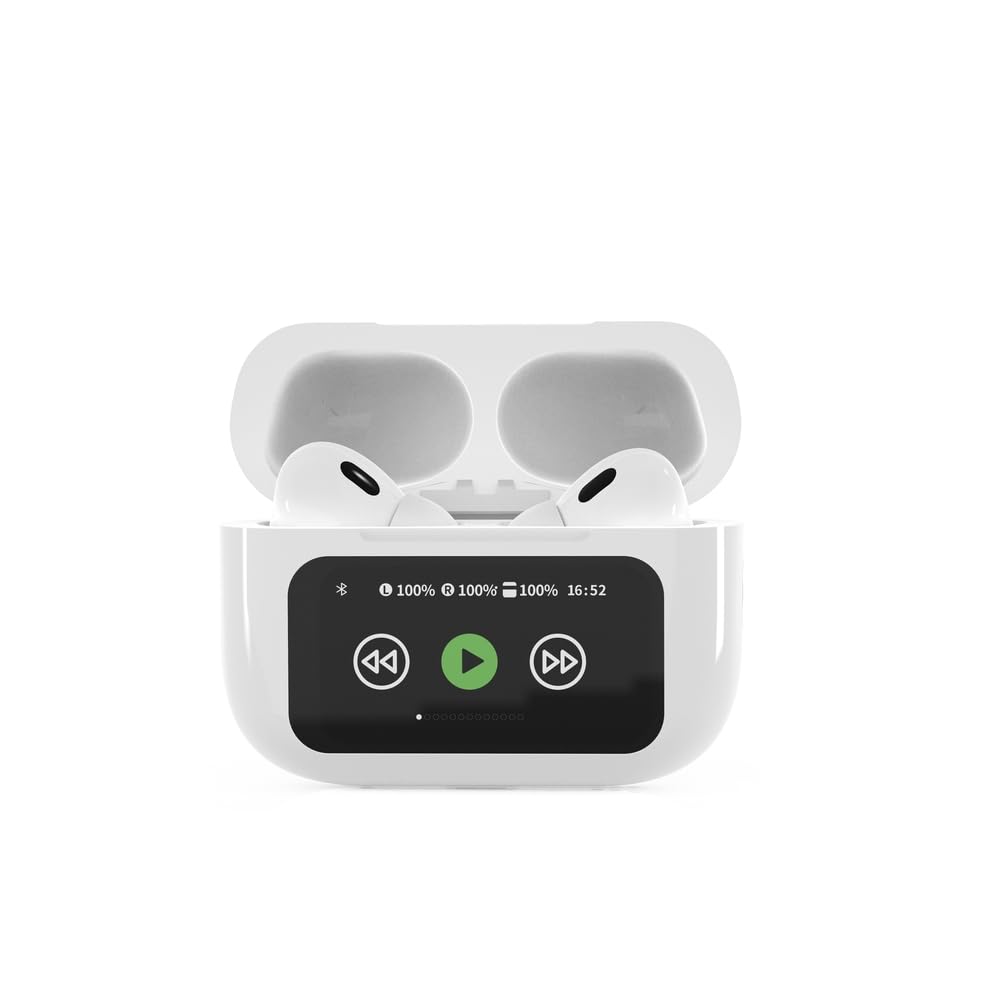

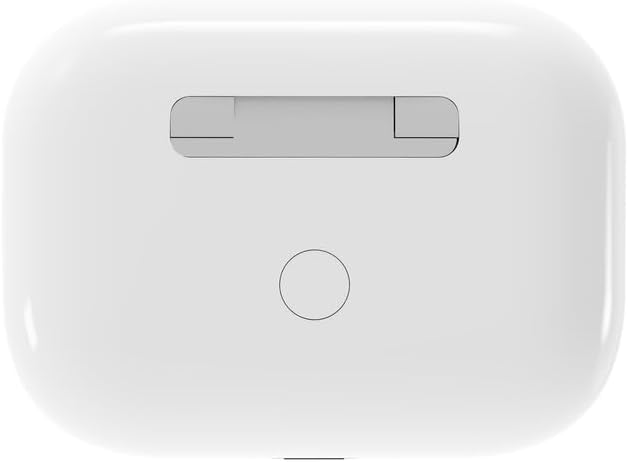

4. Танзимот
4.1 Пуркунии ибтидоӣ
Before first use, fully charge the headphones and the charging case. Connect the supplied USB Type-C cable to the charging port on the case and plug the other end into a compatible USB power source (e.g., computer, wall adapter). The LED indicator on the case will show charging status. A full charge typically takes approximately 2 hours.
4.2 Пайвасткунии Bluetooth
- Ensure the headphones are in the charging case and the case is open. The headphones will automatically enter pairing mode.
- Дар дастгоҳи мобилии худ (смартфон, планшет, ноутбук) Bluetooth-ро фаъол созед.
- Ҷустуҷӯ available Bluetooth devices and select 'Gembird TWS-LCD-ANC-01-W' from the list.
- Once connected, the headphones will indicate successful pairing, and the device name will appear as 'Connected' on your mobile device.
5. Дастурҳои истифодабарӣ
5.1 Фаъол кардан/хомӯш кардан
- Фаъол: The headphones automatically power on when removed from the charging case.
- Хомӯш: The headphones automatically power off and begin charging when placed back into the charging case and the lid is closed.
5.2 Навозиши мусиқӣ
Control music playback using the touch-sensitive areas on the earbuds or the display on the charging case.
- Бозӣ/Таваққуф: Single tap on either earbud or press the play/pause icon on the case display.
- Треки навбатӣ: Double tap on the right earbud or press the 'next' icon on the case display.
- Track гузашта: Double tap on the left earbud or press the 'previous' icon on the case display.
5.3 Идоракунии зангҳо
When an incoming call is received, music playback will automatically pause.
- Ҷавоб ба занг: Ба ҳар як гӯшмонак як маротиба клик кунед.
- Занги хотимавӣ: Ҳангоми занг як маротиба ба яке аз гӯшмонакҳо ламс кунед.
- Рад кардани занг: Ҳар як гӯшмонакро барои 2 сония пахш карда нигоҳ доред.
5.4 Бекоркунии садои фаъол (ANC)
Activate or deactivate the Active Noise Cancellation feature to reduce ambient noise.
- Гузариш ANC: Press and hold the touch-sensitive area on the left earbud for 2 seconds, or use the dedicated ANC control on the charging case display.
5.5 Назорати баландии овоз
Adjust the volume directly from your connected device or through the touch controls on the earbuds (if supported by the specific model's firmware) or the charging case display.
6. Нигоҳдорӣ
6.1 Тозакунӣ
- Гӯшмонакҳо ва қуттии пуркунандаи барқро бо матои мулоим, хушк ва ифлос тоза кунед.
- Тозакунакҳои абразивӣ, ҳалкунандаҳо ё кимиёвии сахтро истифода набаред.
- Боварӣ ҳосил кунед, ки контактҳои барқгиранда ҳам дар гӯшмонакҳо ва ҳам корпус тоза ва хушк бошанд.
6.2 Нигоҳдорӣ
- Гӯшмонакҳоро ҳангоми истифода нашудан, ҳамеша дар қуттии пуркунии барқ нигоҳ доред, то онҳоро муҳофизат кунед ва онҳоро пур нигоҳ доред.
- Дар ҷои хунук ва хушк, дур аз нури бевоситаи офтоб ва ҳарорати аз ҳад зиёд нигоҳ доред.
6.3 Нигоҳубини батарея
- Барои нигоҳ доштани саломатии батарея, дастгоҳро мунтазам пур кунед, ҳатто агар он зуд-зуд истифода нашавад.
- Батареяро зуд-зуд пурра холӣ накунед.
7. Баррасии мушкилот
| Мушкилот | Сабаби эҳтимолӣ | Ҳалли |
|---|---|---|
| Гӯшмонакҳо фаъол нестанд. | Пардохти батарея кам ё тамоман нест. | Place headphones in the charging case and ensure the case is charged. Charge the case fully. |
| Аз гӯшмонакҳо садо нест. | Not connected via Bluetooth; volume too low; media paused. | Verify Bluetooth connection. Increase volume on both headphones and connected device. Check if media is playing. |
| Бо дастгоҳ пайваст карда намешавад. | Headphones not in pairing mode; device already connected to another Bluetooth device; interference. | Ensure headphones are in pairing mode (open case). Turn off Bluetooth on other nearby devices. Forget the device in your phone's Bluetooth settings and try re-pairing. |
| Active Noise Cancellation (ANC) is ineffective. | ANC not activated; improper earbud fit. | Ensure ANC is toggled on. Adjust earbud position for a secure and sealed fit in your ear canal. |
| Микрофон ҳангоми занг кор намекунад. | Микрофон масдуд шудааст; танзимоти дастгоҳ. | Ensure the microphone port on the earbuds is not obstructed. Check your device's audio input settings to ensure the headphones are selected. |
8. Мушаххасоти
- Модели: TWS-LCD-ANC-01-W
- Пайвастшавӣ: Бесимӣ, Bluetooth 5.3
- Bluetooth Profiles: A2DP, AVRCP, HPF, HSP
- Порти пуркунандаи барқ: USB Type-C
- Диапазони басомади аудио: 20 - 20000 Гц
- Микрофон: муттаҳид
- Навъи гӯшмонак: In-ear, Binaural
- Усули назорат: ламс кунед
- Назорати садо: Бекоркунии садои фаъол (ANC)
- Навъи батарея: Integrated Lithium Polymer (LiPo)
- Иқтидори батареяи барқгирӣ: 300 мАч
- Иқтидори батареяи гӯшмонак: 30 мАч (ҳар як)
- Continuous Audio Playback: То 8 соат
- Вақти пуркунӣ: Тақрибан 2 соат
- Вазни маҳсулот: 66 гр
- Product Dimensions (Case): 40 мм (бар) x 60 мм (умқ) x 25 мм (баландӣ)
- Дастгоҳҳои мувофиқ: Laptop, Tablet, Mobile Phone
- Муқовимат ба об: Обногузар
- Сертификатсияҳо: RoHS
9. Кафолат ва дастгирӣ
9.1 Маълумот дар бораи кафолат
This product comes with a three-year warranty against manufacturing defects from the date of purchase. Please retain your proof of purchase for warranty claims. The warranty does not cover damage caused by misuse, accidents, unauthorized modifications, or normal wear and tear.
9.2 Дастгирии муштариён
For technical support, warranty claims, or further assistance, please contact your retailer or visit the official Gembird website. Contact information can typically be found on the product packaging or the Gembird corporate webсайт.


