Муқаддима
This manual provides essential instructions for setting up, operating, and maintaining your Epson EcoTank L1270 WiFi printer. Please read this guide thoroughly to ensure proper use and to maximize the performance and longevity of your device. The Epson EcoTank L1270 is an inkjet printer designed for efficient printing with a rechargeable ink tank system and Wi-Fi connectivity.
1. Танзимот
1.1 Кушодани принтер
Carefully remove the printer from its packaging. Ensure all protective tapes and materials are removed from the exterior and interior of the printer. Keep the packaging materials for future transport or storage.
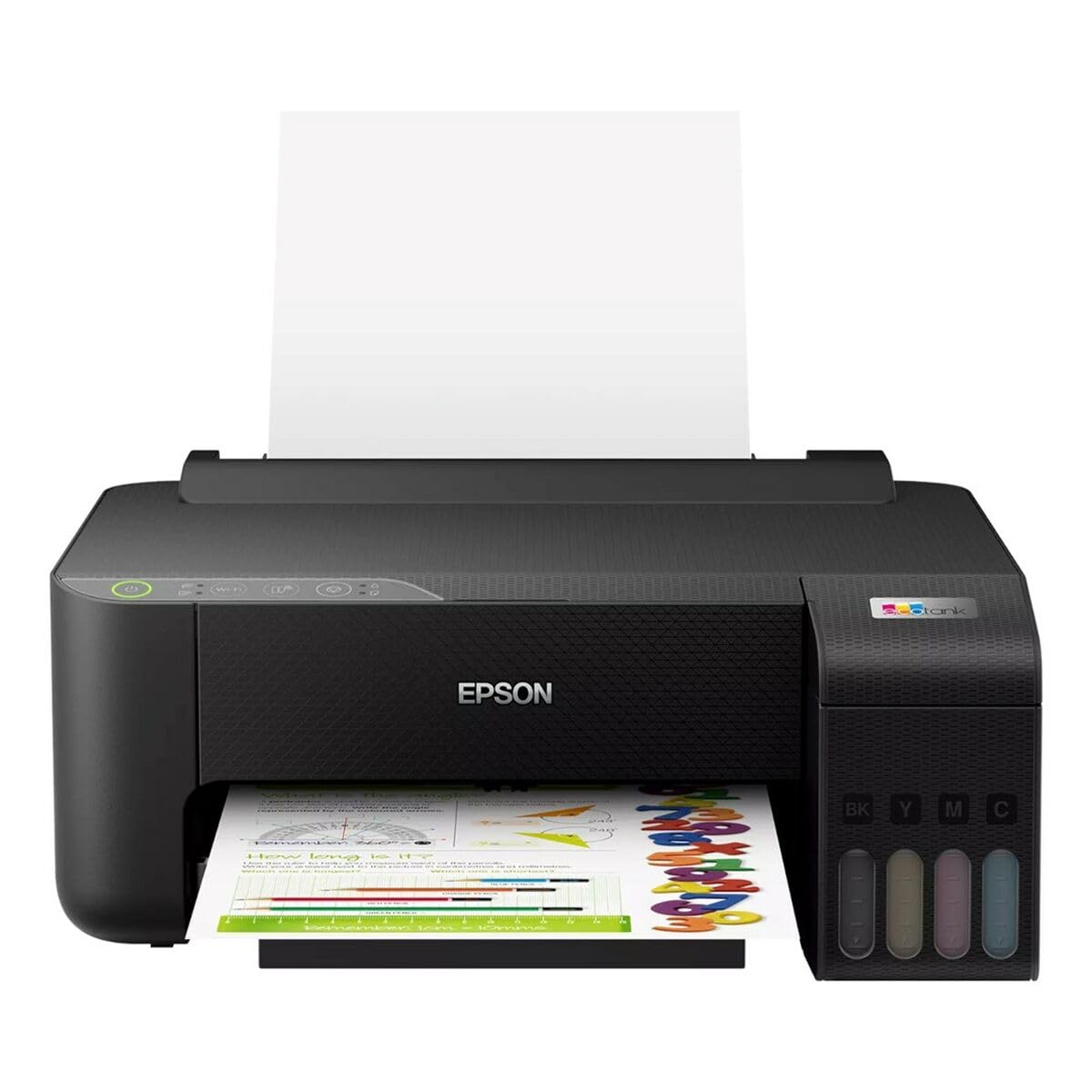
Image 1.1: Epson EcoTank L1270 WiFi Printer. This image shows the printer ready for initial setup after unpacking.
1.2 Пур кардани зарфҳои сиёҳ
The EcoTank L1270 uses a refillable ink tank system. Follow these steps to fill the ink tanks:
- Open the ink tank unit cover on the printer.
- Uncap the ink bottle for the corresponding color. Each bottle is keyed to fit only the correct tank.
- Шишаи рангро ба бандари пуркунӣ гузоред. Сиёҳ ба таври худкор пур кардани зарфро оғоз мекунад. Шишаро фишурда накунед.
- Вақте ки зарф пур мешавад, шишаро хориҷ кунед ва онро дубора пӯшед. Сарпӯши воҳиди зарфи сиёҳро пӯшед.
- Барои ҳама рангҳо такрор кунед.
Шарҳ: Use only genuine Epson ink bottles to prevent damage and ensure optimal print quality.
1.3 Пайвастшавии барқ
Connect the power cord to the printer and then to a wall outlet. Press the power button to turn on the printer. The printer will perform an initial setup process, which may take a few minutes.
1.4 Насби нармафзор ва драйверҳо
To use your printer, you need to install the necessary drivers and software on your computer. Visit the official Epson support website for the EcoTank L1270 model to download the latest drivers and utilities. Follow the on-screen instructions provided by the installer.
- Ба Дастгирии Epson.
- Ҷустуҷӯ "EcoTank L1270".
- Download and run the recommended driver package.
1.5 Танзимоти Wi-Fi
The Epson EcoTank L1270 supports Wi-Fi connectivity. You can connect the printer to your wireless network using one of the following methods:
- Using the Printer's Control Panel: Navigate to the Wi-Fi settings on the printer's control panel, select your network, and enter the password.
- Using EpsonNet Setup: If installed, use the EpsonNet Setup utility on your computer to configure the wireless connection.
- WPS (Танзимоти муҳофизатшудаи Wi-Fi): If your router supports WPS, press the WPS button on your router, then follow the instructions on the printer's control panel to establish a connection.
2. Истифода бурдани принтер
2.1 Боркунии коғаз
Load paper into the rear paper feeder. Ensure the paper guides are adjusted to the width of the paper. The printer supports various paper types and sizes, up to A4.
- Fan the paper stack before loading to prevent misfeeds.
- Do not overload the paper feeder; refer to the maximum capacity (100 sheets for plain paper).
2.2 Чопи ҳуҷҷатҳо
Барои чопи ҳуҷҷат аз компютери худ:
- Ҳуҷҷатеро, ки мехоҳед чоп кунед, кушоед.
- Аз менюи барнома "Чоп кардан" -ро интихоб кунед (масалан, File > Чоп).
- Choose "Epson EcoTank L1270" as your printer.
- Танзимоти чопро ба монанди андозаи коғаз, сифати чоп ва шумораи нусхаҳо танзим кунед.
- "Чоп кардан" -ро клик кунед.
2.3 Duplex Printing (Two-Sided Printing)
The EcoTank L1270 supports manual duplex printing. To print on both sides of the paper:
- In your print settings, select the option for "Manual Duplex Printing" or "Print on Both Sides".
- Print the odd-numbered pages first.
- When prompted, reload the printed pages into the paper feeder according to the on-screen instructions to print the even-numbered pages on the reverse side.
3. Нигоҳдорӣ
3.1 Санҷиши сатҳҳои ранг
Visually inspect the ink tanks on the front of the printer to check current ink levels. The tanks are transparent, allowing for easy monitoring. Refill ink when levels are low to avoid running out during a print job.
3.2 Пур кардани зарфҳои сиёҳӣ
When an ink tank is low, purchase genuine Epson replacement ink bottles. Follow the same procedure as described in Section 1.2 "Filling the Ink Tanks".
3.3 Тоза кардани сари чоп
If print quality declines (e.g., missing lines, faded colors), perform a print head cleaning. This can be done through the printer's utility software on your computer or via the printer's control panel. Refer to the software's help guide for detailed steps.
3.4 Тозакунии роҳи коғазӣ
If you experience paper jams or streaks on prints, the paper path may need cleaning. Consult the printer's software utility or the online manual for instructions on how to perform a paper path cleaning.
4. Баррасии мушкилот
Ин бахш масъалаҳои маъмулиеро, ки шумо метавонед бо принтери Epson EcoTank L1270-и худ дучор шавед, баррасӣ мекунад.
4.1 Printer Not Printing / Blank Pages
- Сатҳи рангро тафтиш кунед: Ensure all ink tanks have sufficient ink.
- Print Head Clogged: Perform a print head cleaning (see Section 3.3).
- Коғаз дуруст пур карда шуд: Verify paper is loaded properly and not jammed.
- Насби драйвер: Ensure printer drivers are correctly installed and up to date. Reinstall if necessary.
4.2 Масъалаҳои пайвасти Wi-Fi
- Router Range: Боварӣ ҳосил кунед, ки принтер дар доираи дастрасии роутери Wi-Fi-и шумо қарор дорад.
- Рамзи шабака: Double-check that the correct Wi-Fi password has been entered.
- Дастгоҳҳоро аз нав оғоз кунед: Try restarting your printer, computer, and Wi-Fi router.
- Reconfigure Wi-Fi: Attempt to set up the Wi-Fi connection again (see Section 1.5).
4.3 Сифати пасти чоп
- Тоза кардани сари чоп: Perform a print head cleaning and nozzle check.
- Навъи коғаз: Ensure you are using the correct paper type for your print settings.
- Ink Quality: Use genuine Epson inks for best results.
For more complex issues, refer to the comprehensive online manual on the Epson support webсомона ё бо дастгирии муштариёни Epson тамос гиред.
5. Мушаххасоти
| Хусусият | Тафсилот |
|---|---|
| Бренд | Epson |
| Номи модел | EcoTank L1270 WiFi |
| Технологияи чоп | Inkjet |
| Пайвастшавӣ | Вай-фай |
| Ҳаҷми максималии чоп (ранг) | 5760 x 1440 dpi |
| Ҳаҷми ҳадди аксар чоп (Сиёҳ ва Сафед) | 5760 dpi |
| Суръати максималии чоп (монохромӣ) | 15 Саҳифа дар як дақиқа |
| Max Paper Capacity | 100 варақ (коғази оддӣ) |
| Чопи дуплекс | Ҳа (дастӣ) |
| Хусусияти махсус | Зарфи сиёҳии пуршаванда |
| Андозаҳо (L x W x H) | 26P x 42,5l x 46H cm (approx.) |
6. Маълумот дар бораи кафолат
The Epson EcoTank L1270 WiFi printer comes with a limited warranty. For specific terms, conditions, and duration of your warranty, please refer to the warranty documentation included with your product or visit the official Epson support webсайт. Барои даъвоҳои кафолат далели хариди худро нигоҳ доред.
7. Дастгирӣ
For further assistance, technical support, or to download the latest drivers and manuals, please visit the official Epson support webсайт:
Дастгирии расмии Epson Webсайт
You may also find helpful resources and FAQs on their webсайт.


