1. Муқаддима ва аз нав дида баромадани системаview
The Blink Outdoor 2K+ is a next-generation wireless smart security camera system designed to provide enhanced visual and audio monitoring for your home. This system features 2K video resolution, improved audio capabilities, and a two-year battery life, ensuring reliable performance with minimal maintenance. The included Sync Module Core facilitates communication between your cameras and the Blink app.

Тасвири 1.1: The Blink Outdoor 2K+ camera, showcasing its compact design and outdoor placement. This image highlights the camera's ability to blend into various outdoor environments while providing security.
Хусусиятҳои асосӣ:
- Ҳалли видеои 2K: Фои равшан ва муфассалро сабт кунедtage with 2560 x 1440 resolution.
- Color Vision in Low Light: Experience color video in ambient low-light conditions before switching to infrared black and white.
- Аудиои дуҷонибаи такмилёфта: Communicate clearly with visitors or deter intruders using the built-in microphone and speaker with noise cancellation.
- Муайянкунии интеллектуалӣ: Receive intelligent notifications for person and vehicle detection with an optional Blink Subscription Plan (sold separately).
- 4x Масштаб: Digitally zoom in on live or recorded video for closer inspection.
- Тарҳрезии ба обу ҳаво тобовар: IP-65 rated for protection against rain, dust, and severe weather.
- Мӯҳлати кори батареяи дусола: Operates for up to two years on two AA lithium batteries (included).
2. Дар қуттӣ чӣ мавҷуд аст
Your Blink Outdoor 2K+ 5-Camera System package includes the following components:
- Five (5) Blink Outdoor 2K+ Cameras
- One (1) Blink Sync Module Core
- Ten (10) AA 1.5V Lithium Energizer Batteries
- Five (5) Mounting Kits
- One (1) Power Adapter (for Sync Module Core)
- One (1) USB-C Cable (for Sync Module Core)
3. Дастури насб
Follow these steps to set up your Blink Outdoor 2K+ camera system. For a detailed visual guide, refer to the official Blink setup guide Ин ҷо.
3.1. Install the Blink Home Monitor App
- -ро зеркашӣ кунед Мониторро чашмак занед app from your device's app store. The app is compatible with iOS 16.4 and above, Android 10 and above, and Fire OS 8 only.
- Create a new Blink account or log in with an existing one.
3.2. Set Up the Sync Module Core
- Plug the Sync Module Core into a power outlet using the provided power adapter and USB-C cable.
- Place the Sync Module Core in a central location within your home, ensuring it is within range of your Wi-Fi router and the cameras. Avoid placing it near walls or in corners that may obstruct the signal.
- Follow the in-app instructions to connect the Sync Module Core to your 2.4 GHz Wi-Fi network.

Тасвири 3.1: The Blink Sync Module Core, essential for connecting your Blink cameras to the internet and managing your system. It supports up to 10 devices.
3.3. Install Batteries in Cameras
- Open the battery compartment on the back of each Blink Outdoor 2K+ camera.
- Insert the two (2) included AA 1.5V lithium Energizer batteries, ensuring correct polarity.
- Қисмати батареяро бехатар пӯшед.
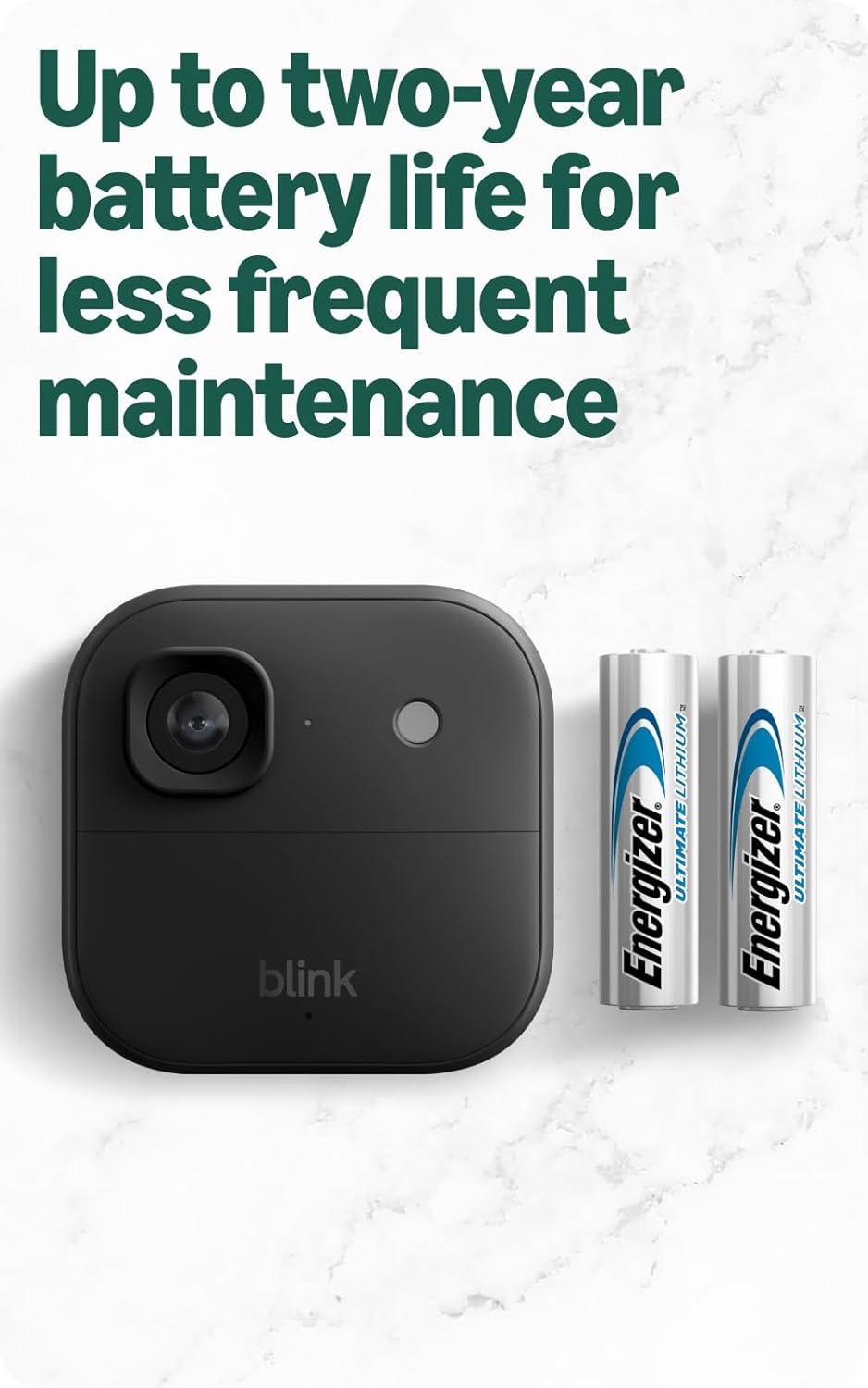
Тасвири 3.2: The Blink Outdoor 2K+ camera with its long-lasting AA lithium batteries. These batteries provide up to two years of power, reducing the need for frequent maintenance.
3.4. Add Cameras to Your System
- In the Blink app, tap the + нишона барои илова кардани дастгоҳи нав.
- Интихоб кунед Blink Wireless Camera and scan the QR code located inside the camera's battery compartment.
- Follow the on-screen prompts to link each camera to your Sync Module Core.
3.5. Mount Your Cameras
- Choose optimal locations for your cameras, considering coverage area, Wi-Fi signal strength, and power source proximity (if using an optional power adapter).
- Use the included mounting kits to securely attach the cameras to walls or other surfaces. Ensure the camera is positioned to capture the desired view.
4. Operating Your Blink Outdoor 2K+ System
Once your cameras are set up, you can begin monitoring your property using the Blink Home Monitor app.
4.1. Зиндагӣ View
-ро пахш кунед Зиндагӣ View icon in the app to stream real-time video from any of your cameras. This feature allows you to check on your property at any time.

Тасвири 4.1: A smartphone screen displaying a live 2K video feed from a Blink Outdoor 2K+ camera. The image demonstrates the clarity and detail available through the app.
4.2. Муайянкунии ҳаракат
Configure motion detection settings for each camera within the app. You can adjust sensitivity, activity zones, and retrigger time to optimize performance and battery life.
- Муайянкунии интеллектуалӣ: With an optional Blink Subscription Plan, enable person and vehicle detection to receive more relevant alerts and reduce false alarms.

Тасвири 4.2: A smartphone displaying a smart detection notification from the Blink app. This feature, available with a subscription, alerts users to specific types of motion, such as vehicle detection.
4.3. Аудио дутарафа
Дар давоми Live View or when responding to a motion alert, tap the microphone icon in the app to speak through the camera's speaker. Listen to audio from the camera through your smartphone.
4.4. Сабти видео ва нигоҳдорӣ
Motion-activated recordings are stored in the cloud. Access these clips through the Blink app. An optional Blink Subscription Plan provides extended cloud storage and additional features.
4.5. Color Vision in Low Light
The Blink Outdoor 2K+ utilizes ambient light to provide color video in low-light conditions. If light levels are insufficient, the camera will automatically switch to infrared black and white night vision.
4.6. 4x Zoom
Дар ҳоле ки viewing live or recorded video, you can pinch to zoom up to 4x to get a closer look at specific details.
5. Нигоҳдорӣ
Proper maintenance ensures the longevity and optimal performance of your Blink Outdoor 2K+ system.
5.1. Иваз кардани батарея
The cameras are powered by two (2) AA 1.5V lithium metal batteries, offering up to two years of battery life under typical usage. When the app indicates low battery, replace both batteries with new AA 1.5V lithium metal (non-rechargeable) batteries. Do not use alkaline or rechargeable batteries, as they may affect performance and battery life.
5.2. Тоза кардани камера
Periodically inspect the camera lens and housing for dirt, dust, or debris. Gently wipe the lens with a soft, clean, lint-free cloth. Avoid using harsh chemicals or abrasive materials that could scratch the lens.
5.3. Муқовимат ба обу ҳаво
The Blink Outdoor 2K+ camera has an IP-65 weather-resistant rating, designed to withstand rain, dust, and varying temperatures from -4° to 113° F (-20° to 45°C). Ensure the battery compartment is securely closed to maintain its weather resistance.

Тасвири 5.1: The Blink Outdoor 2K+ camera enduring snowy conditions. Its IP-65 weather-resistant design ensures reliable operation in various environmental challenges.
6. Баррасии мушкилот
If you encounter issues with your Blink Outdoor 2K+ system, refer to the following common troubleshooting tips:
6.1. Connectivity Issues (Wi-Fi / Sync Module)
- Сигнали Wi-Fi-ро тафтиш кунед: Ensure your Wi-Fi network is 2.4 GHz 802.11b/g/n and has a strong signal where the Sync Module Core and cameras are located.
- Ҷойгиркунии модули ҳамоҳангсозӣ: Position the Sync Module Core in an open area, away from obstructions like thick walls or large appliances, to maximize signal strength to your cameras.
- Суръати интернет: Verify your internet upload speed meets the recommended requirements for video quality (e.g., 2 Mbps for Saver, 3 Mbps for Standard, 6 Mbps for Best).
- Дастгоҳҳоро аз нав оғоз кунед: Try restarting your Wi-Fi router, Sync Module Core, and cameras (by removing and reinserting batteries) to refresh connections.
6.2. Мушкилот дар бораи мӯҳлати хизмати батарея
- Танзимоти ҳаракат: High motion detection sensitivity, frequent Live View usage, and long recording clips can reduce battery life. Adjust these settings in the Blink app.
- Ҳарорат: Extreme cold temperatures can temporarily reduce battery performance.
- Subscription Features: Utilizing smart detection features (person/vehicle) with a Blink Subscription Plan can help optimize battery life by reducing unnecessary recordings.
6.3. Video Quality Issues
- Линзаи тоза: Боварӣ ҳосил кунед, ки линзаи камера тоза ва аз доғҳо ё лой тоза аст.
- Танзимоти барнома: Check the video quality settings in the Blink app. Higher quality settings require better Wi-Fi and internet upload speeds.
- Равшанӣ: While the camera has Color Vision in low light, very dark environments will result in black and white infrared video. Ensure adequate ambient light for color footage.
7. Мушаххасоти
Detailed technical specifications for the Blink Outdoor 2K+ camera and Sync Module Core:
| Хусусият | Мушаххасоти |
|---|---|
| Қарори камера | 2K (2560 x 1440) |
| Майдони View | 115° x 62° x 135° |
| Таносуби тараф | 16:9 |
| Меъёри чаҳорчӯбаи камера | 24/25 FPS (Max) |
| Аудио | Гуфтугуи дутарафа |
| Андозаҳои камера | 2.8 x 2.8 x 1.6 inches (70mm x 70 mm x 41 mm) |
| Sync Module Core Dimensions | 3.19 дюйм x 1.77 дюйм x 0.85 дюйм (81 мм x 45 мм x 21.55 мм) |
| Вазни камера | 5.0 унс (136 г) |
| Sync Module Core Weight | 1.5 унс (43.6 г) |
| Electrical Rating (Camera) | 2 AA 1.5V lithium metal (non-rechargeable) batteries |
| Electrical Rating (Sync Module) | 5В - 1А |
| Пайвасти Wi-Fi | 2.4 ГГц 802.11б/г/н |
| Ҳарорати корӣ | -4° то 113° F (-20° то 45°C) |
| Талаботи ҳадди ақали смартфон | iOS 16.4+, Android 10+, Fire OS 8 only |
| Blink App | Мониторро чашмак занед |
| Насл | Насли 5-ум |
8. Кафолат ва дастгирӣ
8.1. Маълумот дар бораи кафолат
The Blink Outdoor 2K+ system includes a one-year limited warranty and service. Use of Blink devices is subject to the terms found on the official Blink webсайт.
8.2. Дастгирии муштариён
For additional information, troubleshooting assistance, or to view the full setup guide, please visit the official Blink Outdoor 2K+ support page. You can find more resources and contact support through the Blink Home Monitor app or the Blink webсайт.


