1. Муқаддима
The Machenike KG98 is a versatile mechanical gaming keyboard designed for various uses including work, gaming, and study. It features multi-device connectivity, hot-swappable switches, an ergonomic structure, and customizable RGB lighting. This manual provides detailed instructions for setup, operation, and maintenance to ensure optimal performance and user experience.
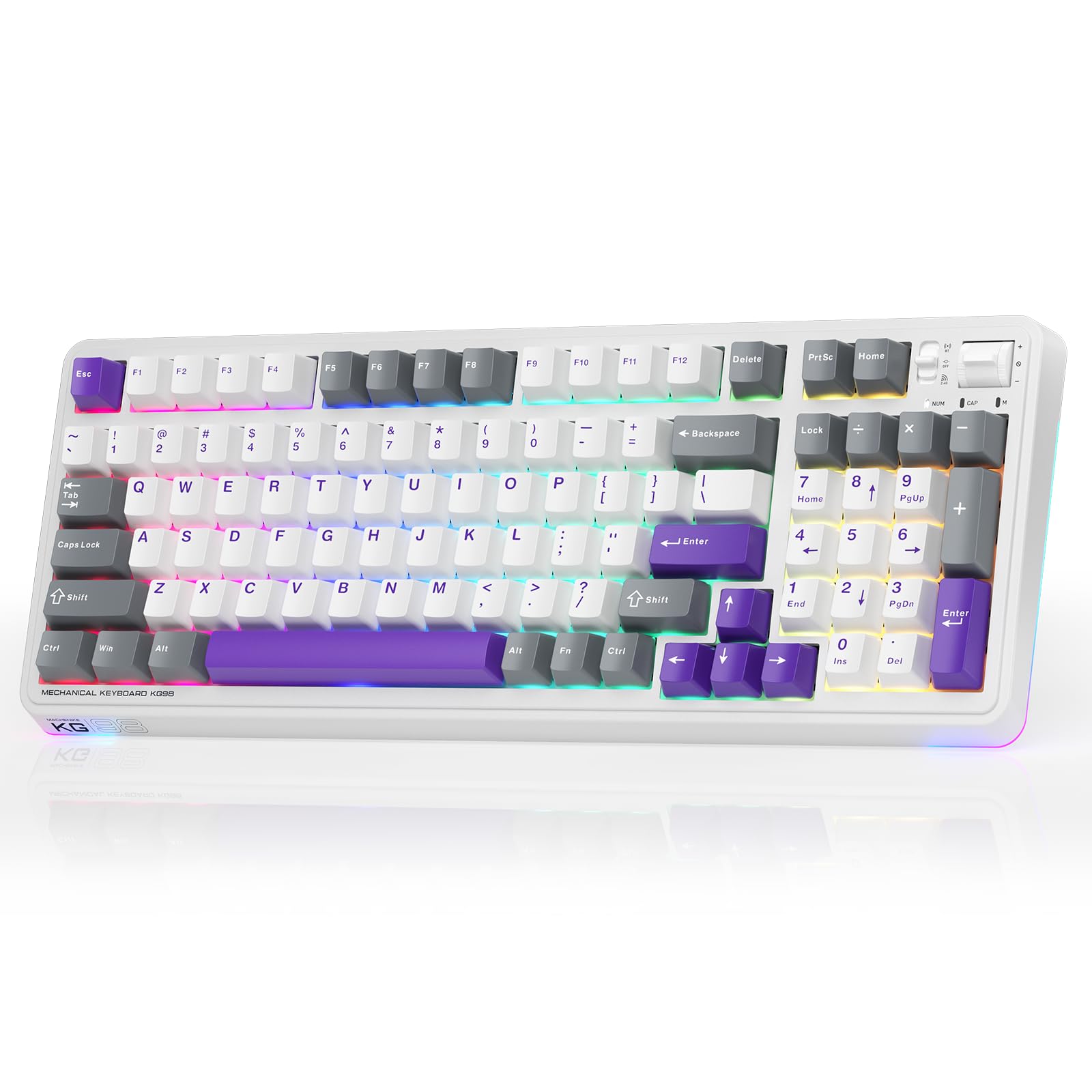
Figure 1: Machenike KG98 Mechanical Gaming Keyboard
2. Дар қуттӣ чӣ мавҷуд аст
Лутфан, ҳангоми кушодани қуттӣ, боварӣ ҳосил кунед, ки ҳамаи ашёҳо мавҷуданд:
- Machenike KG98 Mechanical Keyboard
- Extra 2 Grey Pre-lubed Linear Switches
- Тугмаи тугмача
- Сими USB (Намуди-А ба Намуди-C)
- Дастури корбар (ин ҳуҷҷат)

Figure 2: Box Contents of the KG98 Keyboard
3. Танзимот
3.1 Усулҳои пайвастшавӣ
The KG98 keyboard supports three connection modes: Wired (USB-C), 2.4G Wireless, and Bluetooth (BT5.0). A mode switch is located on the top-right side of the keyboard.
- Усули симдор: Connect the provided USB-C cable to the keyboard and your computer. The mode switch should be in the middle (USB) position.
- Ҳолати бесими 2.4G: Locate the 2.4G USB dongle (usually stored magnetically on the keyboard's underside). Insert the dongle into your computer's USB port. Slide the mode switch to the bottom (2.4G) position. The keyboard will automatically connect.
- Усули Bluetooth: Slide the mode switch to the top (BT) position. On your device (computer, tablet, smartphone), search for Bluetooth devices and select 'Machenike KG98'. The keyboard's indicator light will flash blue during pairing.
3.2 Пур кардани клавиатура
The keyboard is equipped with an 8000mAh battery. To charge, connect the USB-C cable to the keyboard and a power source (e.g., computer USB port, USB wall adapter). The indicator light will show charging status.

Figure 3: Connectivity and Multimedia Control Switches
Video 1: Machenike KG98 Mechanical Keyboard Overview (Seller Content)
This video demonstrates the unboxing, various features, and connectivity options of the Machenike KG98 Mechanical Keyboard, including switch removal and typing sound tests.
4. Дастурҳои истифодабарӣ
4.1 Function Key Combinations
The KG98 keyboard utilizes the 'Fn' key for various secondary functions. Refer to the included user manual for a comprehensive list of Fn key combinations for both Windows and macOS, including multimedia controls, brightness adjustments, and system functions.
4.2 Назорати равшании RGB
The keyboard features 16.8 million customizable RGB backlighting and dual-sided RGB light strips. Use the following key combinations to adjust the lighting:
- Fn + Shift: Эффектҳои гуногуни равшании RGB-ро истифода баред.
- Fn + Enter: Change the solid color of the current lighting effect.
- Fn + Тири боло/поён: Равшании чароғакро танзим кунед (4 сатҳ).
- Fn + Тири чап/рост: Adjust animation speed (4 levels).
- Fn + Саҳифа боло/саҳифа поён: Change side light strip color.
- Фн + Саҳифа/Анҷом: Change side light strip mode/speed.
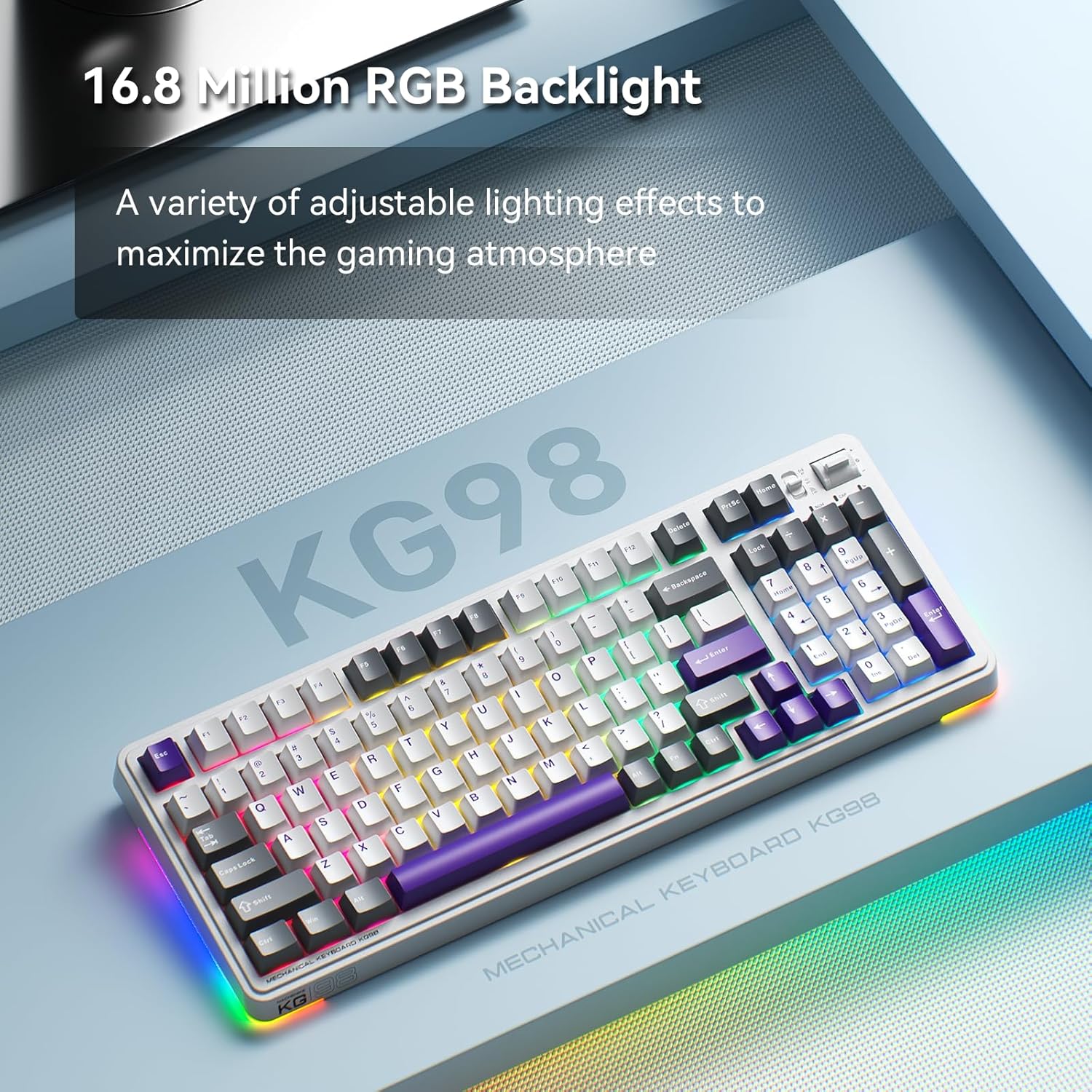
Figure 4: Customizable RGB Backlighting
4.3 Multimedia and Volume Controls
A multi-functional toggle switch is located on the top-right of the keyboard, allowing for quick adjustments:
- Гард кардан: Овозро боло ё паст танзим кунед.
- Матбуот: Хомӯш кардан/кушода кардани аудио.
- Пахш кунед ва нигоҳ доред: Cycle through RGB lighting modes.
5. Мутобиқсозӣ
5.1 Гузаришҳои гарм ивазшаванда
The KG98 keyboard features hot-swappable sockets, allowing you to easily replace switches without soldering. This enables personalization of typing feel and sound. Use the included keycap puller and switch puller to remove and install switches. The keyboard supports both 3-pin and 5-pin switches.

Расми 5: Калидҳои ивазшавандаи гарм
5.2 Иваз кардани сарпӯши клавиатура
The keyboard comes with durable PBT keycaps. You can replace these with aftermarket keycaps of your choice to further customize the keyboard's aesthetics. Use the keycap puller to safely remove keycaps.
5.3 Мутобиқсозии нармафзор
Download the official Machenike software to unlock advanced customization options, including:
- Key remapping for individual keys.
- Сабти макро ва таъини он.
- Detailed RGB lighting effects and color customization.
- Adjusting debounce time and sleep settings.
6. Мушаххасоти
| Рақами модел | КГ98 |
| Андозаҳои маҳсулот | 16.61"L x 7.48"W x 2.16"H |
| Вазни ашё | 3.39 фунт |
| Технологияи пайвастшавӣ | BT5.0 (Bluetooth), 2.4G Wireless, USB-C Wired |
| Тавсифи клавиатура | Клавиатураи механикии бесими Gasket |
| Равшании паси клавиатура | RGB |
| Батарея | 1 батареяи литий-ион (дохил) |
| Хусусияти махсус | Noise-canceling, Hot-swappable switches, Multi-functional switch |
| Дастгоҳҳои мувофиқ | Консоли бозӣ, ноутбук, компютер, смартфон, планшет |
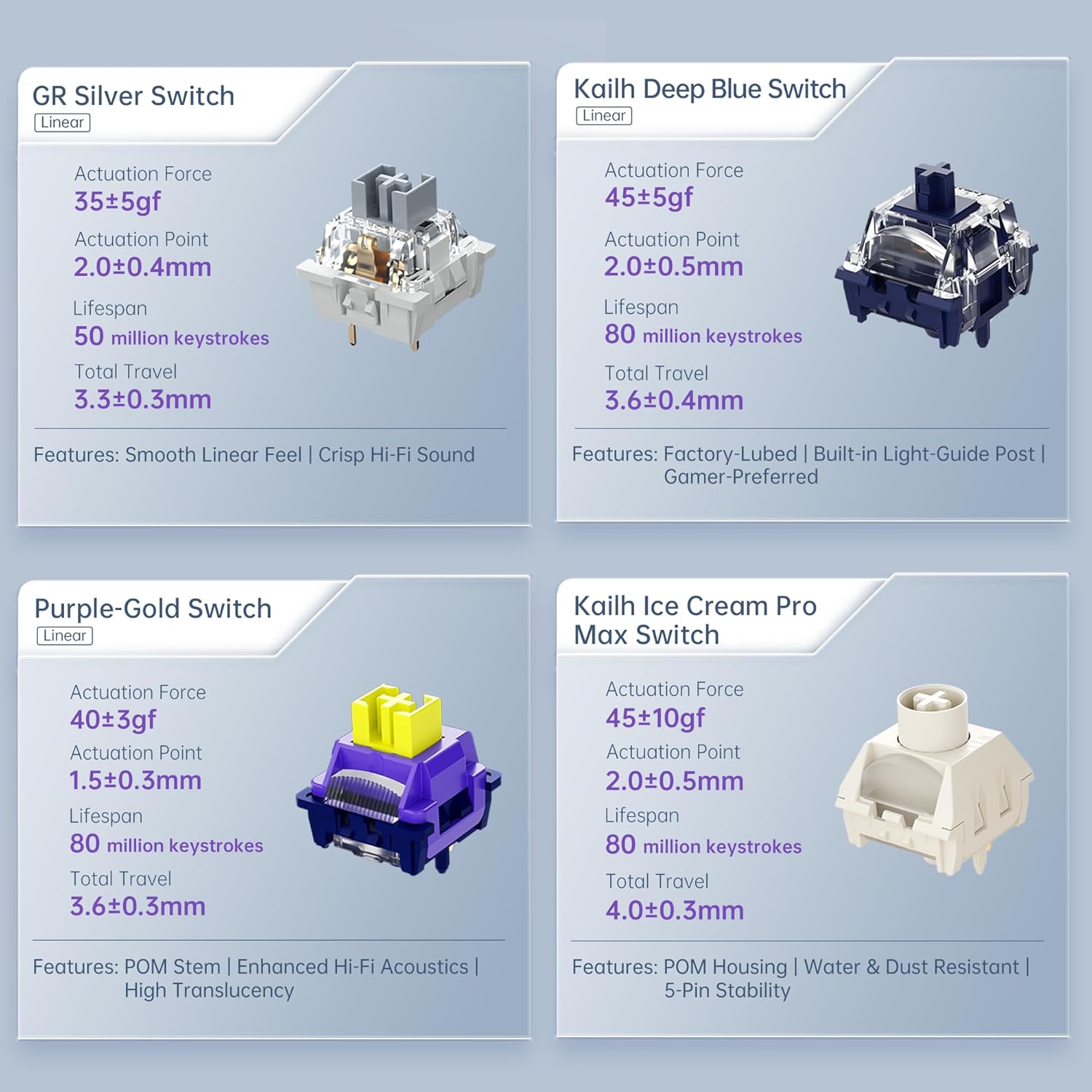
Figure 6: Premium 5-Layer Acoustic Filling Design
7. Нигоҳдорӣ
To ensure the longevity and optimal performance of your Machenike KG98 keyboard, follow these maintenance guidelines:
- Тозакунӣ: Regularly clean the keyboard with a soft, dry cloth. For deeper cleaning, remove keycaps using the provided puller and use compressed air to clear debris from between switches.
- Аз моеъ худдорӣ кунед: Do not expose the keyboard to liquids. If spills occur, immediately disconnect the keyboard and allow it to dry completely before re-using.
- Нигоҳдорӣ: Клавиатураро дар ҷои хунук ва хушк, дур аз нури бевоситаи офтоб ва ҳарорати аз ҳад зиёд нигоҳ доред.
8. Баррасии мушкилот
If you encounter issues with your Machenike KG98 keyboard, try the following troubleshooting steps:
- Ҷавоб нест: Ensure the keyboard is properly connected in wired mode, or that the 2.4G dongle/Bluetooth is correctly paired and the mode switch is in the correct position. Check battery level.
- Масъалаҳои пайвастшавӣ: For wireless modes, ensure the keyboard is within range of your device. Try re-pairing Bluetooth or re-inserting the 2.4G dongle.
- Чароғҳои RGB кор намекунанд: Check brightness settings (Fn + Up Arrow). Ensure the lighting mode is active (Fn + Shift).
- Калидҳо ба қайд гирифта нашудаанд: If individual keys are not working, try replacing the switch using the provided tools and extra switches.
- Масъалаҳои нармафзор: Ensure you have the latest version of the Machenike software installed. Restart your computer and the software.
- Бозсозии завод: If problems persist, you can perform a factory reset via the customization software.
9. Кафолат ва дастгирӣ
For warranty information, technical support, or service inquiries, please contact Machenike customer support through their official website or the contact details provided with your purchase. Keep your proof of purchase for warranty claims.


