Муқаддима
This manual provides detailed instructions for the setup, operation, maintenance, and troubleshooting of your OnePlus Buds 4 wireless earbuds. Please read this manual thoroughly to ensure proper use and to maximize your listening experience.
Мундариҷаи баста
Боварӣ ҳосил кунед, ки ҳама ҷузъҳо дар бастабандии маҳсулот мавҷуданд:
- Гӯшмонакҳои OnePlus Buds 4 (чап ва рост)
- Қуттии барқгиранда
- Сими пуркунандаи USB-C
- Андозаи чандкаратаи гӯшмонакҳо (S, M, L)
- Дастури корбар (Ин ҳуҷҷат)
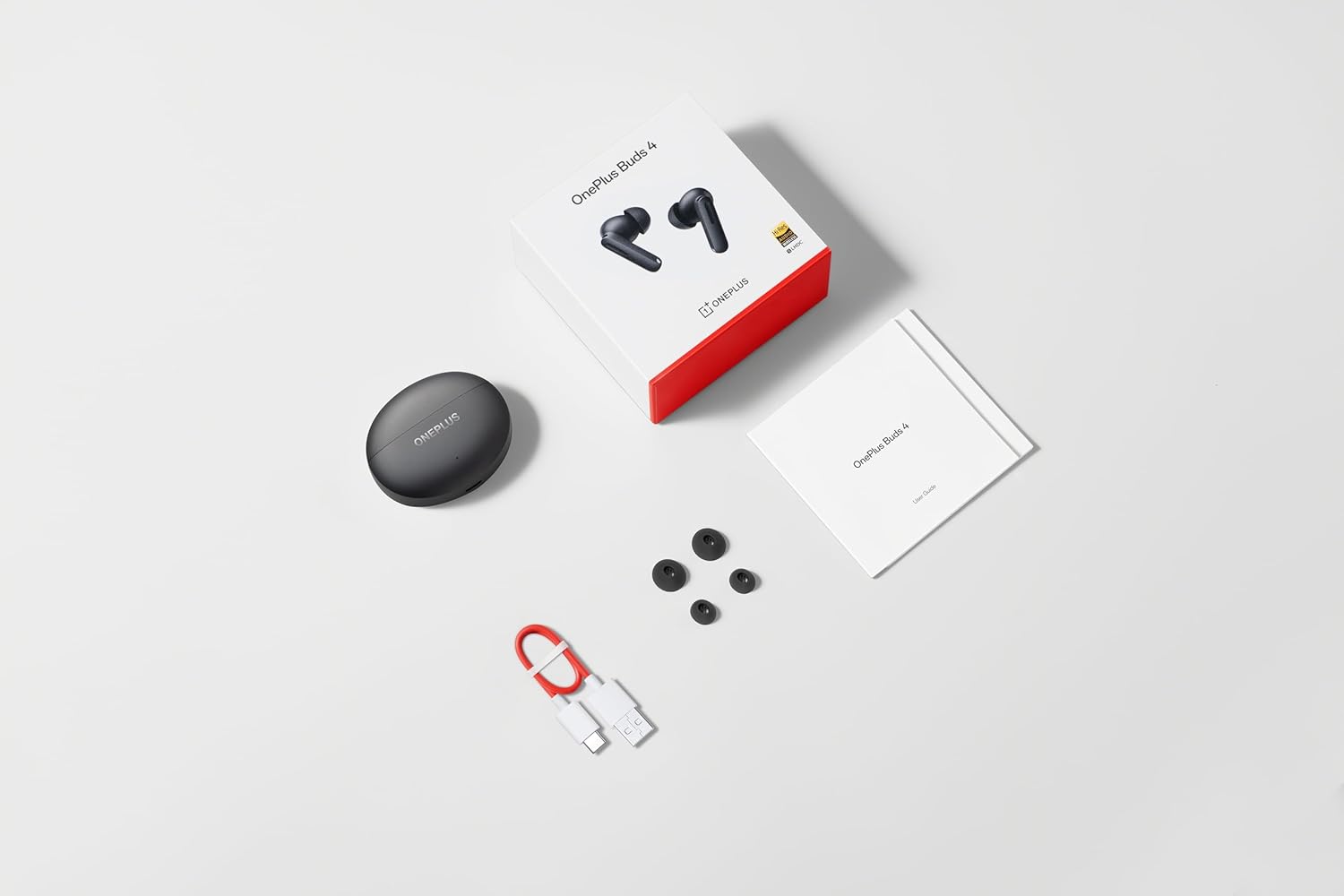
Image: The retail package contents for the OnePlus Buds 4, showing the earbuds, charging case, USB-C cable, and various ear tip sizes.
Маҳсулот ба охир расидview
The OnePlus Buds 4 are advanced wireless in-ear headphones designed for high-quality audio and active noise cancellation. They feature an ergonomic design for comfort and secure fit, housed in a compact charging case.

Image: The OnePlus Buds 4 earbuds resting inside their open charging case. The earbuds and case are in Storm Gray, with the OnePlus logo visible on the case.

Image: This image shows the front perspective of the OnePlus Buds 4 earbuds and their charging case, highlighting the sleek Storm Gray finish.
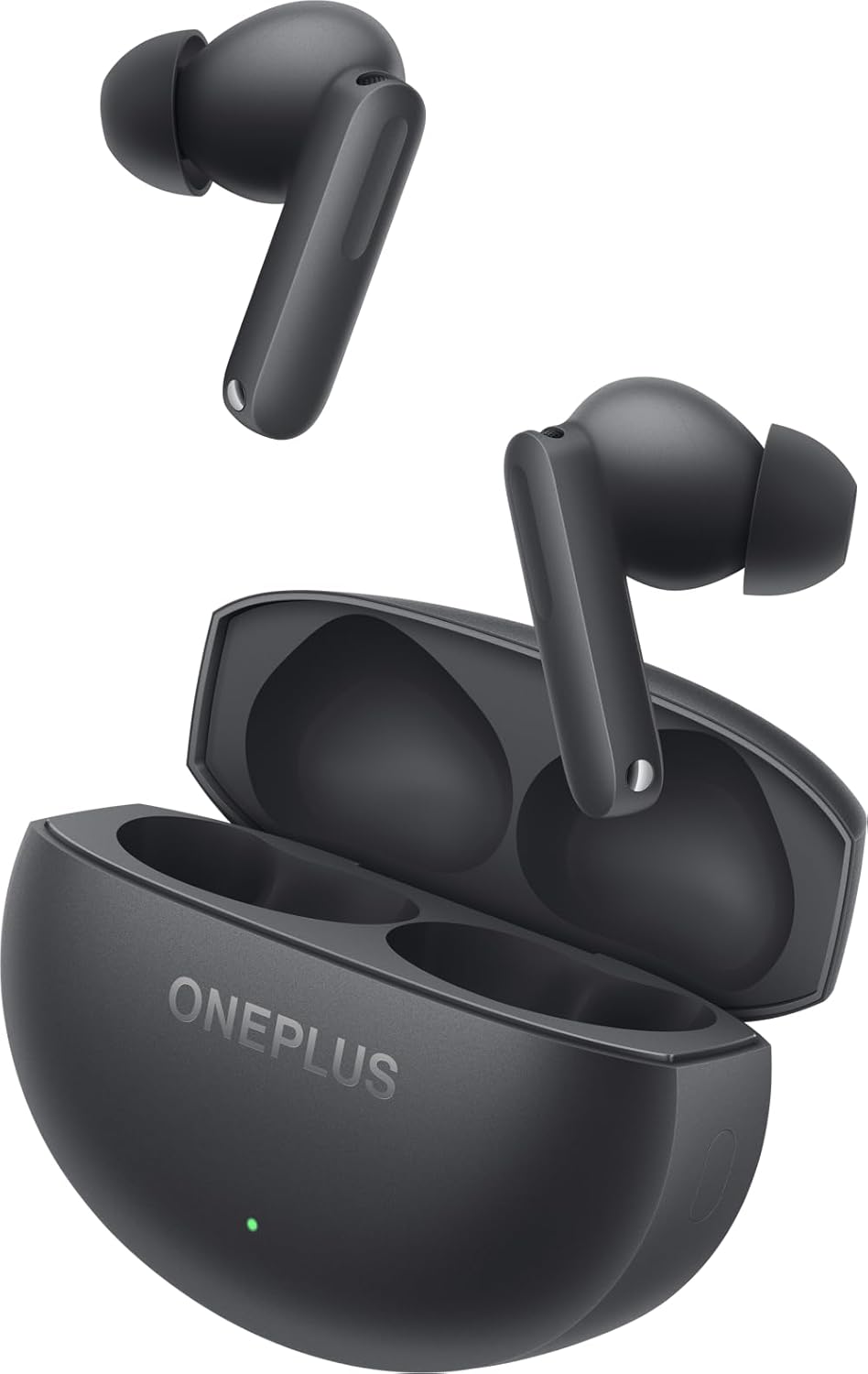
Image: The image features the two OnePlus Buds 4 earbuds separated from their charging case, showcasing тарҳрезии онҳо.
Ташкил кардан
Пуркунии ибтидоӣ
Before first use, place both earbuds into the charging case and connect the case to a power source using the provided USB-C cable. Ensure the indicator light on the case illuminates, signifying charging. A full charge is recommended for optimal battery performance.
Ҷузъ бо дастгоҳи худ
- Боварӣ ҳосил кунед, ки қуттии барқгиранда қувваи кофӣ дорад.
- Open the charging case with the earbuds inside. The indicator light will flash white, indicating pairing mode.
- Дар смартфони худ ё дастгоҳи дорои Bluetooth, ба танзимоти Bluetooth гузаред.
- Select "OnePlus Buds 4" from the list of available devices.
- Once connected, the indicator light on the case will turn off.
For subsequent connections, the earbuds will automatically connect to the last paired device when the case is opened.
Installing the HeyMelody App
For advanced features, customization, and firmware updates, download and install the HeyMelody app from your device's app store. This app allows you to personalize touch controls, adjust sound profiles, and manage noise cancellation settings.
Selecting the Right Ear Tips
Choosing the correct ear tip size is crucial for sound quality, noise cancellation, and comfort. Experiment with the included small, medium, and large ear tips to find the best fit for your ears. A good seal will enhance bass response and active noise cancellation effectiveness.

Image: This image illustrates the different sizes of silicone ear tips included with the OnePlus Buds 4, essential for a comfortable and secure fit.
Дастурҳои амалиётӣ
Назорати ламс
The OnePlus Buds 4 feature intuitive touch controls on the stem of each earbud. These controls can be customized via the HeyMelody app.

Image: A close-up image of a single OnePlus Buds 4 earbud, indicating the specific area for touch controls on the stem.
- Крани ягона: Мусиқиро навохтан/таваффақ кардан, Ҷавоб додан/Ба занг задан.
- Ду маротиба зарба занед: Суруди навбатӣ, Рад кардани занг.
- Тапи сегона: Роҳи қаблӣ.
- Пахш кунед ва нигоҳ доред: Switch between Active Noise Cancellation, Transparency Mode, and Noise Cancellation Off.
- Swipe Up/Down (on stem): Овозро танзим кунед.
Бекоркунии садои фаъол (ANC) ва режими шаффофият
The earbuds offer advanced noise control features:
- Бекоркунии садои фаъол (ANC): Садои муҳити атрофро барои таҷрибаи пурмазмуни гӯш кам мекунад.
- Ҳолати шаффофият: Ба шумо имкон медиҳад, ки атрофатонро бишнавед, дар ҳоле ки аз аудиои худ лаззат баред ва огоҳии вазъиятро баланд бардоред.
Switch between these modes by pressing and holding the touch area on either earbud, or through the HeyMelody app.

Image: This graphic depicts the concept of Active Noise Cancellation, showing how the OnePlus Buds 4 reduce ambient sound for an immersive listening experience.
Хусусиятҳои аудио
The OnePlus Buds 4 are equipped with features to deliver high-fidelity audio:
- Hi-Res Audio and LHDC 5.0: Supports high-resolution audio codecs for detailed and clear sound reproduction.
- Immersive 3D Spatial Audio: Provides a multi-directional sound experience, enhancing immersion in music and videos.

Image: An image highlighting the Hi-Res Audio and LHDC 5.0 capabilities of the OnePlus Buds 4, indicating high-fidelity sound reproduction.
Image: This graphic illustrates the immersive 3D Spatial Audio feature, suggesting a multi-directional sound experience provided by the earbuds.
Calls and Gaming
The earbuds feature enhanced voice cancellation for clear calls and low-latency connectivity for an optimized gaming and video watching experience.
Гӯшмонакҳо ва қуттии худро пур кунед
To charge the earbuds, place them into the charging case. The earbuds will begin charging automatically. To charge the case, connect the provided USB-C cable to the charging port on the back of the case and to a power adapter (not included).

Image: The rear of the OnePlus Buds 4 charging case, clearly showing the USB-C port for charging.
The charging case provides extended battery life, allowing for over 24 hours of total listening time with multiple recharges of the earbuds.
Нигоҳдорӣ ва нигоҳубин
- Тозакунӣ: Гӯшмонакҳо ва қуттии пуркунандаи барқро мунтазам бо матои мулоим, хушк ва бе пахта тоза кунед. Моддаҳои кимиёвии сахт ё маводи абразивиро истифода набаред.
- Маслиҳатҳои гӯш: Remove and clean ear tips with water and mild soap if necessary. Ensure they are completely dry before reattaching.
- Нигоҳдорӣ: Ҳангоми истифода нашудан, гӯшмонакҳоро дар қуттии пуркунандаи худ нигоҳ доред, то онҳоро муҳофизат кунед ва барқро нигоҳ доред.
- Муқовимат ба об: The earbuds are water-resistant (IP55 rated), meaning they can withstand splashes and sweat. They are not designed for swimming or submersion in water. Ensure the earbuds are dry before placing them back in the charging case.
Мушкилкушо
If you encounter issues with your OnePlus Buds 4, refer to the table below for common problems and solutions.
| Мушкилот | Сабаби эҳтимолӣ | Ҳалли |
|---|---|---|
| Аз гӯшмонакҳо садо нест | Low battery; Not paired; Volume too low. | Charge earbuds; Re-pair with device; Increase device volume. |
| Гӯшмонакҳо ҷуфт карда намешаванд | Out of range; Pairing mode not active; Interference. | Ensure earbuds are in pairing mode (open case); Move closer to device; Turn off other Bluetooth devices. |
| Бекоркунии садои фаъол самаранок нест | Improper ear tip fit; ANC mode not active. | Try different ear tip sizes for a better seal; Ensure ANC is enabled via touch control or app. |
| Қуттии пуркунандаи барқ пур намекунад | Cable issue; Power source issue. | Check USB-C cable connection; Try a different power adapter or USB port. |
| Як гӯшмонак садо надорад | Earbud not connected; Low battery. | Place both earbuds in the case, close, then reopen; Ensure both earbuds are charged. |
Мушаххасоти
| Хусусият | Тафсилот |
|---|---|
| Номи модел | OnePlus Buds 4 |
| Рақами модел | E513A |
| Технологияи пайвастшавӣ | Bluetooth 5.4 |
| Назорати садо | Бекор кардани садои фаъол |
| Андозаи драйвери аудио | 11 миллиметр |
| Диапазони басомад | 40 Гц - 20,000 Гц |
| Ҳассосият | 100 дБ |
| Импеданс | 18 Ом |
| Усули назорат | Назорати ламс |
| Сатҳи муқовимат ба об | IP55 (Гӯшмонакҳо) |
| Мӯҳлати батарея (Гӯшмонакҳо + Корпус) | Зиёда аз 24 соат (бо қуттии барқгиранда) |
| Дастгоҳҳои мувофиқ | Smartphones, Laptops, Desktops, Gaming Consoles, Tablets, Televisions |
Маълумот оид ба бехатарӣ
Барои пешгирӣ аз осеб дидани дастгоҳ ё ҷароҳати шахсӣ, лутфан дастурҳои бехатарии зеринро риоя кунед:
- Муҳофизати шунавоӣ: Барои пешгирӣ кардани осеби шунавоӣ аз гӯш кардани садои баланд ба муддати тӯлонӣ худдорӣ кунед.
- Бехатарии ронандагӣ: Do not use earbuds while driving or cycling in situations where it may distract you or pose a hazard.
- Нигоҳубини батарея: Батареяро худатон иваз накунед. Дастгоҳро дар ҳарорати аз ҳад зиёд ё нури бевоситаи офтоб қарор надиҳед.
- Бартараф кардан: Dispose of the device and its batteries according to local regulations. Do not dispose of with household waste.
Кафолат ва дастгирӣ
Your OnePlus Buds 4 are covered by a limited warranty. For detailed warranty terms and conditions, please refer to the warranty card included in your package or visit the official OnePlus support website. For technical assistance or customer service, please contact OnePlus customer support.


