1. Муқаддима
This manual provides comprehensive instructions for the setup, operation, and maintenance of your ASprink A64M Bluetooth Shipping Label Printer. The A64M is designed for efficient thermal label printing, featuring a compact design and versatile connectivity options for various label sizes.
2. Дар қуттӣ чӣ мавҷуд аст
- ASprink A64M Bluetooth Shipping Label Printer
- 100 Thermal Labels (4x6 inches)
- Адаптери барқ
- Сими USB
- Дастури корбар (ин ҳуҷҷат)
3. Танзимот
3.1. Боркунии тамғакоғазҳо
The A64M printer features an innovative built-in label bin that can accommodate up to 250 4x6 inch roll labels internally. Alternatively, folded labels can be loaded via the rear slot.
- Open the Printer Cover: Gently lift the top cover of the printer.
- Insert Label Roll: Place the label roll into the internal bin. Ensure the labels feed from the bottom of the roll and the print side is facing up.
- Adjust Guide Rails: Slide the adjustable guide rails to fit the width of your labels snugly, preventing misalignment during printing.
- Feed Labels: Pull the leading edge of the labels through the printer's output slot until it extends slightly past the cutter.
- Сарпӯши пӯшида: Сарпӯши принтерро бехатар пӯшед.

Image: Internal label bin with adjustable components for label loading.
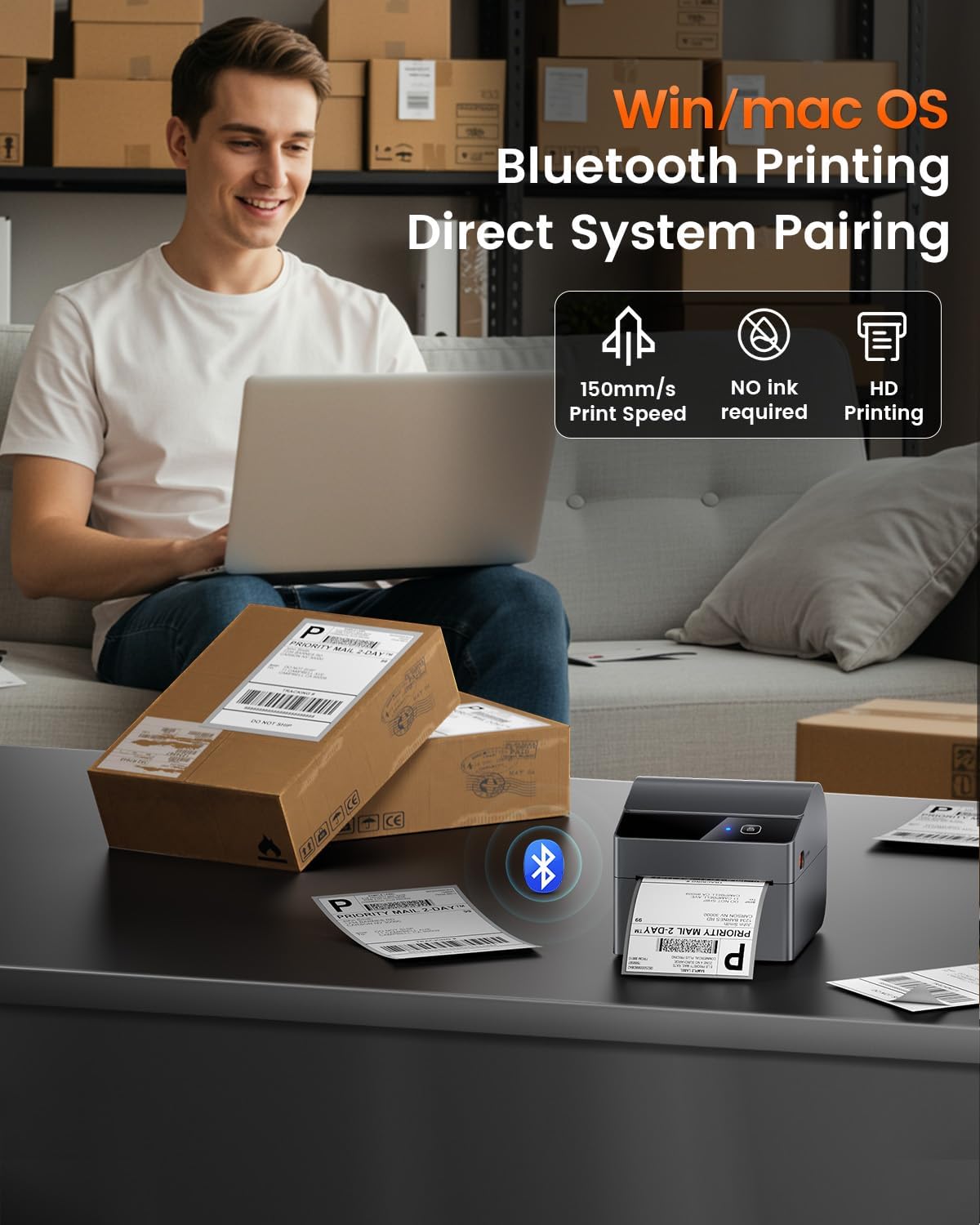
Image: Detail of label roll insertion and guide adjustment.
3.2. Пайвастшавӣ
The A64M printer offers both Bluetooth and USB connectivity.
- Пайвасти Bluetooth:
The printer supports Bluetooth 5.0 for wireless printing from Android, iOS, Windows, and macOS devices. Ensure Bluetooth is enabled on your device and pair with the A64M printer.

Тасвир: Пайвасти Bluetooth бо дастгоҳҳои гуногун.
- Пайвасти USB:
For a wired connection, use the provided USB cable to connect the printer to your computer. The printer is compatible with all major computer systems via USB.
3.3. Калибрченкунии ибтидоӣ
After loading labels and connecting the printer, it is recommended to perform an initial calibration to ensure accurate label detection and printing.
- Фаъол: Принтерро фаъол созед.
- Калибрченкунии автоматӣ: The printer typically performs an automatic calibration when powered on with labels loaded. If not, refer to the printer's specific button sequence for manual calibration (usually involves holding a feed button).
4. Амалиёт
4.1. Раванди чоп
Once connected and calibrated, you can initiate printing from your device. Ensure your label design matches the physical label size for optimal results.

Image: ASprink A64M printer in operation.
4.2. Supported Label Sizes
The A64M printer supports a wide range of thermal label widths from 1 inch to 4 inches. This includes standard 4x6 inch shipping labels, as well as smaller labels for various applications.

Тасвир: Мисamples of supported label sizes.
4.3. High-Definition Printing
The printer delivers clear and sharp prints with a maximum black and white print resolution of 300 dpi, ensuring barcodes and text are easily scannable and readable.
4.4. Мутобиқати платформа
The ASprink A64M is compatible with major shipping and e-commerce platforms, facilitating seamless integration into your workflow.

Image: Compatible platforms for the A64M printer.
5. Нигоҳдорӣ
5.1. Нигоҳубини умумӣ
- Keep the printer clean and free from dust. Use a soft, dry cloth for external cleaning.
- Avoid exposing the printer to extreme temperatures or direct sunlight.
- Ҳангоми кор вентилятсияи дурусти атрофи принтерро таъмин намоед.
5.2. Label Care
The included thermal labels are designed for durability and clarity:
- Ба пажмурда тобовар: Labels are designed to resist fading over time.
- Ба харошидан тобовар: The label surface is resistant to minor scratches.
- Ба равған тобовар: Labels maintain integrity when exposed to oils.
Store thermal labels in a cool, dry place away from direct light to preserve their quality.
6. Баррасии мушкилот
This section addresses common issues you might encounter with your ASprink A64M printer. For more detailed troubleshooting, please refer to the official support resources.
- Принтер ҷавоб намедиҳад:
- Check if the printer is powered on and properly connected via USB or Bluetooth.
- Restart the printer and your connected device.
- Ensure printer drivers are correctly installed for USB connections.
- Сифати пасти чоп:
- Verify that you are using thermal labels designed for thermal printers.
- Clean the print head if smudges or lines appear (refer to manufacturer guidelines for cleaning).
- Ensure the label roll is loaded correctly and the guide rails are adjusted.
- Labels Not Feeding Correctly:
- Check for any obstructions in the label path.
- Ensure the label roll is not jammed and is properly seated in the internal bin or rear slot.
- Perform a label calibration.
- Масъалаҳои пайвасти Bluetooth:
- Боварӣ ҳосил кунед, ки Bluetooth ҳам дар принтер ва ҳам дар дастгоҳи шумо фаъол аст.
- Unpair and re-pair the printer with your device.
- Move the printer closer to your device to ensure a strong signal.
7. Мушаххасоти
| Хусусият | Тафсилот |
|---|---|
| Номи модел | A64M |
| Бренд | ASprink |
| Технологияи чоп | Гармӣ |
| Технологияи пайвастшавӣ | USB, Bluetooth |
| Иқтидори максималии варақаи вуруд | 250 (for 4x6 inch rolls) |
| Андозаи медиаи дастгирӣ | 1" - 4" width, including 4x6 inches |
| Ҳаҷми ҳадди аксар чопи сиёҳ ва сафед | 300 dpi |
| Натиҷаи чопгар | Монохромӣ |
| Хусусияти махсус | Network Ready, Portable |
| Компонентҳои дохилшуда | 100 Thermal Labels |
| Ранги | Сиёҳ |
| Истифодаи мушаххас барои маҳсулот | Shipping labels, Barcode printing, Retail pricing, Inventory management, E-commerce logistics, Warehouse organization, Retail tagging, Home decluttering |
8. Дастгирӣ ва кафолат
For technical support, warranty information, or further assistance, please visit the official ASprink website or contact their customer service. Details can typically be found on the product packaging or the ASprink brand store.
ASprink Brand Store: Visit ASprink Store on Amazon
9. Видеои маҳсулот
Видео: Намоиши видеоии расмии маҳсулотasing the ASprink A64M Label Printer for small businesses, highlighting its features and functionality.


