1. Муқаддима
The Dreame D20 Robot Vacuum Cleaner is an advanced 2-in-1 cleaning device designed to simplify your home maintenance. It features powerful suction, efficient navigation, and smart controls to keep your floors clean. This manual provides essential information for setting up, operating, and maintaining your device.

Image 1.1: Dreame D20 Robot Vacuum Cleaner and its companion mobile application.
2. Дар қуттӣ чӣ мавҷуд аст
Ҳама ҷузъҳоро бодиққат кушоед ва аз рӯйхат дар зер санҷед. Агар ягон ашё гум ё вайрон бошад, лутфан бо дастгирии мизоҷон тамос гиред.
- Robot Vacuum Cleaner x1
- Истгоҳи пуркунандаи барқ x1
- Main Brush and Brush Guard (pre-installed) x1
- Side Brush (pre-installed) x1
- Dustbin (pre-installed) x1
- Water Tank (pre-installed) x1
- Mop Pad (pre-installed) x1
- Дорандаи тахтачаи швабдор x1
- Дастури корбар x1
- Роҳнамои зуд оғозёбӣ x1

Image 2.1: All components included in the Dreame D20 package.
3. Танзимот
3.1 Ҷойгиркунии истгоҳи пуркунандаи барқ
Place the charging station against a wall on a hard, level surface. Ensure there is at least 0.5 meters (1.6 feet) of clear space on both sides and 1.5 meters (4.9 feet) in front of the station. Connect the power adapter to the charging station and plug it into a power outlet.
3.2 Пардохти ибтидоӣ
Place the robot vacuum onto the charging station. Ensure the charging contacts on the robot align with those on the station. The robot will automatically power on and begin charging. For first-time use, fully charge the robot before operation.
3.3 Боргирии барнома ва пайвастшавӣ
- Scan the QR code in the Quick Start Guide or search for the 'Dreamehome' app in your device's app store.
- Барномаро зеркашӣ ва насб кунед.
- Follow the in-app instructions to add your Dreame D20 robot vacuum. This typically involves connecting to the robot's Wi-Fi network and then to your home Wi-Fi.
4. Дастурҳои истифодабарӣ
4.1 Оғоз ва қатъи тозакунӣ
- Оғози тозакунӣ: Press the power button on the robot or use the 'Start' function in the Dreamehome app.
- Таваққуфи тозакунӣ: Press the power button during operation or use the 'Pause' function in the app.
- Return to Charging Station: Press the home button on the robot or use the 'Recharge' function in the app.
4.2 Cleaning Modes and Customization
The Dreame D20 offers various cleaning modes and customization options via the Dreamehome app:
- Ҳолати вакуум: For dry debris removal. The D20 features a Vormax suction power of 13,000 Pa for effective cleaning.
- Ҳолати тозакунӣ: For wet cleaning. The 350 ml water tank allows for 32 levels of humidity adjustment.
- Реҷаи чангкашак ва моп: Дар як вақт чангкашак ва тозакунӣ.
- Custom Room Cleaning: Барои тоза кардан ҳуҷраҳо ё минтақаҳои мушаххасро интихоб кунед.

Image 4.1: The Dreame D20's powerful 13,000 Pa Vormax suction.

Image 4.2: The D20's integrated 2-in-1 vacuum and mop system with a 700ml dustbin and 350ml water tank.
4.3 Навигатсия ва харитасозӣ
The D20 utilizes Smart Pathfinder technology for precise navigation and mapping. It creates intuitive, editable maps of your home for comprehensive coverage.
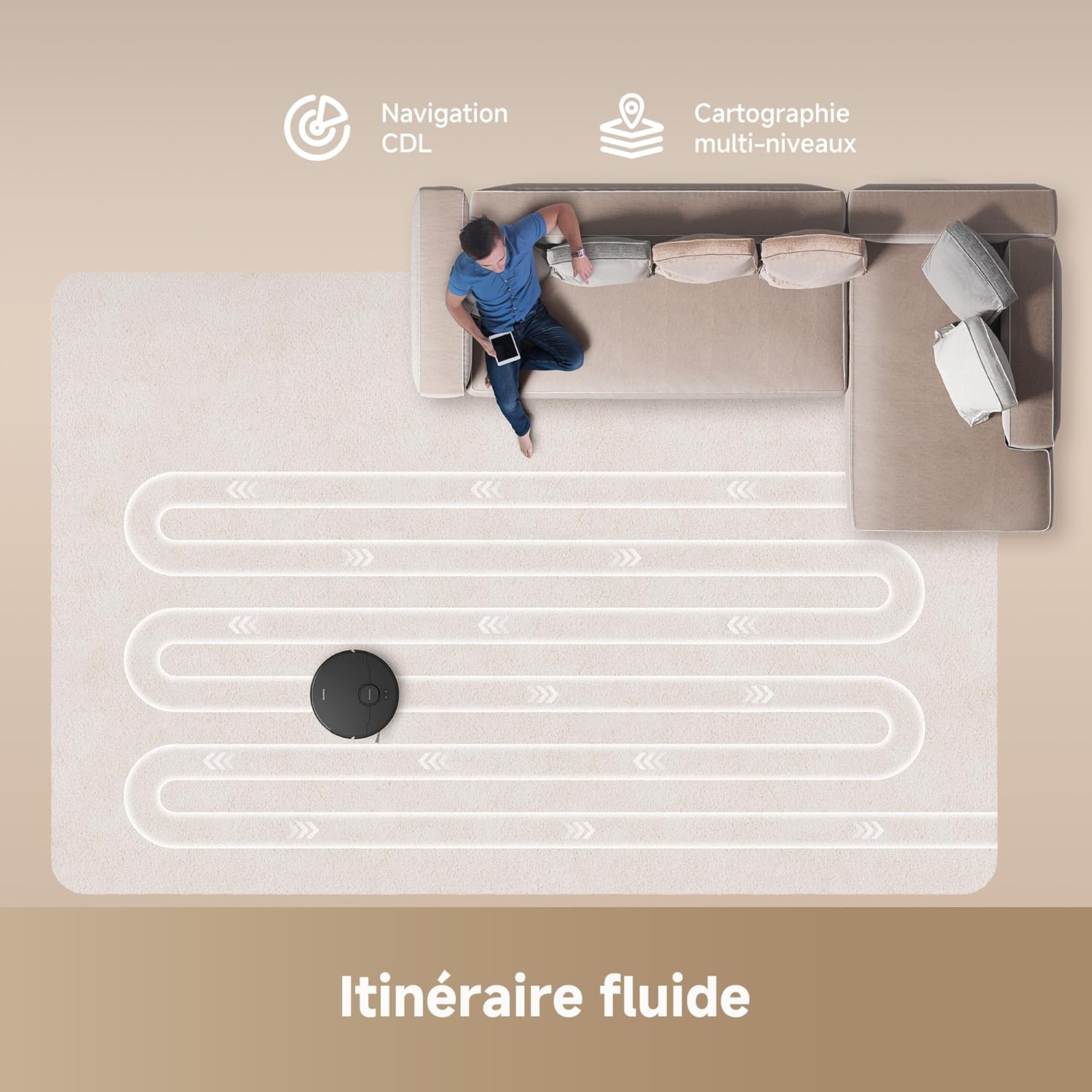
Image 4.3: The D20's Smart Pathfinder navigation creating an efficient cleaning path.
4.4 Назорати барнома
The Dreamehome app allows you to:
- View and edit cleaning maps.
- Set virtual walls and no-go zones.
- Adjust suction power and water flow levels.
- Schedule cleaning tasks.
- Monitor cleaning progress and battery status.
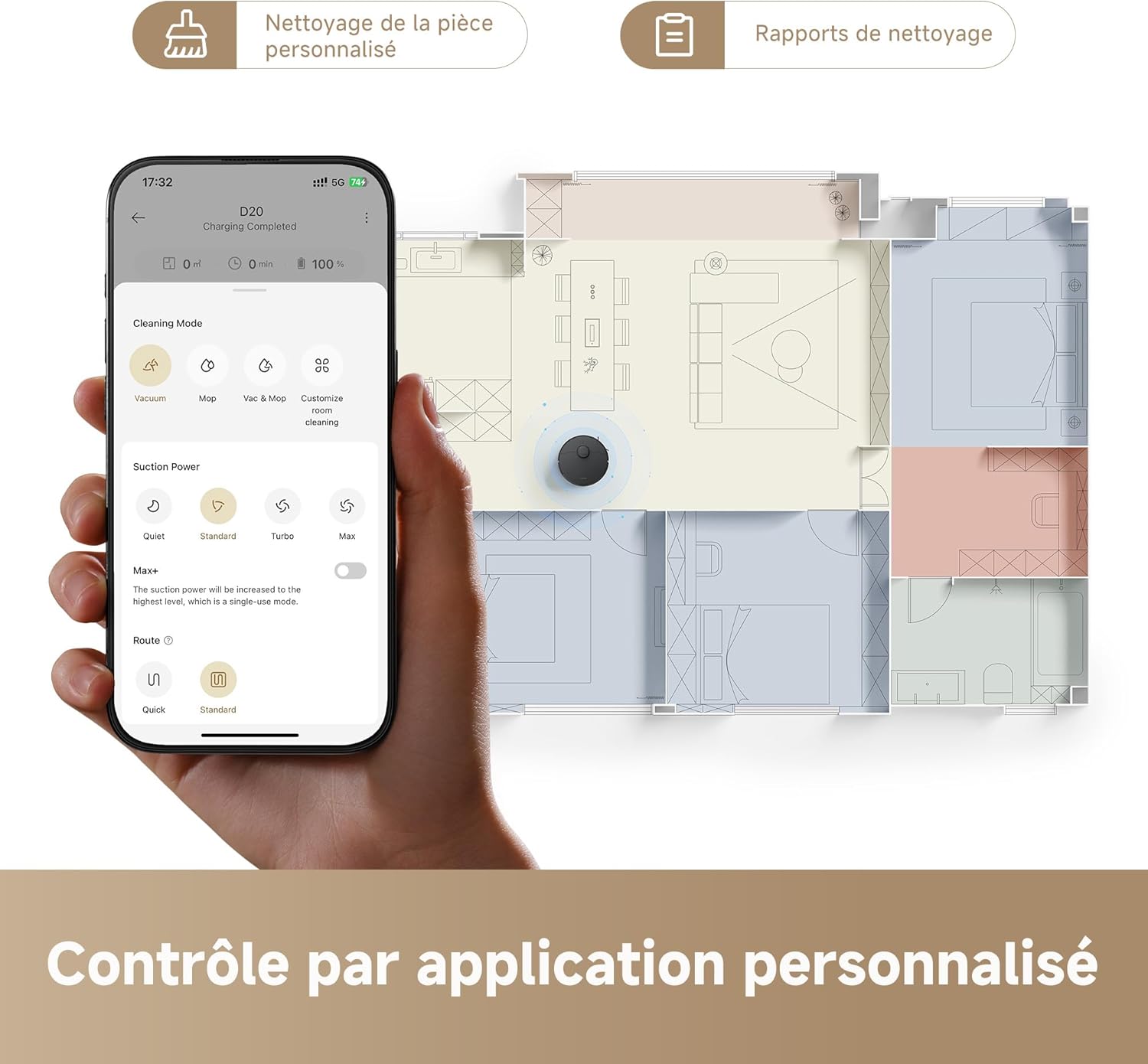
Image 4.4: The Dreamehome app provides personalized cleaning control.
4.5 Идоракунии овоз
The Dreame D20 is compatible with popular voice assistants, including Alexa, Apple Siri, and Google Home. Connect your robot to your preferred voice assistant through the Dreamehome app to issue commands such as starting or stopping cleaning.

Image 4.5: Voice control compatibility with Alexa, Google Home, and Siri.
5. Нигоҳдорӣ
Regular maintenance ensures optimal performance and extends the lifespan of your Dreame D20.
5.1 Холӣ кардани қуттии партов
Empty the 700 ml dustbin after each cleaning cycle or when prompted by the app. Open the robot's top cover, remove the dustbin, and dispose of the contents.
5.2 Water Tank Refilling
Refill the 350 ml water tank with clean water before mopping. Do not use cleaning solutions not approved by Dreame, as they may clog the system.
5.3 Тозакунии хасу
- Чӯткаи асосӣ: Remove the main brush cover and lift out the brush. Use the cleaning tool to remove tangled hair and debris.
- Чӯткаи тарафӣ: Periodically check the side brush for tangled hair or debris and clean as needed.

Image 5.1: The HyperStream duo brush effectively reduces hair tangling.
5.4 Тозакунии филтр
Tap the HEPA filter to remove dust. Rinse the filter with water if necessary, but ensure it is completely dry before re-installing.
5.5 Тозакунии сенсор
Wipe all sensors (cliff sensors, wall sensors, charging contacts) with a soft, dry cloth to ensure proper operation.
6. Баррасии мушкилот
If you encounter issues with your Dreame D20, refer to the following common problems and solutions:
| Мушкилот | Сабаби эҳтимолӣ | Ҳалли |
|---|---|---|
| Робот барқ намегирад | Charging contacts are dirty or misaligned. Power adapter not connected. | Clean charging contacts. Ensure charging station is powered and robot is properly docked. |
| Робот часпида ё гум шудааст | Obstacles in the path. Sensors are dirty. | Clear obstacles. Clean all sensors. Restart the robot. |
| Фаъолияти пасти обкашӣ | Dustbin full. Filter clogged. Main brush tangled. | Қуттии холӣ. Филтрро тоза кунед ё иваз кунед. Чӯткаи асосиро тоза кунед. |
| Пахш кардан самаранок нест | Water tank empty. Mop pad dirty. Water outlet clogged. | Refill water tank. Clean or replace mop pad. Clean water outlet. |
| Масъалаҳои пайвастшавӣ ба барнома | Incorrect Wi-Fi password. Router too far. Robot not in pairing mode. | Verify Wi-Fi credentials. Move robot closer to router. Reset Wi-Fi on robot and re-pair. |
7. Мушаххасоти
- Рақами модел: RLD35GA-BK
- Андозаҳо (L x W x H): 35 х 41 х 98.5 см
- Вазн: 5.9 кг
- Қувваи соркунӣ: 13,000 Pa (Vormax)
- Иқтидори батарея: 5200 мАч
- Вақти иҷро: То 285 дақиқа (4 соату 45 дақиқа)
- Иқтидори қуттии партов: 700 мл
- Иқтидори зарфи об: 350 мл
- Навъи филтр: HEPA
- Навигатсия: Smart Pathfinder (Laser Distance Sensor)
- Назорат: Dreamehome App, Voice Control (Alexa, Google Home, Siri)
- Ҷилдиtage: 14.4 вольт

Image 7.1: The D20's extended battery life of up to 285 minutes with a 5200 mAh battery.
8. Кафолат ва дастгирӣ
The Dreame D20 Robot Vacuum Cleaner comes with a standard manufacturer's warranty. For detailed warranty information, please refer to the warranty card included in your product packaging or visit the official Dreame website. For technical support, troubleshooting assistance, or to inquire about replacement parts, please contact Dreame customer service through their official channels or the Dreamehome app.
Please note that information regarding spare parts availability is not provided in the product specifications.


