1. Муқаддима
This manual provides essential information for the safe and efficient operation of your FOXX C10 10.1-inch Android Tablet. Please read this guide thoroughly before using your device to ensure proper functionality and to understand its features. Keep this manual for future reference.
2. Дар қуттӣ чӣ мавҷуд аст
Боварӣ ҳосил кунед, ки ҳама ашё дар баста мавҷуд аст:
- FOXX C10 Tablet
- Кабели Type-C
- Пуркунандаи барқ (10W)
- Дастури корбар
- Protective Cover (pre-applied)
- Screen Protector Film (pre-applied)
3. Маҳсулот ба охир расидview
The FOXX C10 tablet features a 10.1-inch HD display, dual 8MP cameras, and a robust 6000mAh battery, all powered by an Android 13 operating system.

Тасвир: Пеш ва қафо view of the FOXX C10 tablet, showcasing its sleek design and dual camera module on the rear.

Image: An infographic highlighting key features including the 10.1-inch display, Android 13, 6000mAh battery, 8MP cameras, MediaTek quad-core chipset, 4GB RAM + 64GB storage, 4G LTE bands, Wi-Fi, Bluetooth 5.0, Nano SIM, Type-C, and 3.5mm AUX port.
3.1 Намоиш
The tablet is equipped with a 10.1-inch HD TFT V-notch display, offering a resolution of 800x1280 pixels for clear visuals.

Image: Close-up of the tablet's 10.1-inch HD TFT V-notch display, showing vibrant colors and detail.
3.2 Камера
The FOXX C10 features dual 8-megapixel cameras, both on the front and rear, enabling high-quality photos and video calls.
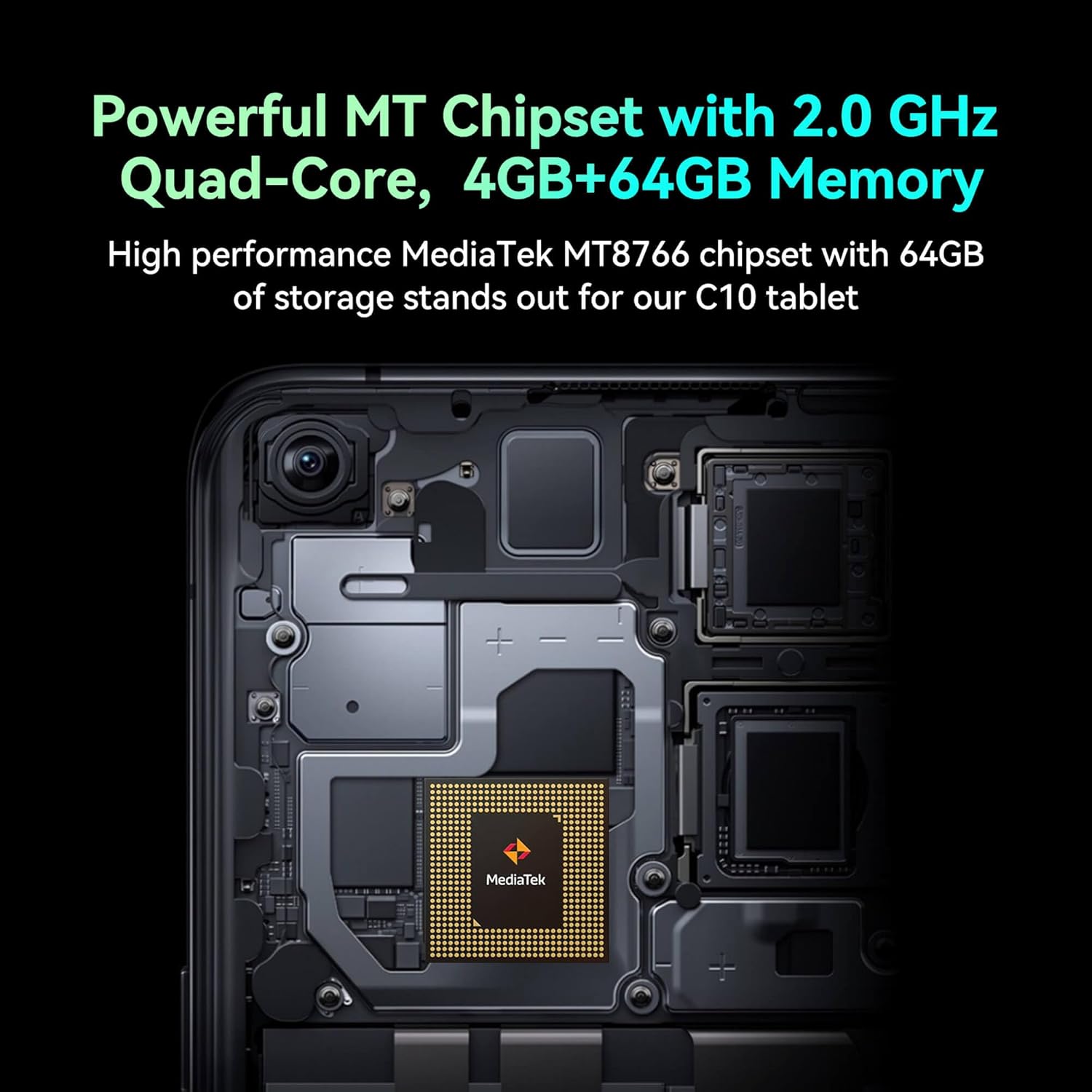
Image: Detail of the tablet's rear camera module, highlighting the 8-megapixel main camera with autofocus capabilities.
3.3 Протсессор ва хотира
It runs on a 2.0 GHz quad-core MediaTek MT8766 chipset, paired with 4GB of RAM and 64GB of internal storage for smooth performance and ampфосила.

Тасвир: дохилӣ view of the tablet's motherboard, showcasing the MediaTek MT8766 quad-core chipset.
3.4 Батарея
A 6000mAh battery provides extended usage time, ensuring the device stays powered throughout the day.
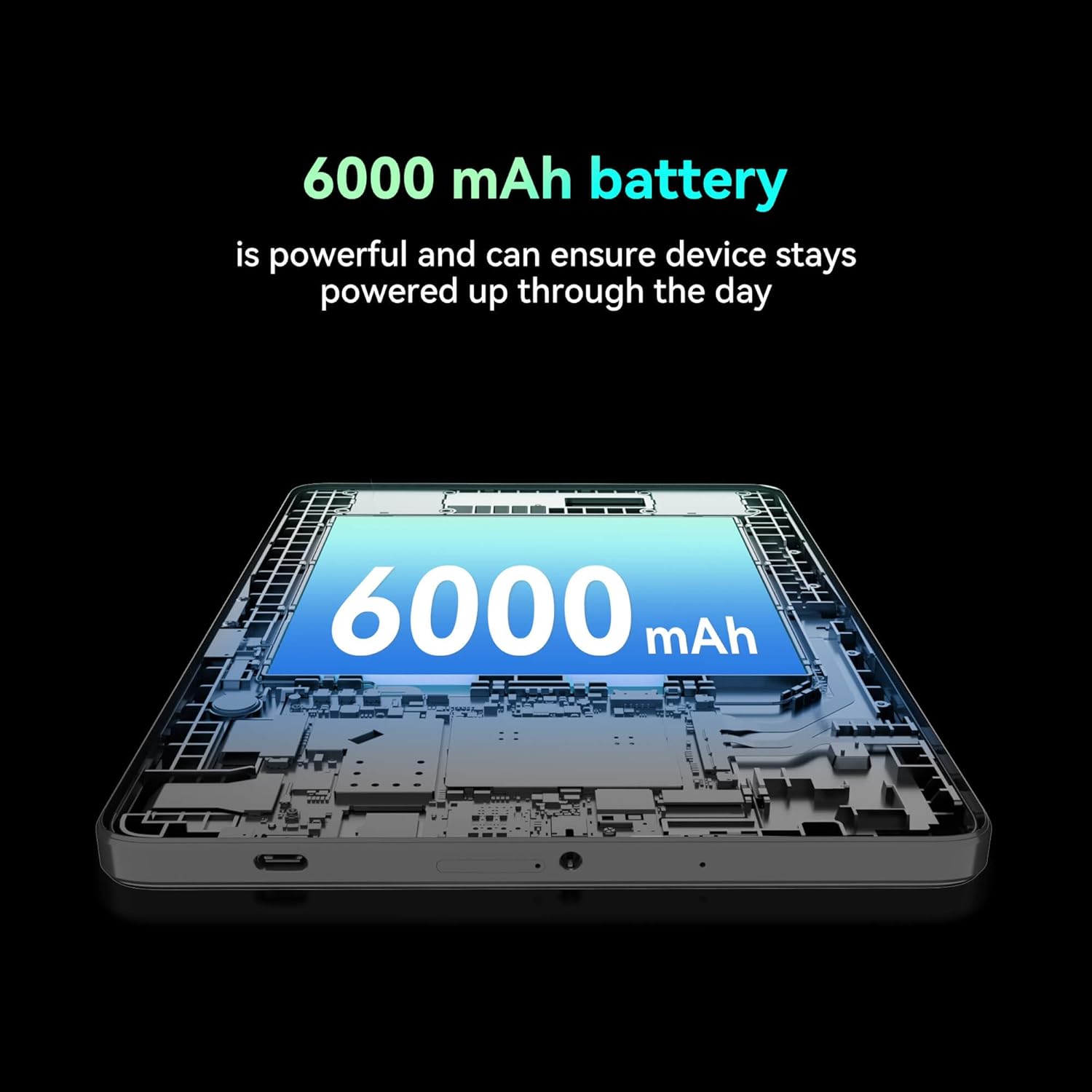
Тасвир: буриш view of the tablet highlighting the large 6000 mAh battery component.
4. Танзимот
4.1 Пуркунии ибтидоӣ
Before first use, fully charge your tablet using the provided Type-C cable and 10W charger. The battery indicator on the screen will show charging status.
4.2 Фурӯзон/хомӯш кардан
- Барои фаъол кардан: Тугмаи барқро то равшан шудани экран пахш кунед ва нигоҳ доред.
- Барои хомӯш кардани барқ: Тугмаи барқро пахш карда нигоҳ доред ва сипас аз имконоти дар экран нишондодашуда "Қувваро хомӯш кунед"-ро интихоб кунед.
- Барои аз нав оғоз кардан: Press and hold the Power button, then select 'Restart' from the options on the screen.
4.3 Насби SIM -корт
The FOXX C10 supports Nano SIM cards for cellular connectivity. Locate the SIM card tray on the side of the tablet. Use the provided SIM ejector tool to open the tray. Insert the Nano SIM card into the designated slot with the gold contacts facing down. Close the tray securely.
4.4 Насби корти MicroSD (ихтиёрӣ)
If your tablet supports expandable storage, locate the MicroSD card slot, often combined with the SIM tray. Insert a MicroSD card (up to 128GB, sold separately) into the slot with the gold contacts facing down. Close the tray securely.
5. Дастурҳои истифодабарӣ
5.1 Навигатсияи асосӣ
Your tablet runs on Android 13. Use touch gestures for navigation:
- Клик кунед: Элементро интихоб кунед ё барнома кушоед.
- Лағжиш: Дар экран ё рӯйхатҳо ҳаракат кунед.
- Пинч: Тасвирҳоро калон ё хурдтар кунед ва web саҳифаҳо.
- Пахшкунии дароз: Ба менюҳои контекстӣ дастрасӣ пайдо кунед ё нишонаҳоро интиқол диҳед.
5.2 Пайвастшавӣ ба Wi-Fi
- Ба Танзимотҳо > Шабака ва интернет > Вай-фай.
- Гузариш Wi-Fi On.
- Аз рӯйхат шабакаи дилхоҳи Wi-Fi-ро интихоб кунед.
- Агар дархост карда шавад, паролро ворид кунед, пас клик кунед Пайваст кунед.
5.3 Making Calls (4G LTE)
With a properly installed and activated Nano SIM card, your tablet can make and receive calls.
- -ро кушоед Телефон барнома.
- Dial the desired number or select a contact.
- -ро пахш кунед Занг занед тугма.
5.4 Истифодаи камера
The tablet features dual 8MP cameras for photography and video recording.
- -ро кушоед Камера барнома.
- -ро пахш кунед Парда тугмаи барои гирифтани акс.
- -ро пахш кунед Видео icon to switch to video recording mode.
- Use the camera switch icon to toggle between front and rear cameras.
5.5 Пайвасткунии Bluetooth
- Ба Танзимотҳо > Дастгоҳҳои пайвастшуда > блутуз.
- Гузариш Bluetooth On.
- Ensure the device you want to pair with is in pairing mode.
- Дастгоҳро аз рӯйхат интихоб кунед ва барои анҷом додани ҷуфткунӣ ҳама дастурҳои дар экран бударо иҷро кунед.
6. Нигоҳдорӣ
6.1 Нигоҳубини батарея
- Аз ҳарорати шадид худдорӣ кунед, ки метавонад мӯҳлати хизмати батареяро коҳиш диҳад.
- Пас аз пур кардани планшет, онро муддати тӯлонӣ дар ҳолати пуркунӣ нагузоред.
- Танҳо пуркунандаи барқ ва сими додашударо истифода баред.
6.2 Тозакунӣ
Use a soft, lint-free cloth to clean the screen and body of the tablet. Avoid using harsh chemicals or abrasive materials. For stubborn smudges, slightly dampматоъ бо об ё тозакунандаи экран, ки барои электроника пешбинӣ шудааст.
6.3 Навсозии нармафзор
Барои боварӣ ҳосил кардан, ки планшети шумо дорои хусусиятҳои навтарин, навсозиҳои амниятӣ ва беҳбудиҳои самаранокӣ мебошад, мунтазам навсозиҳои нармафзорро тафтиш ва насб кунед. Ба Танзимотҳо > Система > Навсозии система.
7. Баррасии мушкилот
| Мушкилот | Ҳалли |
|---|---|
| Планшет фаъол намешавад | Боварӣ ҳосил кунед, ки батарея пур карда шудааст. Пуркунандаи барқро пайваст кунед ва пеш аз кӯшиши дубора фаъол кардани барқ чанд дақиқа интизор шавед. |
| Ба Wi-Fi пайваст шуда наметавонад | Check if Wi-Fi is enabled in settings. Restart your router and the tablet. Verify the Wi-Fi password. |
| Барномаҳо суст ё вайрон мешаванд | Close unused apps. Clear app cache (Settings > Apps > [App Name] > Storage > Clear cache). Restart the tablet. Ensure sufficient storage space. |
| Хизматрасонии мобилӣ нест | Ensure the Nano SIM card is correctly inserted and activated. Check your network settings and contact your service provider if necessary. |
| Экран ҷавоб намедиҳад | Restart the tablet. If the issue persists, perform a factory reset (data will be lost). |
8. Мушаххасоти
| Хусусият | Тафсилот |
|---|---|
| Номи модел | FOXX C10 |
| Низоми амал | Android 13 |
| Андозаи экран | 10.1 инч |
| Ҳалномаи максималии экран | 800x1280 пиксел |
| Протсессор | 2 GHz Quad-Core MediaTek |
| RAM | 4 ГБ |
| Захираи дохилӣ | 64 ГБ |
| Андозаи хотираи флеш | 8 GB (likely referring to system partition or eMMC base) |
| Камераҳо | Dual 8MP (Front & Rear) |
| Иқтидори батарея | 6000 мАч |
| Пайвастшавӣ | 4G LTE, Wi-Fi (802.11 b/g/n/ac), Bluetooth 5.0, USB-C, 3.5mm AUX |
| Вазни ашё | 1.26 фунт |
| Андозаҳои маҳсулот | 9.64 x 6.39 x 0.42 инч |
| Ранги | Сиёҳ |
9. Кафолат ва дастгирӣ
For warranty information and technical support, please refer to the documentation provided with your purchase or contact the retailer. Keep your proof of purchase for warranty claims.


