1. Муқаддима
The CarpodGo T3 Pro is a portable 8.9-inch wireless CarPlay and Android Auto display designed to enhance your in-car entertainment and navigation experience. Featuring a fully laminated 1920x720 IPS touch screen, it offers seamless integration with your smartphone, supporting both wireless CarPlay and Android Auto functionalities. Its innovative design includes a magnetic base for flexible mounting and a Display-Only Bluetooth Mode for optimized audio routing through your vehicle's existing sound system.

Figure 1.1: CarpodGo T3 Pro Portable Display with CarPlay Interface.
2. Маълумот оид ба бехатарӣ
- Always ensure the device is securely mounted and does not obstruct your view ё ба идоракунии мошин халал расонанд.
- Кӯшиш накунед, ки дастгоҳро қисм-қисм кунед ё тағйир диҳед. Ин метавонад кафолатро бекор кунад ва хатари бехатариро ба вуҷуд орад.
- Дастгоҳро ба ҳарорати аз ҳад зиёд, нури бевоситаи офтоб барои муддати тӯлонӣ ё намии аз ҳад зиёд нагузоред.
- Use only the provided power adapter and cables to prevent damage or fire hazards.
- Operate the device responsibly. Distracted driving can lead to accidents.
3. Дар қуттӣ чӣ мавҷуд аст
Қуттиро бодиққат кушоед ва боварӣ ҳосил кунед, ки ҳамаи ашё мавҷуд ва дар ҳолати хуб қарор доранд. Агар ягон ашё гум шуда бошад ё вайрон шуда бошад, лутфан бо хадамоти дастгирии муштариён тамос гиред.

Figure 3.1: Package Contents of CarpodGo T3 Pro.
- CarpodGo T3 Pro Portable Display Unit
- Пойгоҳи магнитӣ
- Fixed Console Mount
- 9V Power Cord (Car Charger)
- Адаптер OTG
- Дастури корбар
- Central Control Seamless Mounts (complementary)
- Suction Cup Mount (for glass)
- Optional Accessories (may be sold separately): Backup Camera, Bluetooth Aux Receiver
4. Танзимот
4.1 Ҷойгиркунии дастгоҳ
The CarpodGo T3 Pro features a strong magnetic base for secure attachment. It is compatible with a 17mm ball head mount and includes complementary central control seamless mounts and a suction cup mount for glass surfaces.
- Ҷойгоҳи насбро интихоб кунед: Select a location on your dashboard or windshield that does not obstruct your view of the road, airbags, or vehicle controls.
- Монтажро пайваст кунед:
- For Dashboard (Seamless Mounts): Clean the dashboard surface thoroughly. Attach the central control seamless mount to the desired location.
- For Windshield (Suction Cup Mount): Clean the windshield surface. Press the suction cup firmly against the glass and engage the lever to secure it.
- For Fixed Console Mount: Secure the fixed console mount to a suitable flat surface using adhesive or screws (if applicable and safe).
- Пойгоҳи магнитиро пайваст кунед: Connect the magnetic base to the chosen mount (e.g., 17mm ball head).
- Secure the T3 Pro Display: Align the back of the T3 Pro display with the magnetic base. The strong magnets will firmly hold the display in place. Ensure it is stable and does not wobble.

Figure 4.1: Magnetic Base and Mount.
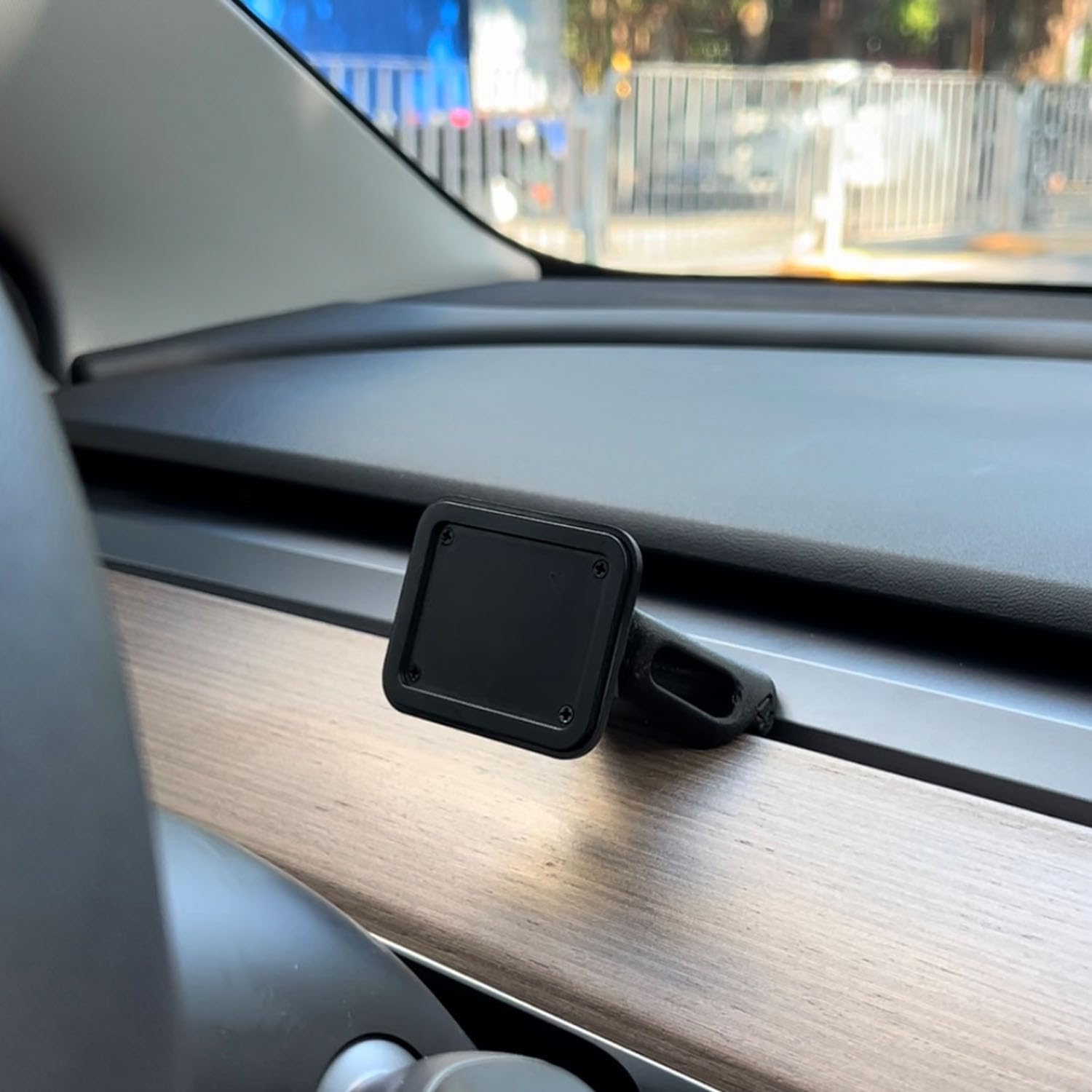
Figure 4.2: Magnetic Base Installed on Dashboard.
4.2 Пайвастшавии барқ
Connect the provided 9V power cord to the "Power" port on the side of the T3 Pro unit and plug the other end into your vehicle's 12V accessory outlet (cigarette lighter socket).
4.3 Боркунии ибтидоӣ
Once powered, the device will automatically boot up. The multi-core Linux system is designed for fast startup, typically displaying the CarPlay interface within 12 seconds.

Figure 4.3: Fast Boot-Up and Connectivity.
5. Дастурҳои истифодабарӣ
5.1 Пайвастшавии бесими CarPlay / Android Auto
The T3 Pro supports wireless CarPlay and Android Auto for seamless smartphone integration.
- On the T3 Pro, navigate to the CarPlay or Android Auto icon on the main screen.
- Дар смартфони худ, Bluetooth ва Wi-Fi-ро фаъол созед.
- Ҷустуҷӯ the T3 Pro's Bluetooth name (usually "CarpodGo T3 Pro" or similar) on your phone and pair with it.
- Once paired via Bluetooth, your phone will automatically establish a Wi-Fi connection for CarPlay/Android Auto.
- The T3 Pro supports 60fps wireless CarPlay for smoother scrolling and responsiveness. This can typically be adjusted in the device settings if needed.
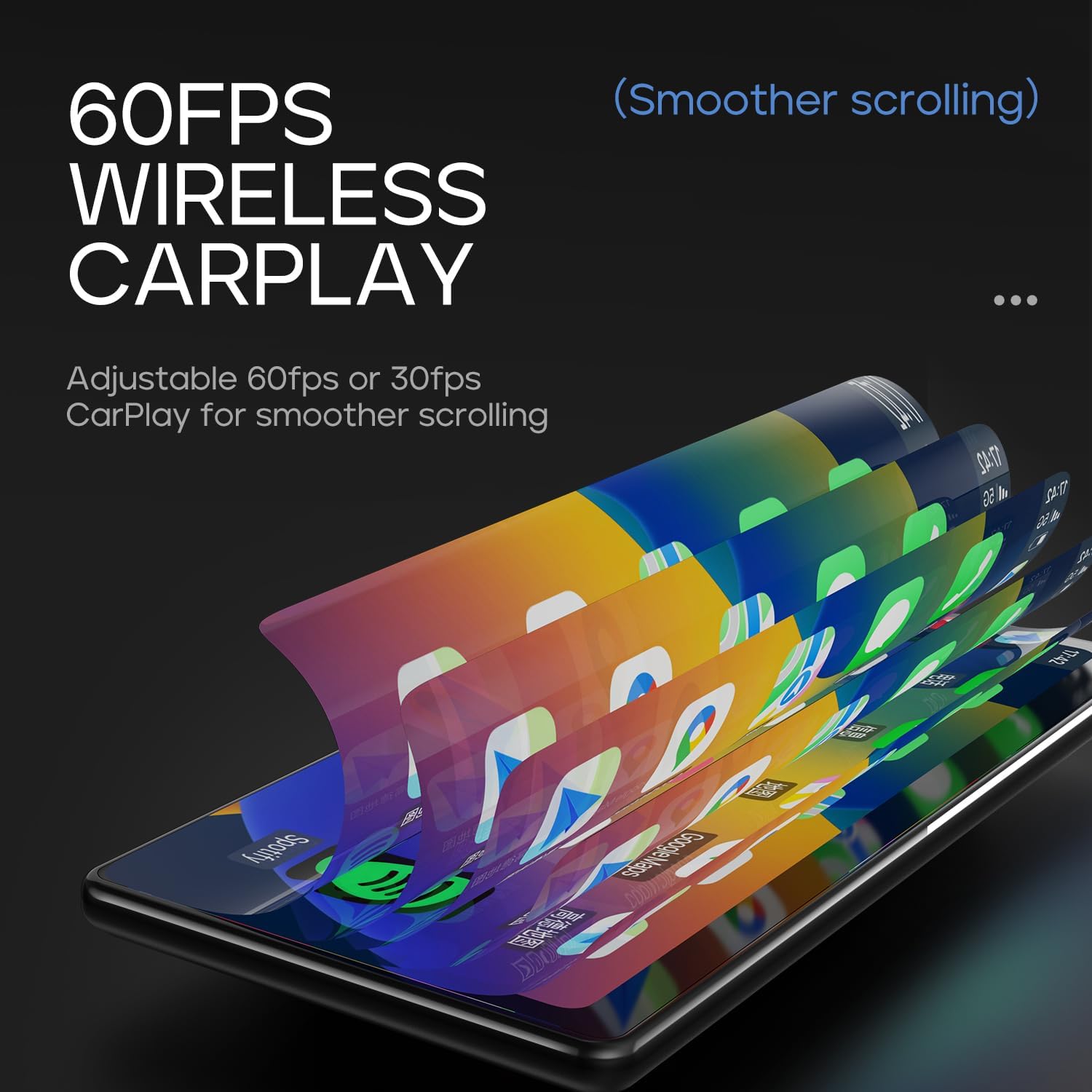
Figure 5.1: 60fps Wireless CarPlay for Smooth Operation.
5.2 Display-Only Bluetooth Mode
This mode allows you to route audio (maps, music, calls) through your car's existing Bluetooth system, utilizing your car's speakers and microphone, while the T3 Pro handles the display.
- On the T3 Pro, activate "Display-Only Bluetooth Mode" in the settings. Refer to the on-screen interface for the exact location of this setting.
- Connect your smartphone directly to your car's Bluetooth system.
- The T3 Pro will continue to display CarPlay/Android Auto, but all audio will be managed by your car's Bluetooth connection. This mode also supports steering wheel controls for audio and calls, provided your car's Bluetooth system is compatible.

Figure 5.2: Display-Only Bluetooth Mode Configuration.
5.3 Интерфейси корбар (UI) Навигатсия
The T3 Pro features a new Carpod interface UI with a line neomorphism style, designed for intuitive use. Navigate through menus and applications using the touch screen. Swipe gestures and taps are used for interaction.

Figure 5.3: CarpodGo T3 Pro User Interface Examples.
6. Нигоҳдорӣ
- Тозакунӣ: Use a soft, lint-free cloth to clean the screen and body of the device. Do not use abrasive cleaners, alcohol, or solvents.
- Нигоҳдорӣ: Агар дастгоҳро муддати тӯлонӣ нигоҳ доред, онро аз барқ ҷудо кунед ва дар ҷои хунук ва хушк, дур аз нури бевоситаи офтоб нигоҳ доред.
- Навсозии нармафзор: Давра ба давра аз ҷониби истеҳсолкунанда тафтиш кунед website or the device settings for available firmware updates to ensure optimal performance and new features.
7. Баррасии мушкилот
| Мушкилот | Сабаби эҳтимолӣ | Ҳалли |
|---|---|---|
| Дастгоҳ фаъол нест. | No power connection or faulty power cord. | Ensure the 9V power cord is securely plugged into the device and the car's 12V outlet. Check if the car's outlet is functioning. |
| CarPlay/Android Auto бесим пайваст намешавад. | Bluetooth/Wi-Fi issues, phone settings. |
|
| На аудио ё сифати пасти аудио. | Audio routing issue, volume settings. |
|
| Экран ҷавоб намедиҳад ё ях кардааст. | Хатогии муваққатии нармафзор. | Perform a soft reset by disconnecting and reconnecting the power. If the issue persists, contact customer support. |
8. Мушаххасоти
| Хусусият | Тафсилот |
|---|---|
| Рақами модел | T3 Pro |
| Андозаи намоиш | 8.9 инч |
| Ҳалли экран | 1920 x 720 IPS |
| Технологияи намоиш | Fully Laminated Screen, 16.7 million colors, 700nit highlight |
| Пайвасти бесим | Wireless CarPlay, Wireless Android Auto, Wi-Fi, Bluetooth |
| Ҳолати Bluetooth | Ҳолати танҳо намоиши Bluetooth |
| Меъёри кадр | Supports 60fps Wireless CarPlay |
| Монтаж | Magnetic design, compatible with 17mm ball head mount, central control seamless mounts, suction cup mount |
| Навъи назораткунанда | Push Button, Steering Wheel Controls (via Display-Only BT Mode) |
| Ҳолати баромади аудио | Стерео |
| Навъи пайвасткунанда | 3.5mm Jack, HDMI, USB |
9. Кафолат ва дастгирӣ
CarpodGo products are designed for reliability and performance. For warranty information, technical support, or service inquiries, please refer to the warranty card included in your package or visit the official CarpodGo webсайт. Квитансияи хариди худро ҳамчун далели харид барои даъвоҳои кафолат нигоҳ доред.
Маълумот барои тамос: Please refer to the contact details provided in your product packaging or on the official CarpodGo webсайт барои маълумоти навтарини дастгирӣ.


