1. Маҳсулот ба охир расидview
The Bewinner MP3 Music Player with Camera is a portable multimedia device designed for music playback, photo and video recording, and other entertainment functions. It features a responsive touchscreen, Bluetooth connectivity, and expandable storage.

Тасвири 1.1: Пеш view of the Bewinner MP3 Player displaying time and date, alongside its USB-C charging cable.
Хусусиятҳои асосӣ:
- 2.01-inch IPS HD Touchscreen Display
- Built-in 720P Digital Camera with 90-degree rotating lens
- Пайвастшавӣ ба Bluetooth 5.4
- Expandable Storage up to 128GB (via memory card)
- Support for multiple audio formats (MP3, WMA, WAV, APE, FLAC, AAC LC, M4A, OGG)
- Integrated Speaker and Voice Recorder
- Additional functions: FM Radio, E-book reader, Photo viewer, Alarms, Stopwatch
2. Дастури насб
2.1 Пур кардани дастгоҳ
- Connect the provided USB-C cable to the charging port on the MP3 player.
- Қисми дигари сими USB-C-ро ба адаптери мувофиқи қувваи USB (дохил карда нашудааст) ё порти USB-и компютер пайваст кунед.
- The device will indicate charging status on the screen. A full charge typically takes approximately 2 hours.
2.2 Installing a Memory Card
The device supports memory card expansion up to 128GB. A memory card is required for storing a large number of songs, photos, and videos.
- Locate the memory card slot on the side of the MP3 player.
- Gently insert the memory card into the slot until it clicks into place. Ensure the card is oriented correctly.
- Барои хориҷ кардан, кортро оҳиста ба дарун тела диҳед, то он даме ки он берун ояд.
2.3 Фурӯзон/хомӯш кардан
- Барои фаъол кардан: Тугмаи барқро пахш карда нигоҳ доред, то он даме ки экран равшан шавад.
- Барои хомӯш кардани барқ: Press and hold the Power button until the power-off prompt appears, then confirm on the touchscreen.
3. Дастурҳои истифодабарӣ
3.1 Навигатсия дар интерфейс
The MP3 player features a 2.01-inch touchscreen for navigation. Swipe left/right or tap icons to access different functions.
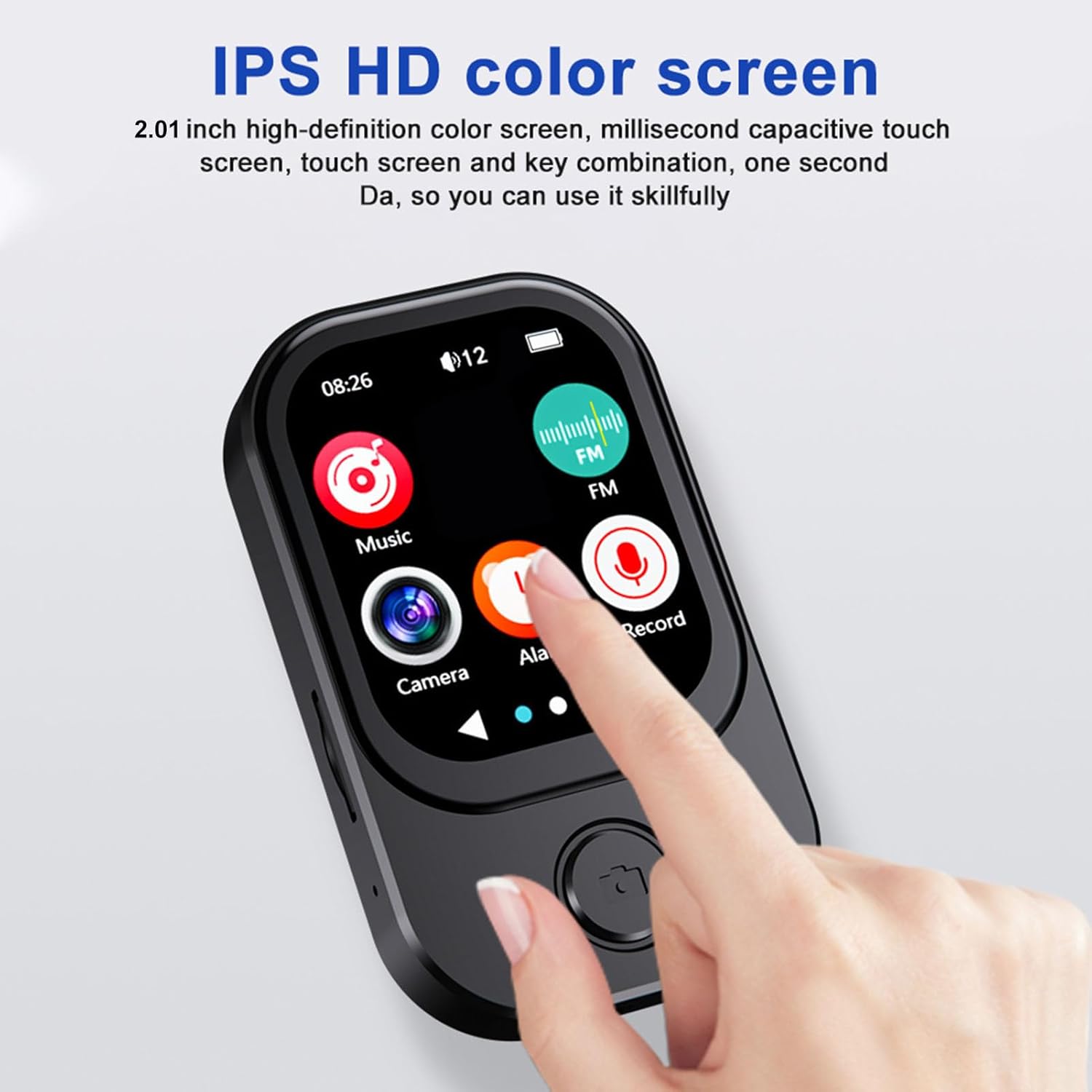
Image 3.1: A finger interacting with the responsive touchscreen interface of the MP3 player.
3.2 Навозиши мусиқӣ
- Аз менюи асосӣ, ба тасвири "Мусиқӣ" ламс кунед.
- Китобхонаи мусиқии худро аз рӯи рассом, албом, жанр ё ҷузвдон паймоиш кунед.
- Барои оғози навохтани суруд ламс кунед.
- Use the on-screen controls for play/pause, skip tracks, and volume adjustment.
3.3 Истифодаи камера
The integrated camera allows for both photo and video recording.
- From the main menu, tap the 'Camera' icon.
- The camera lens can be rotated 90 degrees for flexible shooting angles.
- Tap the screen to take a photo or switch to video recording mode.
- Recorded photos and videos are saved to the memory card.

Image 3.2: The MP3 player highlighting its rotating camera lens and various recording functions.
3.4 Пайвасти Bluetooth
- From the main menu, navigate to 'Settings' and then 'Bluetooth'.
- Turn Bluetooth on and search for available devices.
- Select your desired headphones or speaker from the list to pair.
3.5 Функсияҳои дигар
- Радиои FM: Access the FM Radio app to scan for and listen to local radio stations.
- Сабткунандаи овоз: Use the built-in microphone to record voice memos.
- Китобҳои электронӣ: Transfer compatible e-book files to the device and read them using the e-book reader.
- Навозиши видео: Videos may require format conversion before playback on the device. Refer to the device's software for compatible formats.
4. Нигоҳдорӣ
4.1 Тозакунӣ
- Use a soft, dry, lint-free cloth to clean the device's screen and body.
- Аз истифодаи тозакунандаҳои абразивӣ, ҳалкунандаҳо ё аэрозолҳои дорупошӣ худдорӣ кунед, зеро онҳо метавонанд ба дастгоҳ зарар расонанд.
4.2 Нигоҳдорӣ
- Дастгоҳро дар ҷои хунук ва хушк дур аз нури бевоситаи офтоб ва ҳарорати аз ҳад зиёд нигоҳ доред.
- When not in use for extended periods, ensure the battery is partially charged (around 50%) to prolong its lifespan.
5. Баррасии мушкилот
5.1 Дастгоҳ фурӯзон нест
- Боварӣ ҳосил кунед, ки дастгоҳ пурра пур карда шудааст. Онро ба манбаи барқ пайваст кунед ва пеш аз кӯшиши дубора фурӯзон кардани барқ чанд дақиқа интизор шавед.
- If the battery is completely drained, it may take a few minutes of charging before the device responds.
5.2 Ба дастгоҳи Bluetooth пайваст шуда наметавонад
- Ensure Bluetooth is enabled on both the MP3 player and the target device.
- Make sure both devices are within the effective Bluetooth range (typically 10 meters).
- Кӯшиш кунед, ки дастгоҳҳоро ҷудо кунед ва аз нав ҷуфт кунед.
5.3 Сифати пасти аудио
- Аудиоро санҷед file format and ensure it is supported.
- If using wired headphones, ensure they are fully plugged into the 3.5mm audio port.
- If using Bluetooth, ensure a stable connection and that the volume is appropriately set on both devices.
5.4 Storage Issues / Memory Card Not Detected
- Ensure the memory card is correctly inserted into the slot.
- Try removing and reinserting the memory card.
- Verify that the memory card is not damaged and is formatted correctly (e.g., FAT32).
6. Мушаххасоти
| Хусусият | Мушаххасоти |
|---|---|
| Рақами модел | Bewinner6rb3g52470-13 |
| Андозаҳо | Approx. 67.5 x 41 x 13.5mm (2.7 x 1.6 x 0.5in) |
| Вазн | 3.74 унция |
| Ранги | Сиёҳ |
| Батарея | Батареяи дарунсохти литий-ионии 500 мАч |
| Экран | Экрани 2.01 дюймаи IPS |
| Версияи Bluetooth | БТ 5.4 |
| Қарори акс | 1280х720 |
| Қарори сабти видео | 1280х720 |
| Порти пуркунандаи барқ | Навъи C |
| Порти аудио | 3.5мм |
| Дастгирии корти хотира | То 128 ГБ |
| Форматҳои аудио дастгирӣшаванда | MP3, WMA, WAV, APE, FLAC, AAC LC, M4A, OGG |
7. Кафолат ва дастгирӣ
For warranty information and customer support, please refer to the documentation provided at the time of purchase or contact your retailer. You may also visit the official Bewinner webсайт барои кӯмаки иловагӣ.


