1. Муқаддима
This manual provides detailed instructions for the setup, operation, and maintenance of your POLONO PM220S Label Maker Machine. Please read this manual thoroughly before using the device to ensure proper function and longevity.
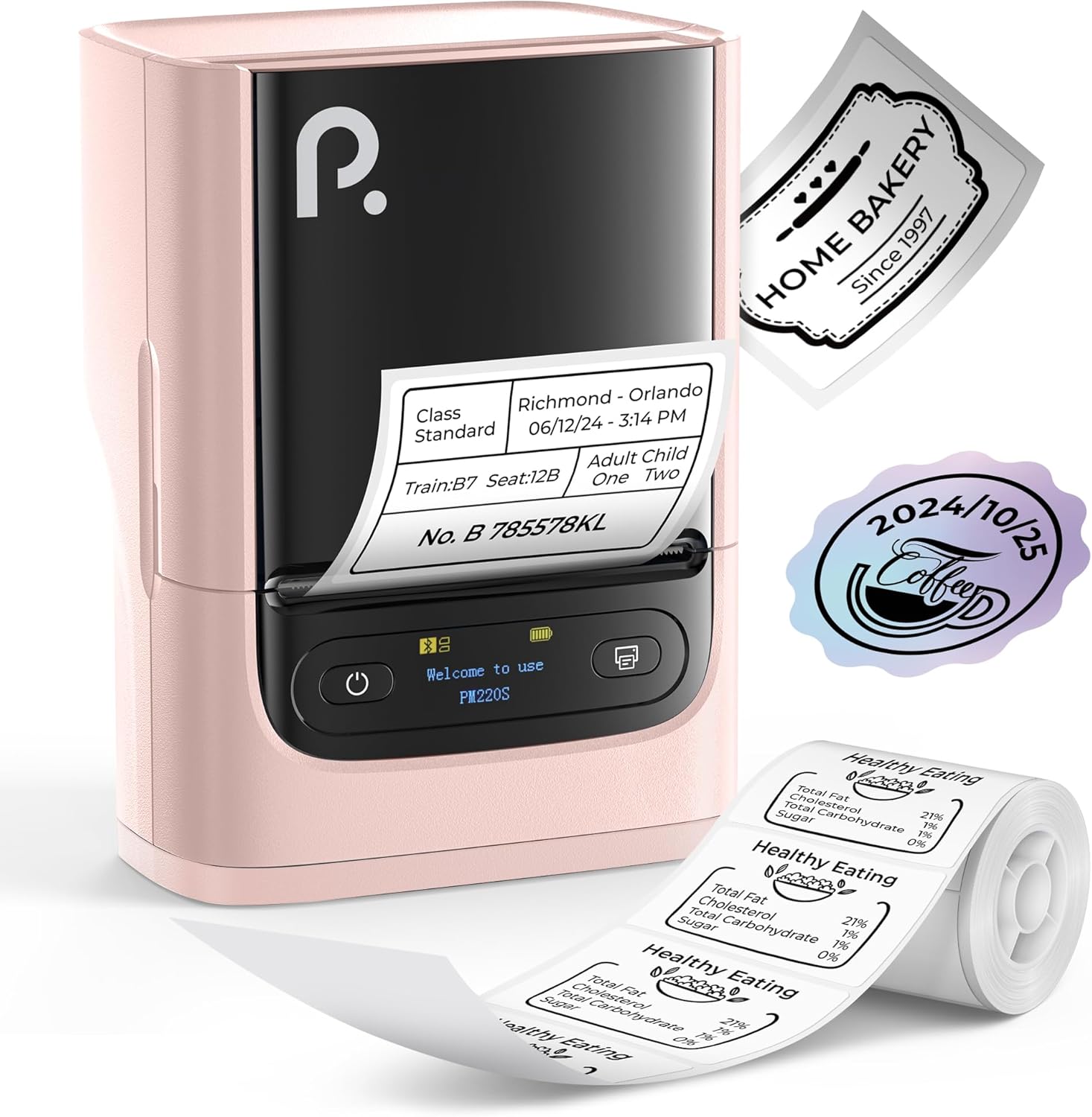
Figure 1: POLONO PM220S Label Maker Machine with sampтамғакоғазҳо.
2. Маҳсулот ба охир расидview
2.1 Унсурҳои дохилшуда
- POLONO PM220S Label Maker Machine
- Label Tape (50x30mm, pre-installed or included)
- Сими пуркунандаи USB
- Дастури корбар (ин ҳуҷҷат)
2.2 Хусусиятҳои асосӣ
- Пайвасти Bluetooth: Seamless connection with iOS, Android, and PC devices.
- Intuitive LED Screen: Displays battery level, Bluetooth connection status, and alerts for paper shortages or timed shutdowns.
- Feature-Rich "Labelnize" App: Offers label templates, supports QR codes, barcodes, tables, text, icons, 90+ fonts, 14+ languages, and 450+ material presets.
- Premium Thermal Printing: BPA-Free Direct Thermal Technology with 203 DPI for high-definition, inkless printing.
- Мутобиқати тамғаи васеъ: Supports label widths from 23-54mm (0.91"-2.12").
- Тарҳрезии сайёр: Compact and lightweight for easy transport and use in various environments.
3. Дастурамал оид ба насб
3.1 Пур кардани дастгоҳ
Before first use, fully charge the label maker using the provided USB cable. The LED screen will indicate charging status.
3.2 App Installation and Driver Download
For mobile devices (iOS/Android), download the "Labelnize" app from your respective app store. For PC users, visit polono.com to download the necessary driver and application.

Figure 2: Universal compatibility with smartphones and laptops for app and driver installation.
3.3 Пайвастшавӣ тавассути Bluetooth
- Ensure the PM220S is powered on.
- On your mobile device, open the "Labelnize" app.
- Within the app, search for and connect to the PM220S via Bluetooth. Do not connect directly via your device's Bluetooth settings for mobile devices.
- For PC, ensure the driver is installed, then connect through the downloaded application.
3.4 Loading Label Tape
- Сарпӯши қисмати нишонаро кушоед.
- Insert the label roll with the printing surface facing upwards.
- Adjust the paper slot guides to secure the tape according to its width (23-54mm) for precise alignment.
- Сарпӯшро пӯшед.

Figure 3: Proper loading of label tape into the PM220S.
4. Дастурҳои истифодабарӣ
4.1 Using the "Labelnize" App
- Open the "Labelnize" app on your connected device.
- Select from various pre-designed templates or create your own custom labels.
- The app allows you to add text, barcodes, QR codes, tables, icons, and more.
- Customize labels using a selection of over 90 fonts and 14 languages.
- Utilize the 450+ material presets for different label applications.
- Муҳим: For optimal results, use specialized POLONO labels. Avoid tearing the green back sticker to prevent printing issues.
4.2 Understanding the LED Screen Display
The integrated LED screen provides real-time feedback on the printer's status:
- Сатҳи батарея: Indicates the current charge of the device.
- Пайвасти Bluetooth: Shows if the device is successfully connected via Bluetooth.
- Коғази Шорtage Огоҳӣ: Notifies when the label roll is low or empty.
- Хомӯшии саривақтӣ: Displays countdown for automatic power-off to conserve battery.

Figure 4: LED screen display functions for real-time status monitoring.
4.3 Printing a Label
- Design your label within the "Labelnize" app.
- Review the label preview to ensure accuracy.
- Tap the "Print" button in the app.
- The label maker will print the label using thermal technology.
- Carefully tear off the printed label.
5. Нигоҳдорӣ
5.1 Нигоҳубини умумӣ
- Дастгоҳро тоза ва аз чангу хошок тоза нигоҳ доред.
- Нагузоред, ки дастгоҳро ба ҳарорати аз ҳад зиёд ё нурҳои бевоситаи офтоб дучор кунед.
- Store the device in a dry place when not in use.
5.2 Тоза кардани сари чоп
If print quality degrades, the thermal print head may need cleaning:
- Turn off the label maker and disconnect it from any power source.
- Ҳуҷраи тамғакоғазро кушоед.
- Сари чопи термопластикиро бо латтаи пахтагӣ нарм тоза кунедampбо спирти изопропилӣ андохт.
- Пеш аз пӯшидани сарпӯш ва аз нав оғоз кардани истифода, ба сари чопгар иҷозат диҳед, ки пурра хушк шавад.
6. Баррасии мушкилот
| Мушкилот | Сабаби эҳтимолӣ | Ҳалли |
|---|---|---|
| Дастгоҳ фаъол нест | Мушкилоти ками батарея ё қувваи барқ. | Charge the device fully. Ensure the power button is pressed correctly. |
| Тавассути Bluetooth пайваст шуда наметавонад | Incorrect connection method or app issue. | Ensure you are connecting through the "Labelnize" app, not directly via phone settings. Restart both the device and the app. For PC, verify driver installation. |
| Poor print quality / Faint printing | Dirty print head, incorrect label type, or low battery. | Clean the print head (see Section 5.2). Ensure you are using thermal labels. Charge the device. |
| Labels are misaligned or jammed | Improper label loading or paper slot adjustment. | Open the cover, remove any jammed labels, and reload the tape ensuring the paper slot guides are adjusted correctly for the label width. Avoid tearing the green back sticker. |
| "Paper Shortage" alert | Label roll is empty or incorrectly loaded. | Replace the label roll or re-seat it correctly. |
7. Мушаххасоти
| Бренд | POLONO |
| Номи модел | PM220S |
| Технологияи пайвастшавӣ | блутуз |
| Технологияи чоп | Гармӣ |
| Ҳалномаи максималии чоп | 203 DPI |
| Суръати максималии чоп (монохромӣ) | 45.0 мм/с |
| Андозаи медиаи дастгирӣ | 23-54mm (0.91"-2.12") width, 50x30mm included |
| Андозаҳои маҳсулот | 3.3"D x 4.4"W x 2.5"H (8.4 x 11.2 x 6.4 см) |
| Вазни ашё | 13.4 унсия (380г) |
| Хусусияти махсус | Portable, Inkless Printing, LED Display |
8. Кафолат ва дастгирӣ
For warranty information, technical support, or to purchase accessories and replacement labels, please visit the official POLONO webсайт дар polono.com or contact POLONO customer service directly.
Лутфан далели хариди худро барои даъвоҳои кафолат нигоҳ доред.


