Муқаддима
Welcome to the Kinglucky ClipFree A20 Open-Ear Earbuds. These earbuds are designed for comfort and style, featuring an open-ear design and detachable crystal earrings. This manual provides essential information for setting up, operating, maintaining, and troubleshooting your new earbuds.
Дар қуттӣ чӣ ҳаст
Upon opening your Kinglucky ClipFree A20 package, you should find the following items:
- Kinglucky ClipFree A20 Open-Ear Earbuds
- Қуттии барқгиранда
- Detachable Crystal Butterfly Earrings (if included with your model)
- Сими пуркунандаи USB-C
- Дастури корбар (ин ҳуҷҷат)

Image: The Kinglucky A20 earbuds, charging case, detachable butterfly earrings, and USB-C charging cable as packaged.
Ташкил кардан
1. Пур кардани гӯшмонакҳо ва қуттиҳо
Before first use, fully charge your Kinglucky A20 earbuds and charging case. Connect the provided USB-C cable to the charging port on the case and a power source. The digital display on the case will show the battery level. A full charge provides up to 8 hours of playtime for the earbuds, with the case extending total playtime to approximately 50 hours.
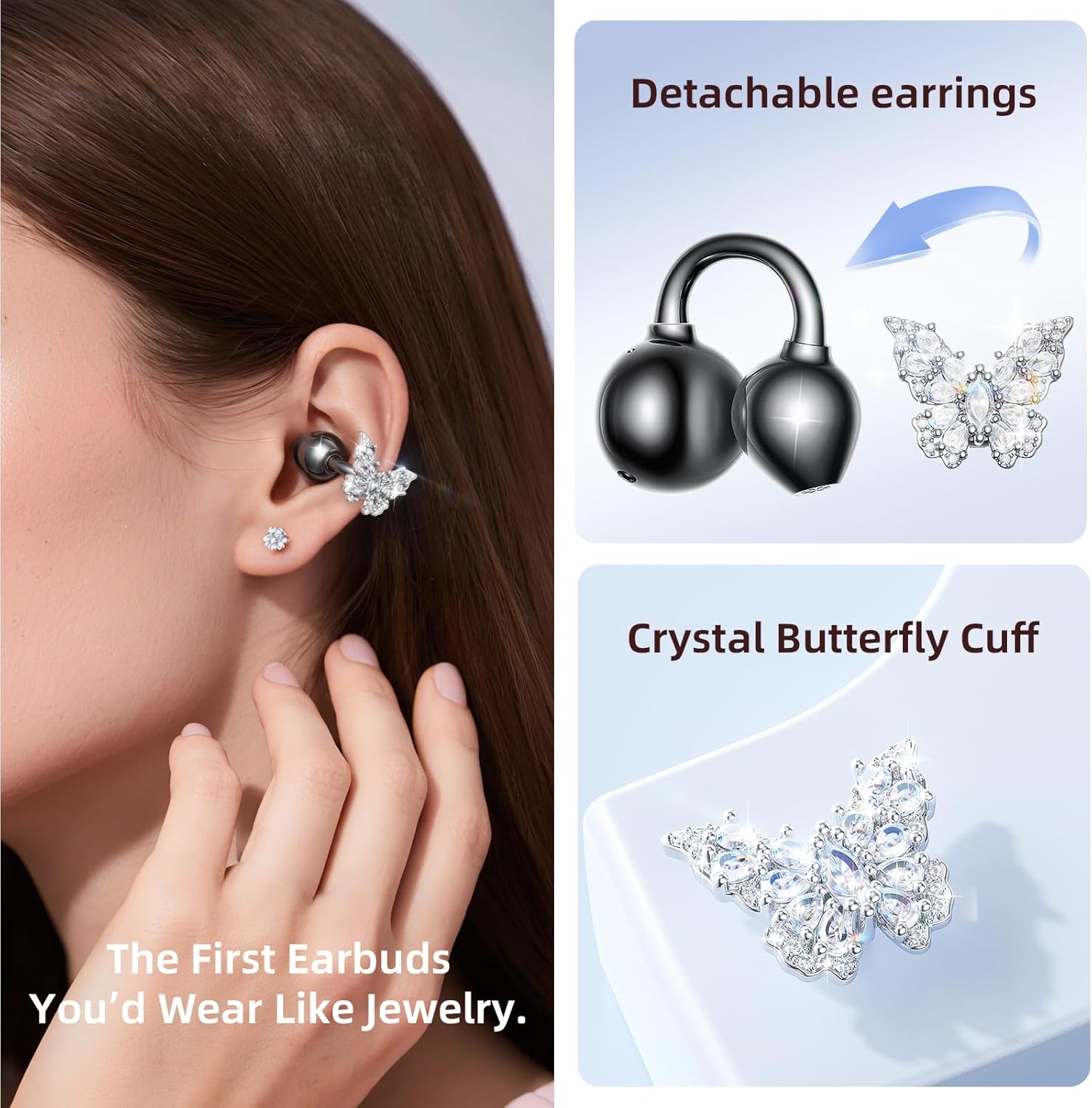
Image: The Kinglucky A20 earbuds resting in their charging case, displaying the battery percentage on the front.
2. Ҷуфти Bluetooth
- Қуттии барқро кушоед. Гӯшмонакҳо ба таври худкор ба ҳолати пайвастшавӣ ворид мешаванд.
- Дар дастгоҳи худ (смартфон, планшет ва ғайра) ба танзимоти Bluetooth гузаред.
- Select "Kinglucky A20" from the list of available devices.
- Пас аз пайвастшавӣ, шумо садои аудиоиро мешунавед ва чароғи нишондиҳанда дар гӯшмонакҳо тағйир меёбад.
The Kinglucky A20 supports Bluetooth 5.4 for a stable connection and multipoint pairing, allowing connection to two devices simultaneously.
3. Пӯшидани гӯшмонакҳо
The A20 earbuds feature an open-ear clip design for comfort and stability. They do not enter the ear canal, resting gently on the ear.
- Gently open the ear cuff of the earbud.
- Position the earbud over your ear, ensuring the speaker is aligned with your ear canal for optimal sound.
- Барои мувофиқати бехатар ва бароҳат танзим кунед.
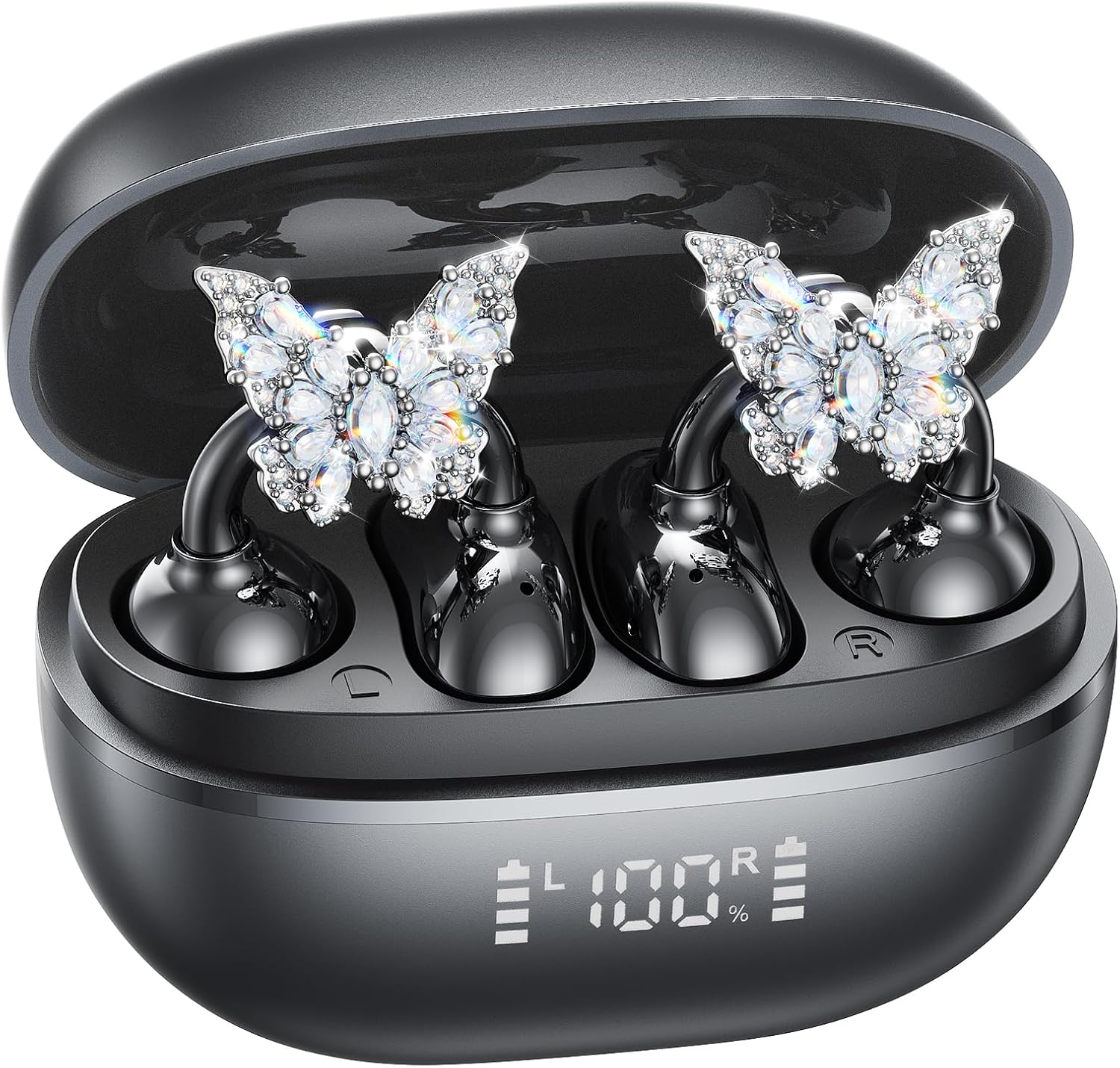
Image: A woman wearing the Kinglucky A20 earbuds with the detachable butterfly earrings, demonstrating the clip-on fit.
4. Attaching/Detaching Crystal Earrings
The crystal butterfly earrings are detachable. To attach, gently clip them onto the earphone stem. To detach, carefully unclip them. Remove the decorative earrings before storing the earbuds in the charging case to prevent damage.

Image: A visual guide illustrating the process of attaching the crystal butterfly accessory to the earbud stem.
Дастурҳои амалиётӣ
Назорати ламс
The Kinglucky A20 earbuds feature intuitive touch controls on the outer surface of each earbud.
- Навозиш/таваффақ кардани мусиқӣ: Ҳар як гӯшмонакро ду маротиба клик кунед.
- Ҷавоб додан/Занги хотимавӣ: Ҳангоми занги даромад ё занги фаъол гӯшмонакро ду маротиба клик кунед.
- Рад кардани занг: Ҳангоми занги даромад ягон гӯшмонакро 2 сония пахш карда нигоҳ доред.
- Ёвари Voice Voice -ро фаъол кунед: Ҳар як гӯшмонакро барои 3 сония пахш карда нигоҳ доред.

Image: A visual representation of the touch control functions for music playback and call management on the earbuds.
Sound Quality and Call Clarity
The A20 earbuds are engineered to deliver clear and balanced sound for various audio content, from podcasts to music. They feature AI-powered call clarity with 2 beamforming microphones and advanced noise-canceling technology for crisp conversations.

Image: An exploded diagram showing the internal components of the Kinglucky A20 earbud, highlighting its sound engineering.
Нигоҳдорӣ
- Тозакунӣ: Use a soft, dry cloth to wipe the earbuds and charging case. Avoid using harsh chemicals or abrasive materials.
- Нигоҳдорӣ: Ҳангоми истифода нашудан, гӯшмонакҳоро дар қуттии пуркунандаи худ нигоҳ доред, то онҳоро муҳофизат кунед ва боварӣ ҳосил кунед, ки онҳо барқ доранд.
- Муқовимат ба об: The earbuds are IP56 water-resistant, meaning they can withstand sweat and light rain. Do not submerge them in water.
Мушкилкушо
| Мушкилот | Ҳалли |
|---|---|
| Гӯшмонакҳо ҷуфт карда намешаванд | Ensure earbuds are charged. Turn off and on Bluetooth on your device. Forget "Kinglucky A20" in your device's Bluetooth settings and re-pair. |
| Аз як гӯшмонак садо нест | Place both earbuds back in the charging case, close the lid, wait a few seconds, then open and try again. Check device audio balance settings. |
| Қуттии пуркунандаи барқ пур намекунад | Боварӣ ҳосил кунед, ки сими USB-C ҳам ба корпус ва ҳам ба манбаи барқ боэътимод пайваст шудааст. Сими дигар ё адаптери барқро санҷед. |
| Сифати пасти занг | Ensure earbuds are properly seated on your ears. Move closer to your connected device to avoid interference. |
Мушаххасоти
- Номи модел: A20
- Пайвастшавӣ: Бесимӣ, Bluetooth 5.4
- Ҷойгиркунии гӯш: Гӯши кушода
- Ҳаёти батарея: Up to 8 hours (earbuds), up to 50 hours total with charging case
- Муқовимат ба об: IP56
- Вазн: Тақрибан 4.0 г барои як гӯшмонак
- Компонентҳои дохилшуда: Earbuds, Charging Case, USB-C Cable, User Manual, Detachable Crystal Earrings
Кафолат ва дастгирӣ
Kinglucky products are manufactured to high standards and undergo rigorous quality checks. For warranty information, technical support, or customer service inquiries, please refer to the contact details provided on the Kinglucky official webсайт ё ҳуҷҷатҳои хариди шумо. Барои даъвоҳои кафолат далели хариди худро нигоҳ доред.
Барои кӯмаки иловагӣ, шумо метавонед ба сайт муроҷиат кунед Kinglucky Store on Amazon.


