Муқаддима
Thank you for choosing the POSEIDON Wireless Tattoo Machine Kit PTK207-FR. This comprehensive kit is designed for both professional tattoo artists and beginners, offering advanced features for precision and flexibility. This manual provides detailed instructions for setup, operation, maintenance, and troubleshooting to ensure optimal performance and longevity of your device.
Мундариҷаи баста
Your POSEIDON Wireless Tattoo Machine Kit PTK207-FR includes 77 pieces, ensuring you have everything needed to begin. Please verify all items are present:
- 1 x High-Performance Wireless Tattoo Machine
- 2 x 2300 mAh High-Capacity Batteries
- 20 x Assorted Tattoo Cartridge Needles (5x1205RL, 5x1207RL, 5x1209RS, 5x1207CM)
- Дастҳо
- Stencil Paper
- Ink Set (11 bottles)
- Ink Cups
- Table Mats
- 3mm Practice Skin
- Сими пуркунандаи USB-C
- Other essential accessories

Image: Complete POSEIDON Wireless Tattoo Machine Kit contents.
Хусусиятҳои маҳсулот
- Total Wireless Freedom: Advanced wireless design eliminates tangled cables and power limitations, offering ultimate mobility.
- Adjustable Stroke Settings: Features 7 precise stroke settings (2.4 mm to 4.2 mm) to adapt to various techniques including lining, shading, and intricate details.
- Усулҳои корбарӣ: Seamlessly switch between Normal mode (standard operation) and Stippling mode (precise dot work/stippling) for fine lines, soft shading, realism, and geometric patterns.
- Dual 2300 mAh Batteries with Fast Charging: Provides 5 to 8 hours of wireless tattooing per charge. Two long-lasting batteries with USB-C fast charging ensure uninterrupted sessions.
- Integrated Session Timer & LED Screen: A built-in digital timer with a bright LED screen helps track session duration, manage client appointments, and optimize workflow. Adjustable voltage in 9 levels (4-12V ±0.1V).

Image: Multifunction LED screen displaying operational data.
Ташкил кардан
1. Пур кардани батареяҳо
- Боварӣ ҳосил кунед, ки пеш аз истифодаи аввал батарея пурра пур карда шудааст.
- Connect the provided USB-C charging cable to the battery's charging port and to a suitable USB power adapter (not included).
- The LED screen will indicate charging status. A full charge typically takes approximately 2 hours.
- Each fully charged battery provides 5-8 hours of operation.

Image: Dual 2300 mAh batteries with charging information.
2. Attaching the Cartridge Needle
- Carefully unpackage a sterile tattoo cartridge needle.
- Insert the cartridge needle into the machine's grip, twisting gently until it locks securely into place.
- Ensure the needle is firmly seated to prevent movement during operation.

Image: Assorted tattoo cartridge needles.
3. Adjusting the Stroke
- The machine features 7 adjustable stroke lengths from 2.4mm to 4.2mm.
- Rotate the grip or the designated adjustment ring on the machine body to select your desired stroke length.
- Refer to the markings on the machine for precise adjustment.

Image: Adjustable stroke length mechanism.
Дастурҳои амалиётӣ
1. Фаъол/хомӯш
- To power on, press and hold the power button until the LED screen illuminates.
- Барои хомӯш кардани барқ, тугмаи барқро дубора пахш карда нигоҳ доред, то он даме ки экран хомӯш шавад.
2. Танзими ҷилдиtage
- Use the '+' and '-' buttons on the machine to adjust the voltage.
- Ҷилдиtage can be adjusted in 9 levels, ranging from 4V to 12V, with 0.1V increments.
- Ҷилди ҷорӣtage will be displayed on the LED screen.
3. Switching Operating Modes (Normal/Stippling)
- The machine supports Normal and Stippling modes.
- Press the 'M' button to toggle between these modes. The active mode will be indicated on the LED screen.
- Normal mode is suitable for general lining and shading.
- Stippling mode provides precise dot work for detailed textures and effects.
4. Using the Session Timer and Memory Modes
- The integrated LED screen displays a session timer, allowing you to track the duration of your work.
- The machine also features 3 memory modes (M1, M2, M3) to save your preferred voltage and mode settings for quick recall.
- Consult the full product manual for detailed instructions on setting and recalling memory modes.
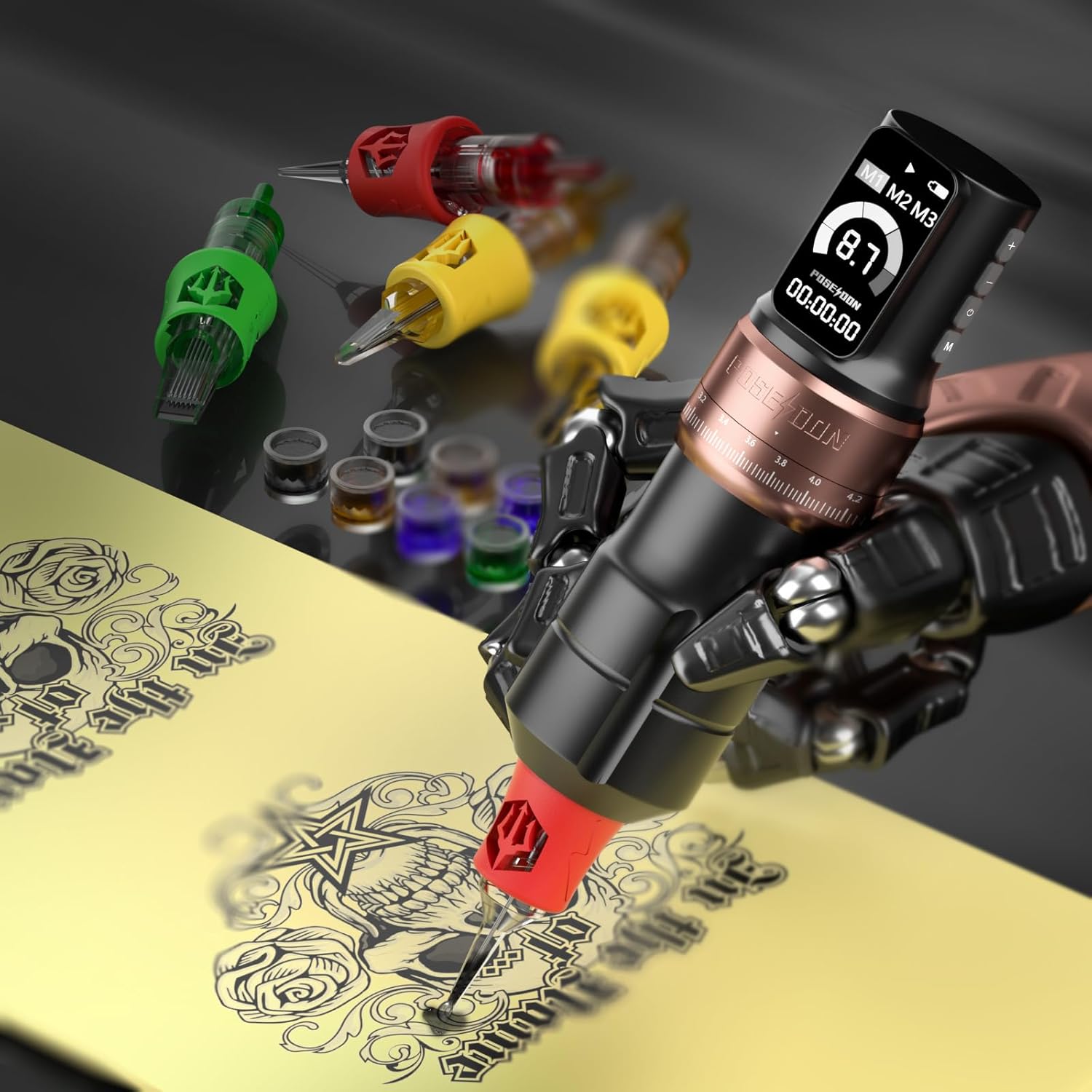
Image: Wireless tattoo machine in operation.
Нигоҳдорӣ
1. Тоза кардани мошин
- Пеш аз тоза кардан ҳамеша батареяро ҷудо кунед.
- Wipe the machine body with a clean, damp cloth and a mild, non-abrasive disinfectant.
- Do not immerse the machine in liquid. The machine is not waterproof.
- Ensure all surfaces are dry before reattaching the battery or storing.
2. Нигоҳубини батарея
- Avoid overcharging or completely draining the batteries.
- Батареяҳоро дар ҷои хунук ва хушк аз нурҳои бевоситаи офтоб ва ҳарорати аз ҳад зиёд дур нигоҳ доред.
- If not in use for an extended period, charge the batteries to approximately 50% capacity before storage.
3. Нигоҳдорӣ
- Store the tattoo machine and its components in the original packaging or a protective case when not in use.
- Аз дастрасии кӯдакон ва ҳайвонот дур нигоҳ доред.
Мушкилкушо
| Мушкилот | Сабаби эҳтимолӣ | Ҳалли |
|---|---|---|
| Мошин ба кор намеояд | Battery is depleted or not properly connected. | Charge the battery fully. Ensure the battery is securely attached to the machine. |
| Inconsistent needle movement | Needle cartridge not properly seated or damaged. Low battery. | Ensure the needle cartridge is securely locked. Replace with a new cartridge if damaged. Charge the battery. |
| Мошин аз ҳад зиёд гарм мешавад | Истифодаи дарозмуддати пайваста. | Allow the machine to cool down. Use the dual battery system to swap batteries and let one rest. |
| LED screen not responding | Хатогии нармафзор ё камии батарея. | Restart the machine. Ensure the battery is charged. If the issue persists, contact customer support. |
Мушаххасоти
| Хусусият | Тафсилот |
|---|---|
| Бренд | ПОСЕИДОН |
| Рақами модел | PTK207-FR (TK207-FR) |
| Навъи батарея | Литий-полимер |
| Иқтидори батарея | 2 x 2300 мАч |
| Ҷилди амалиётӣtage | 4-12V (9 adjustable levels, ±0.1V) |
| Stroke Lengths | 2.4mm, 2.7mm, 3.0mm, 3.3mm, 3.6mm, 3.9mm, 4.2mm (7 settings) |
| Порти пуркунандаи барқ | USB-C |
| Вақти пуркунӣ | тахминан. 2 соат |
| Вақти амалиёт | 5-8 hours per battery |
| Усулҳои корӣ | Normal, Stippling |
| Намоиш | LED Screen (Voltage, Battery, Timer, Mode) |
| Number of Pieces in Kit | 77 |
| Сатҳи муқовимат ба об | Обногузар нест |
| Андозаҳои бастаҳо | 26.7 х 21.3 х 11.2 см |
| Вазни баста | 1.2 килограмм |
| UPC | 716597329942 |
Кафолат ва дастгирӣ
Барои гирифтани маълумот дар бораи кафолат ва дастгирии муштариён, лутфан ба ҳуҷҷатҳои дар хариди худ мавҷудбуда муроҷиат кунед ё бо фурӯшандае, ки маҳсулот аз он харидорӣ шудааст, тамос гиред. Барои ҳама гуна даъвоҳои кафолатӣ далели хариди худро нигоҳ доред.


