1. Муқаддима
This user manual provides detailed instructions for the proper installation, operation, and maintenance of your RAVEMEN FR500 Front Bike Light and TR250 Tail Bike Light Set. Please read this manual thoroughly before using the product to ensure safe and optimal performance. Keep this manual for future reference.
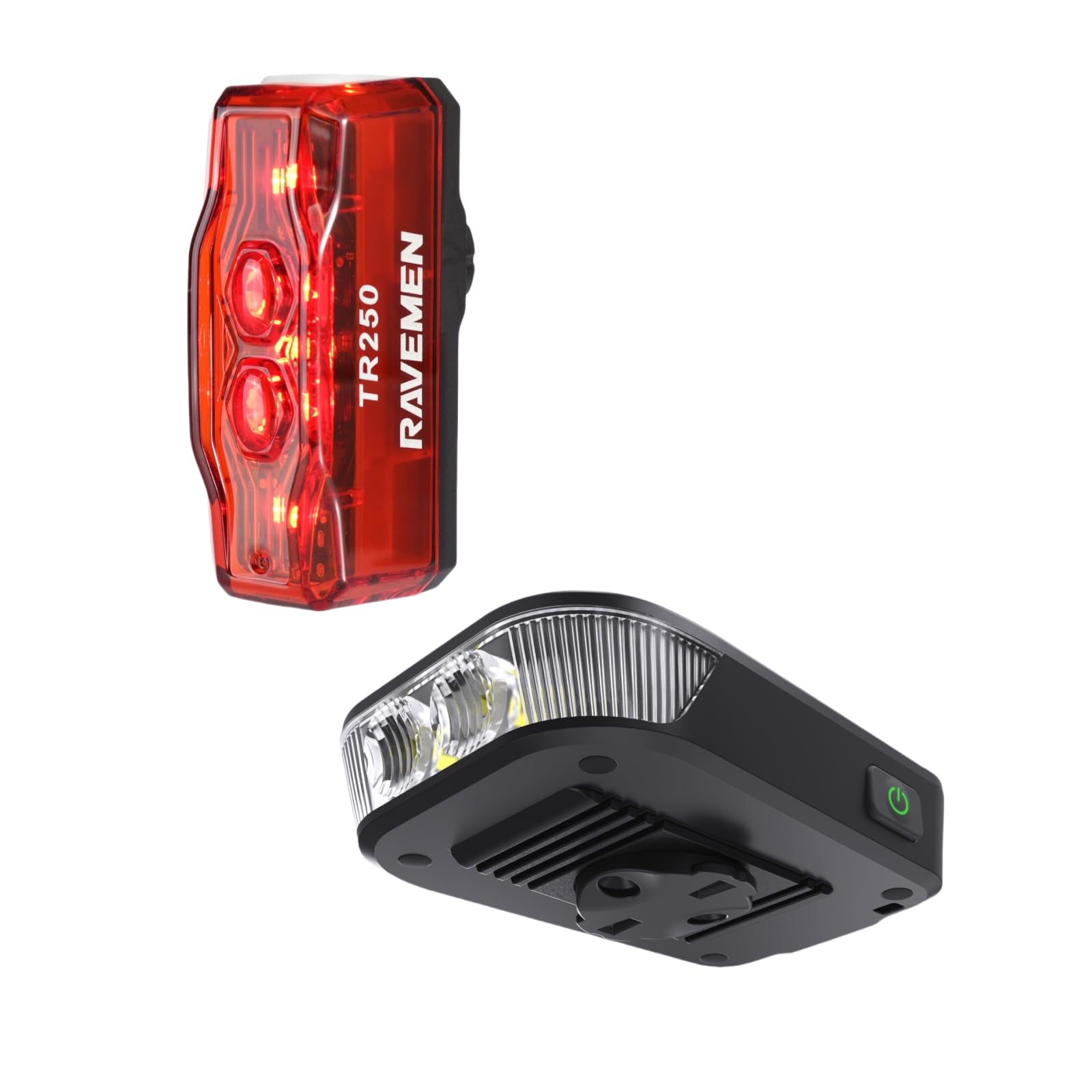
Расми 1: RAVEMEN FR500 Front Light and TR250 Tail Light Bundle. This image displays both the FR500 front light and the TR250 tail light, along with their respective mounting brackets and charging cables, as they appear in the product packaging.
2. Маълумот оид ба бехатарӣ
- Ба нури рӯшноӣ бевосита нигоҳ накунед when the front light is on, as it can cause temporary vision impairment or eye damage.
- Ensure the lights are securely mounted before each ride to prevent detachment.
- Чароғҳоро аз кӯдакон дур нигоҳ доред.
- Do not disassemble or modify the lights. This will void the warranty and may cause damage or injury.
- Use only the provided charging cables or certified equivalents.
- Operating temperature range: -10°C to 40°C (14°F to 104°F).
- Чароғҳоро дар ҷои хунук ва хушк нигоҳ доред, вақте ки истифода намешаванд.
3. Мундариҷаи баста
Боварӣ ҳосил кунед, ки ҳама ашё дар бастаи шумо мавҷуданд:
- 1 x Чароғи пеши велосипед RAVEMEN FR500
- 1 x RAVEMEN TR250 Tail Bike Light
- 1 x Handlebar Mount for FR500
- 1 x Seatpost Mount for TR250
- 2 x USB Charging Cables (Type-C for FR500, Micro-USB for TR250)
- 1 x Дастури корбар (ин ҳуҷҷат)
4. Танзим ва насб
4.1. FR500 Front Light Installation
- Select a suitable position on your handlebar, ensuring the light beam is unobstructed and points forward.
- Attach the handlebar mount to your handlebar using the provided strap. Ensure it is tight and stable.
- Slide the FR500 front light onto the mount until it clicks securely into place.
- Кунҷи чароғро танзим кунед, то роҳи пешро равшан кунад, бе он ки ҳаракати нақлиёти муқобилро нобино созад.
Расми 2: FR500 Front Light mounted on a bicycle handlebar. This image illustrates the FR500 front light securely attached to a bicycle handlebar, demonstrating the correct orientation and positioning for optimal visibility.
4.2. TR250 Tail Light Installation
- Choose a position on your seatpost that provides maximum rear visibility.
- Attach the seatpost mount to your seatpost using the rubber strap. Ensure it is firm and does not rotate.
- Slide the TR250 tail light onto the mount until it locks securely.
- Verify the tail light is facing directly backward.
Расми 3: TR250 Tail Light mounted on a bicycle seatpost. This image shows the TR250 tail light attached to a bicycle seatpost, highlighting its rear-facing orientation for enhanced safety.
5. Дастурҳои истифодабарӣ
5.1. FR500 Front Light Operation
- Фаъол / Хомӯш: Тугмаи барқро 1 сония пахш карда нигоҳ доред.
- Change Brightness Mode: With the light on, short press the power button to cycle through High, Medium, Low, and Eco modes.
- Ҳолати дурахш: Double-press the power button to activate flash mode. Short press to cycle through different flash patterns. Double-press again to return to constant mode.
- Хотираи режим: The light will remember the last used constant mode when turned off and on again.
- Нишондиҳандаи батарея: The power button illuminates to indicate battery level:
- Green: 100% - 75%
- Blue: 75% - 50%
- Yellow: 50% - 25%
- Red: 25% - 10%
- Flashing Red: Below 10% (Charge immediately)
5.2. TR250 Tail Light Operation
- Фаъол / Хомӯш: Тугмаи барқро 1 сония пахш карда нигоҳ доред.
- Ҳолати тағир: With the light on, short press the power button to cycle through various constant and flashing modes.
- Хотираи режим: Чароғ режими охирини истифодашударо дар хотир хоҳад дошт.
- Нишондиҳандаи батарея: The power button illuminates to indicate battery level:
- Green: 100% - 75%
- Blue: 75% - 50%
- Yellow: 50% - 25%
- Red: 25% - 10%
- Flashing Red: Below 10% (Charge immediately)
6. Charging the Lights
It is recommended to fully charge both lights before first use.
- FR500 Front Light:
- Locate the USB Type-C charging port on the FR500.
- Connect the provided USB Type-C cable to the light and a USB power source (e.g., computer, wall adapter).
- The power button will flash red during charging and turn solid green when fully charged.
- TR250 Tail Light:
- Locate the Micro-USB charging port on the TR250.
- Connect the provided Micro-USB cable to the light and a USB power source.
- The power button will flash red during charging and turn solid green when fully charged.
- Charging time typically ranges from 2-4 hours depending on the power source.
7. Нигоҳдорӣ
- Тозакунӣ: Корпуси рӯшноӣ ва линзаро бо матои нарм пок кунед, damp матоъ. Тозакунанда ё ҳалкунандаҳои абразивиро истифода набаред.
- Нигоҳдорӣ: If storing for an extended period, charge the lights to approximately 50% every 3 months to prolong battery life. Store in a cool, dry place.
- Муқовимат ба об: The lights are designed to be water-resistant. Avoid submerging them in water. Ensure charging port covers are securely closed.
8. Баррасии мушкилот
| Мушкилот | Сабаби эҳтимолӣ | Ҳалли |
|---|---|---|
| Чароғ фурӯзон намешавад. | Батареяи холӣшуда ё пурра холӣ шудани батарея. | Лампаро пурра пур кунед. |
| Нур ногаҳон хомӯш мешавад. | Батареяи кам. | Нурро пур кунед. |
| Равшанӣ мепарад ё хира мешавад. | Батареяи кам ё пайвасти суст. | Charge the light. Ensure the light is securely mounted. |
| Режимҳоро тағир додан мумкин нест. | Button malfunction or light is in a specific locked mode. | Ensure the button is pressed correctly. If issue persists, contact customer support. |
| Монтаж бехатар нест. | Mounting strap not tightened sufficiently or incorrect size. | Re-tighten the strap. Ensure the correct mount is used for your handlebar/seatpost diameter. |
9. Мушаххасоти
FR500 Нури пеши
- Максимум баромад: 500 люмен
- Батарея: барқгиранда Li-ion
- Порти пуркунандаи барқ: USB Type-C
- Вақти иҷро: Аз рӯи режим фарқ мекунад
- Андозаҳо: (Specific dimensions not provided)
- Вазн: (Specific weight not provided)
- Муқовимат ба об: IPX6
TR250 Tail Light
- Максимум баромад: 250 люмен
- Батарея: барқгиранда Li-ion
- Порти пуркунандаи барқ: Micro-USB
- Вақти иҷро: Аз рӯи режим фарқ мекунад
- Андозаҳо: (Specific dimensions not provided)
- Вазн: (Specific weight not provided)
- Муқовимат ба об: IPX4
Note: Specific run times, battery capacities, dimensions, and weights may vary slightly. Refer to product packaging or official Ravemen website for the most accurate details.
10. Кафолат ва дастгирӣ
RAVEMEN products are manufactured to high-quality standards. This product comes with a limited warranty against defects in materials and workmanship from the date of purchase. Please retain your proof of purchase for warranty claims.
For detailed warranty information, technical support, or service inquiries, please visit the official RAVEMEN website or contact your local distributor. Do not attempt to repair the product yourself, as this may void the warranty.
RAVEMEN Official Webсайт: www.ravemen.com


