1. Муқаддима
This manual provides essential information for the VIMIN 10-Port 10G/2.5G Unmanaged Ethernet Switch. This device is designed to expand your network capacity with high-speed connectivity, featuring 8x 2.5 Gigabit Ethernet ports and 2x 10 Gigabit Ethernet ports. It offers a non-blocking 80Gbps switching capacity, ensuring efficient data transfer for demanding applications like 4K streaming, gaming, and NAS connections. The switch operates on a plug-and-play principle, requiring no complex configuration for immediate use.
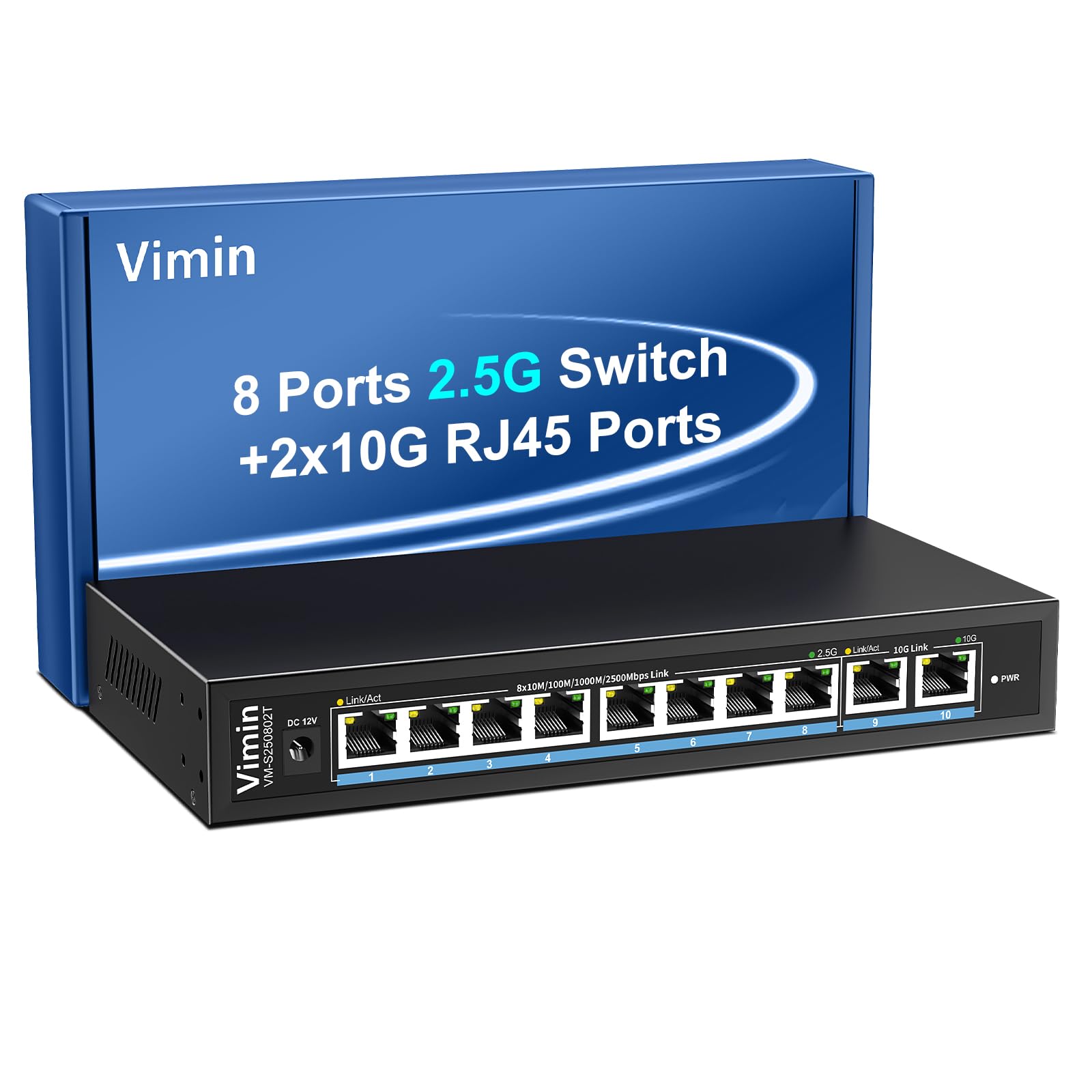
Figure 1: VIMIN 10-Port 2.5Gb Unmanaged Ethernet Switch in a typical setup.
2. Мундариҷаи баста
Please verify that all items are present and in good condition upon opening the package. If any items are missing or damaged, please contact customer support.
- 1x VIMIN 10-Port 2.5G Unmanaged Ethernet Switch
- 1x Дастури корбар
- 1x кабели барқ

Figure 2: Package contents of the VIMIN 10-Port 2.5G Ethernet Switch.
3. Маҳсулот ба охир расидview
3.1 Панели Асосӣ
The front panel of the switch features ten RJ45 Ethernet ports and LED indicators for status monitoring.
- Портҳои 1-8: 2.5 Gigabit Ethernet ports (10/100/1000/2500Mbps auto-negotiation).
- Портҳои 9-10: 10 Gigabit Ethernet ports (10/100/1000/2500/5000/10000Mbps auto-negotiation).
- Link/Act LED (Yellow/Green): Ҳолати пайванд ва фаъолияти маълумотро нишон медиҳад.
- 2.5G Link LED (Green, for ports 1-8): Indicates a 2.5Gbps connection.
- 10G Link LED (Green, for ports 9-10): Indicates a 10Gbps connection.
- LED PWR: Ҳолати қудратро нишон медиҳад.

Figure 3: Front and rear panel of the VIMIN 10-Port 2.5G Ethernet Switch.

Расми 4: Муфассал view of the RJ45 ports and LED indicators.
3.2 Панели пушти
The rear panel includes the DC 12V 1A power input port.
4. Танзимот
The VIMIN 10-Port Ethernet Switch is designed for simple plug-and-play operation, requiring no software configuration.
4.1 Пайвастшавии барқ
- Connect the provided power adapter to the DC 12V 1A power input port on the rear panel of the switch.
- Plug the power adapter into a standard electrical outlet. The PWR LED on the front panel will illuminate, indicating the switch is powered on.
4.2 Пайвастшавии дастгоҳ
- Connect your network devices (e.g., NAS, PC, Wireless AP, WiFi 7 Routers, 10G Adapter/NIC, Gaming PC, 4K/8K Video devices) to any of the RJ45 ports (1-10) using appropriate Ethernet cables.
- The switch automatically detects the speed and duplex mode of the connected device. The Link/Act LED for the respective port will light up when a valid connection is established and flash during data transmission.

Figure 5: Plug and Play connectivity with various network devices.

Расми 6: Мисample applications for the 10-Port 2.5G Ethernet Switch.
4.3 Cable Type Recommendations
For optimal performance, especially for 2.5G and 10G connections, use appropriate Ethernet cable types:
| Навъи кабел | 10 миллион | 100 миллион | 1G | 2.5Г | 5G | 10Г |
|---|---|---|---|---|---|---|
| CAT 3/4 | ✓ | ✗ | ✗ | ✗ | ✗ | ✗ |
| Гурба 5 | ✓ | ✓ | ✗ | ✗ | ✗ | ✗ |
| CAT 5e | ✓ | ✓ | ✓ | ✗ | ✗ | ✗ |
| Гурба 6 | ✓ | ✓ | ✓ | ✓ | ✓ | (<55m) |
| CAT 6A/7 | ✓ | ✓ | ✓ | ✓ | ✓ | ✓ |
Figure 7: Ethernet cable type compatibility and performance.
4.4 Имкониятҳои васлкунӣ
The compact design of the switch allows for both desktop placement and wall mounting to save space.

Figure 8: Desktop and wall-mount installation options.
5. Дастурҳои истифодабарӣ
The VIMIN 10-Port Unmanaged Ethernet Switch operates automatically once connected, requiring no user intervention for basic network functions.
5.1 Музокироти худкор
Each port on the switch supports auto-negotiation, automatically adjusting the transmission method and speed (10/100/1000/2500Mbps for ports 1-8, and up to 10Gbps for ports 9-10) to match the connected device. This ensures optimal performance without manual configuration.

Figure 9: Self-Negotiation Functionality.
5.2 Назорати ҷараён
The switch supports IEEE 802.3x flow control for full-duplex mode and backpressure for half-duplex mode. These mechanisms prevent data packet loss during periods of high network traffic by temporarily pausing data transmission from congested devices, ensuring stable and reliable connections.
6. Нигоҳдорӣ
To ensure the longevity and optimal performance of your VIMIN Ethernet Switch, follow these maintenance guidelines:
- Тозакунӣ: Барои тоза кардани беруни коммутатор аз матои нарм ва хушк истифода баред. Аз тозакунандаҳои моеъ ё аэрозолӣ истифода набаред.
- Вентилятсия: Ensure proper airflow around the switch. Do not block ventilation openings. The fanless design relies on natural convection for cooling.
- Муҳити зист: Place the switch in a cool, dry location away from direct sunlight, heat sources, and excessive moisture.
- Қувва: Use only the provided power adapter. Disconnect power during electrical storms or when unused for long periods.
7. Баррасии мушкилот
If you encounter issues with your VIMIN Ethernet Switch, refer to the following common troubleshooting steps:
- Не қудрат:
- Боварӣ ҳосил кунед, ки адаптери барқ ба ҳам коммутатор ва ҳам ба розеткаи барқии корӣ боэътимод пайваст аст.
- Тасдиқ кунед, ки васлаки барқ фаъол аст, тавассути пайваст кардани дастгоҳи дигар.
- Check if the PWR LED on the switch is illuminated.
- Дар порт пайванд/фаъолият вуҷуд надорад:
- Verify that the Ethernet cable is securely connected to both the switch port and the connected device.
- Боварӣ ҳосил кунед, ки дастгоҳи пайвастшуда фаъол аст ва дуруст кор мекунад.
- Try a different Ethernet cable to rule out cable failure.
- Санҷиши коммутаторро бо порти дигари он анҷом диҳед.
- Суръати сусти шабака:
- Ensure you are using appropriate cable types (e.g., CAT6 or CAT6A/7 for 2.5G/10G connections) as indicated in Section 4.3.
- Check the network adapter settings on your connected device to ensure it supports the desired speed.
- Verify that the Link/Act LED indicates the expected speed (e.g., green for 2.5G/10G).
- Кам кардани банди шабака тавассути маҳдуд кардани фаъолиятҳои ҳамзамони баландсуръат.
- Пайвастшавии фосилавӣ:
- Пайвастҳои кабелии фуҷурро тафтиш кунед.
- Ensure the switch is placed in a stable environment, free from excessive vibrations or temperature fluctuations.
- Consider potential electromagnetic interference from other electronic devices.
8. Мушаххасоти
| Хусусият | Тавсифи |
|---|---|
| Бренд | VIMIN |
| Рақами модел | 8x2.5G Ethernet (Unmanaged) |
| Шумораи портҳо | 10 (8x 2.5G RJ45, 2x 10G RJ45) |
| Навъи интерфейс | RJ45 |
| Меъёри интиқоли маълумот | 10 Gigabits Per Second (Max) |
| Иқтидори гузариш | 80 Гб/с |
| Назорати ҷараёни | IEEE 802.3x (Full-Duplex), Backpressure (Half-Duplex) |
| Стандартҳо | IEEE 802.3bz, IEEE 802.3u, IEEE 802.3ab, IEEE 802.3z |
| Вуруди нерӯ | DC 12V 1A (AC 100-240V adapter) |
| Вазни ашё | 1.83 фунт (тақрибан 0.83 кг) |
| Андозаҳои бастаҳо | 9.53 x 6.5 x 2.99 инч (тақрибан 24.2 x 16.5 x 7.6 см) |
| Ранги | Сиёҳ |
| Дастгоҳҳои мувофиқ | Desktop, Gaming Console, Laptop, NAS, Wireless AP |
9. Кафолат ва дастгирӣ
VIMIN products are designed for reliability and performance. For warranty information, technical support, or any product-related inquiries, please refer to the warranty card included with your product or visit the official VIMIN website. You may also contact VIMIN customer service through the retailer where the product was purchased.
Барои кӯмаки иловагӣ, лутфан боздид кунед VIMIN Store on Amazon.


