Муқаддима
Thank you for choosing the VONROC CH516AC 2500W WiFi Electric Convector Heater. This manual provides essential information for the safe and efficient operation, installation, and maintenance of your new heater. Please read these instructions carefully before use and retain them for future reference.
Дастурҳои муҳими бехатарӣ
Always observe basic safety precautions when using electrical appliances to reduce the risk of fire, electric shock, and injury to persons. This includes:
- Пеш аз истифода бурдани ин гармкунак ҳама дастурҳоро хонед.
- Ин гармкунакро дар наздикии ванна, душ ё ҳавзи шиноварӣ истифода набаред.
- Do not cover the heater. A warning label "DO NOT COVER" is present on the appliance.
- Боварӣ ҳосил кунед, ки ҷtage, ки дар тамғаи рейтинг нишон дода шудааст, ба ҷtagд дар хонаи шумо.
- Кӯдакон ва ҳайвоноти хонагиро аз гармкунак дур нигоҳ доред.
- Ба сӯрохиҳои гармкунак ягон ашё нагузоред.
- Ҳангоми истифода нашудани гармкунак аз розетка ҷудо кунед.
- Агар сими таъминот осеб дида бошад, онро бояд истеҳсолкунанда, агенти хидматрасонии он ё шахсони дорои тахассуси шабеҳ иваз кунанд, то аз хатар пешгирӣ карда шавад.

Хусусиятҳои маҳсулот
- 2500W heating power.
- Integrated WiFi for smart control via Tuya App.
- Adjustable thermostat (5-50 °C).
- Функсияи таймер.
- Multiple operating modes: Eco, Comfort, Anti-freeze.
- IP24 splash-proof rating.
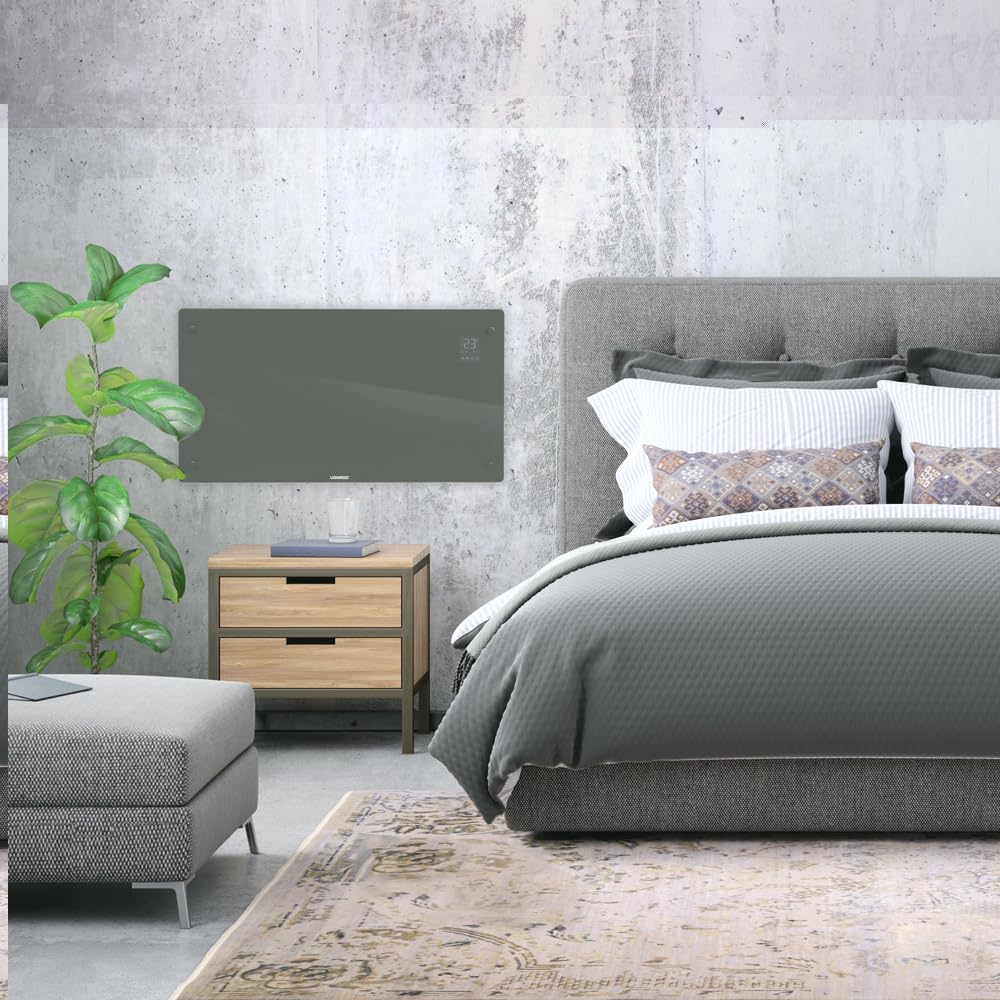
- Suitable for wall mounting or floor standing.
- Heats areas up to 30 m².
Мундариҷаи баста
Боварӣ ҳосил кунед, ки ҳамаи ҷузъҳо ҳангоми кушодан мавҷуд ва осеб надидаанд:
- Гармкунаки конвектори VONROC CH516AC
- Feet for floor standing (if applicable)
- Wall mounting kit (screws, anchors)
- Дастури корбар
Насб ва насб
1. Ҷойгиркунии ошёна
- Гармкунак ва тамоми лавозимотро бодиққат кушоед.
- Attach the provided feet to the bottom of the heater using the screws. Ensure they are securely fastened.
- Place the heater on a flat, stable surface, away from flammable materials and at least 1 meter from furniture or curtains.

2. Монтажи васлкунии девор
- Choose a suitable wall location, ensuring sufficient clearance around the heater (at least 15 cm from the floor and ceiling, and 30 cm from side walls).
- Mark the drilling points on the wall using the provided template or by measuring the mounting brackets on the back of the heater.
- Сӯроҳҳоро парма кунед ва лангарҳои деворро гузоред.
- Secure the wall mounting brackets to the wall with screws.
- Carefully hang the heater onto the wall brackets, ensuring it is securely seated.

Дастурҳои амалиётӣ
1. Фаъолсозии ибтидоӣ
Plug the heater into a suitable electrical outlet. The digital display will illuminate.

2. Назорати дастӣ
- Тугмаи барқ: Барои фурӯзон/хомӯш кардани гармкунак пахш кунед.
- Танзими ҳарорат: Use the '+' and '-' buttons on the control panel or app to set the desired temperature between 5°C and 50°C.
- Интихоби режим: Cycle through Eco, Comfort, and Anti-freeze modes using the mode button.
- Вақтсанҷ: Вақтсанҷро барои хомӯш кардани худкор таъин кунед.
3. WiFi and App Control (Tuya App)
- Барномаи "Tuya Smart"-ро аз мағозаи барномаҳои смартфони худ зеркашӣ кунед.
- Ба ҳисоби Tuya-и худ сабти ном кунед ё ворид шавед.
- Ensure your heater is powered on and the WiFi indicator on the display is blinking (if not, press and hold the WiFi button on the heater for 5 seconds to enter pairing mode).
- In the Tuya app, tap '+' to add a device. Select "Heater" or "Convector Heater" from the list.
- Follow the on-screen instructions to connect the heater to your home WiFi network.
- Once connected, you can control the heater remotely, set schedules, and monitor its status via the app.
Нигоҳдорӣ
Нигоҳубини мунтазам кори беҳтарин ва дарозмӯҳлати гармкунаки шуморо таъмин мекунад.
- Тозакунӣ: Disconnect the heater from the power supply before cleaning. Wipe the exterior with a soft, damp матоъ. Тозакунанда ё ҳалкунандаҳои абразивиро истифода набаред.
- Нигоҳдорӣ: If storing the heater for an extended period, unplug it, allow it to cool completely, and store it in a dry, dust-free location.
- Санҷиш: Periodically check the power cord and plug for any signs of damage. If damaged, contact qualified personnel for repair.

Мушкилкушо
| Мушкилот | Сабаби эҳтимолӣ | Ҳалли |
|---|---|---|
| Гармкунак ба кор намеояд. | Не таъминоти барқ; Тугмаи барқ пахш нашудааст; Муҳофизати аз ҳад зиёд гармӣ фаъол карда шудааст. | Check power connection; Press power button; Unplug and allow to cool for 30 minutes. |
| Гармкунак самаранок гарм намекунад. | Temperature setting too low; Room size too large; Obstruction of air vents. | Increase temperature setting; Ensure heater is appropriate for room size; Clear any obstructions. |
| Масъалаҳои пайвасти WiFi. | Incorrect WiFi password; Heater too far from router; Router issues; Heater not in pairing mode. | Verify WiFi password; Move heater closer to router; Restart router; Put heater in pairing mode (long press WiFi button). |
| Садоҳо ё бӯйҳои ғайриоддӣ. | Dust accumulation; Internal fault. | Unplug and clean the heater; If problem persists, discontinue use and contact customer support. |
Мушаххасоти
| Хусусият | Тафсилот |
|---|---|
| Бренд | ВОНРОК |
| Рақами модел | CH516AC |
| Қувваи гармидиҳӣ | 2500 Ватт |
| Ҷилдиtage | 230 вольт |
| Thermostat Temperature Range | 5 - 50 °C |
| Танзими максималии ҳарорат | 35 °C |
| Рейтинги IP | IP24 (барои пошидан) |
| Назорат | Digital display, Buttons, Tuya App (WiFi) |
| Имконоти васлкунӣ | Wall-mounted or Floor standing |
| Андозаи ҳуҷраи тавсияшуда | То 30 м² |
Кафолат ва дастгирӣ
VONROC products are manufactured to high quality standards. In the unlikely event of a defect, please contact your retailer or VONROC customer service for assistance. Keep your proof of purchase for warranty claims.
For further support, visit the official VONROC webсайт ё шӯъбаи хидматрасонии муштариёни онҳо тамос гиред.


