1. Муқаддима
Thank you for choosing the CINMOORE CM-C2U 3K Indoor Security Camera. This manual provides essential information for setting up, operating, and maintaining your camera to ensure optimal performance and security. This camera is designed for indoor use, offering advanced features such as 3K UHD video, AI-powered detection, pan-tilt-zoom functionality, and dual-band Wi-Fi connectivity.
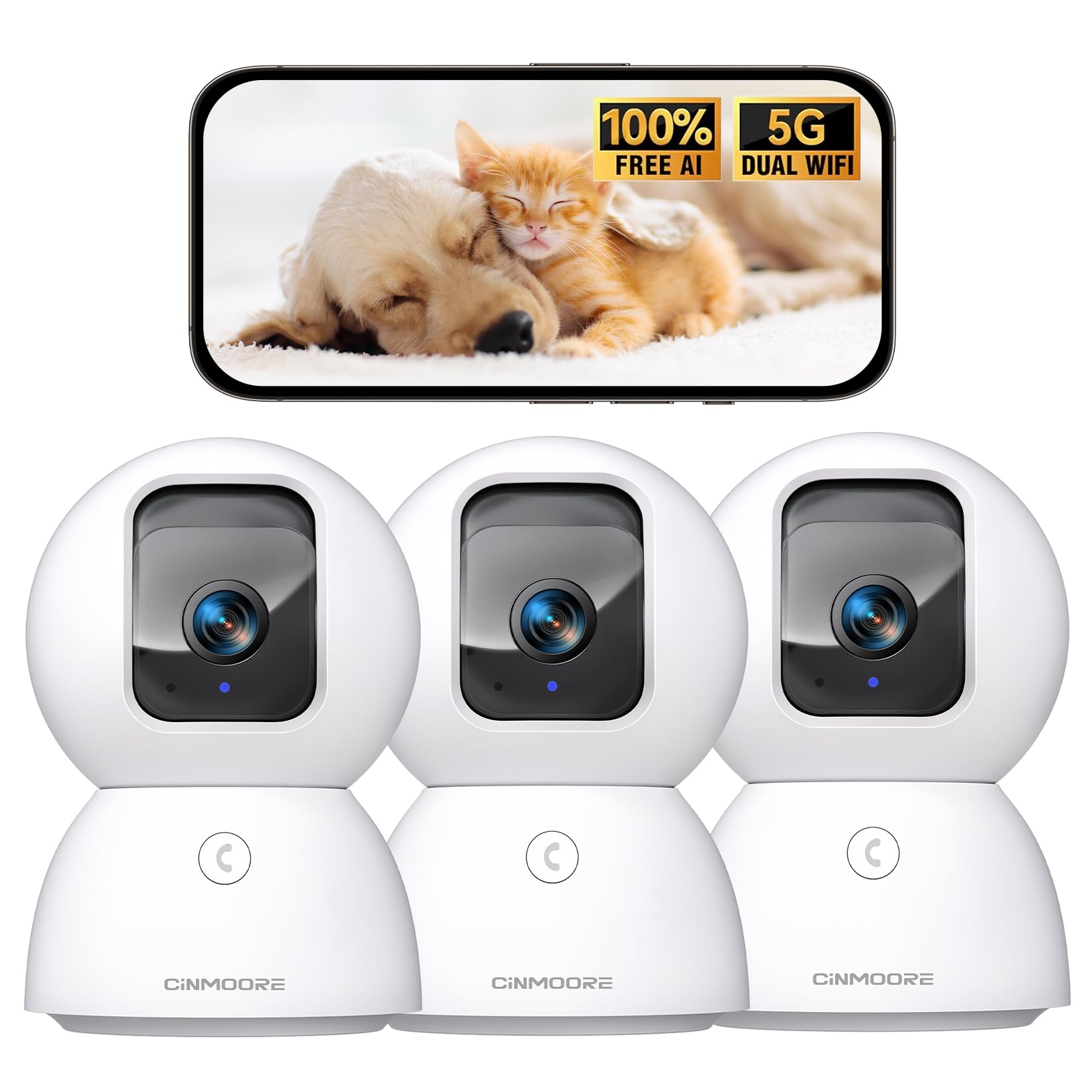
Figure 1: CINMOORE CM-C2U 3K Indoor Security Camera
2. Дар қуттӣ чӣ мавҷуд аст
- CINMOORE Security Camera (x3)
- Mounting Bracket Base (x3)
- Адаптери барқ (x3)
- Кабели маълумот (x3)
- Анкерҳои винт (x3)
- Дастури корбар (x1)
3. Дастурамал оид ба насб
3.1 Фаъолсозии ибтидоӣ
- Connect the data cable to the camera's power port.
- Адаптери барқро ба васлаки барқии стандартӣ пайваст кунед.
- The camera will power on, and an indicator light will blink, signaling it's ready for setup.
3.2 Боргирии барнома ва пайвастшавӣ
- Download the official CINMOORE app from your smartphone's app store (iOS or Android).
- Ҳисоб эҷод кунед ё ворид шавед, агар шумо аллакай дошта бошед.
- Follow the in-app instructions to add your new camera. This typically involves scanning a QR code located on the camera's base.
- Connect the camera to your home Wi-Fi network. The camera supports Dual-Band 2.4GHz/5GHz Wi-Fi 6 for a stable connection.
Video: C2U Indoor Camera 1-minute Setup. This video demonstrates the quick and easy setup process for the CINMOORE C2U Indoor Camera, guiding users through connecting the device to the power supply and linking it to the mobile application.
4. Дастурҳои истифодабарӣ
4.1 Назорати видеоии мустақим
Access the live feed from your camera anytime, anywhere via the CINMOORE app. The 3K UHD resolution provides clear and detailed visuals.

Figure 2: Demonstrates the superior 3K clarity of the camera's video feed compared to 2K resolution, highlighting vivid detail for monitoring.
4.2 Идоракунии Pan-Tilt-Zoom (PTZ)
Use the virtual joystick in the app to remotely control the camera's movement. Enjoy a 360° horizontal pan and a 109° vertical tilt to cover every corner of your room. The camera also features AI auto-tracking to follow detected movement.

Figure 3: Illustrates the camera's comprehensive 360° pan and tilt capabilities, along with other key features like 3K Ultra HD, sound/crying alerts, and local facial recognition.
4.3 Аудио дуҷониба
Engage in real-time conversations using the full-duplex two-way audio feature. Speak through the app and hear responses from the camera's location. A one-click call button can trigger family alerts.
4.4 AI Detection and Tracking
The camera offers free AI detections for facial recognition (stores up to 5 faces locally), person detection, pet detection, baby crying detection, and smoke/gas alarm recognition. Receive instant alerts on your smartphone when activity is detected. Customize detection zones to focus on specific areas.

Figure 4: Highlights the camera's no-subscription local AI detection features, including recognition of up to 5 faces and 6 types of detections (person, pet, motion, noise, loitering, facial) while ensuring 100% privacy.
4.5 Намоиши шабона
The 0-Glow Night Vision 2.0 provides clear monitoring in low-light conditions without emitting a visible red glow, ensuring undisturbed sleep for babies and pets. The night vision range is up to 33 feet.

Figure 5: Compares the CINMOORE camera's 0-Glow Night Vision with a traditional camera's red glow, emphasizing safe and undisturbed monitoring for infants and pets.
4.6 Имконоти нигаҳдорӣ
Choose between local storage via an SD card (up to 512GB, not included) for 24/7 recording, or optional AWS Cloud storage with bank-level security (30-day free trial available). SD card encryption ensures footage is only viewable within the CINMOORE App.

Figure 6: Details the camera's encrypted and secure storage options, including SD card support (up to 512GB, not included) and optional AWS Cloud Storage with a 30-day free trial.
4.7 Ҳолати махфият
Activate the one-tap privacy mode, which physically covers the camera lens, ensuring your privacy when you are home.
5. Имконоти васлкунӣ
The CINMOORE CM-C2U camera offers flexible mounting options to suit your needs:
- Монтажи болои мизи: Simply place the camera on any flat surface like a table, shelf, or desk.
- Монтажи девор: Use the included mounting bracket base and screw anchors to securely attach the camera to a wall.
- Монтажи шифт: The camera can also be mounted to the ceiling using the provided bracket for an overhead view.
Ensure the camera is positioned to provide the optimal viewing angle for your desired monitoring area.
Video: Setup Guide for IMILAB indoor camera. This video provides a step-by-step guide on how to set up an IMILAB indoor camera, including unboxing, connecting to power, app setup, and mounting options.
6. Мушаххасоти
| Номи модел | CM-C2U |
| Истифодаи дарунӣ/берунӣ | Дарунӣ |
| Қарори сабти видео | 3K/4MP |
| Протоколи пайвастшавӣ | Wi-Fi (Dual-Band 2.4GHz/5GHz Wi-Fi 6) |
| Манбаи нерӯ | Электри симдор |
| Навъи назораткунанда | Amazon Alexa |
| Навъи васлкунӣ | Ceiling Mount / Tabletop Mount / Wall Mount |
| Диапазони биниши шабона | 33 Feet (0-Glow) |
| Захираи маҳаллӣ | SD card (up to 512GB, not included) |
| Андозаҳо | 3 x 4.5 x 3 инч |
| Вазни ашё | 2.33 фунт |
7. Нигоҳдорӣ
- Тозакунӣ: Объективи камера ва баданро бо матои мулоим ва хушк мулоим тоза кунед. Аз истифодаи кимиёвии сахт ё маводи абразивӣ худдорӣ намоед.
- Навсозии нармафзор: Regularly check the CINMOORE app for available firmware updates to ensure your camera has the latest features and security enhancements.
- Сикли барқ: If the camera experiences connectivity issues, try unplugging it from the power source for 10 seconds and then plugging it back in.
- Идоракунии корти SD: Агар корти SD-ро истифода баред, мунтазам аз навview ва foo сабтшударо идора кунедtagбарои пешгирӣ аз пур шудани корт.
8. Баррасии мушкилот
- Камера ба Wi-Fi пайваст нест:
- Боварӣ ҳосил кунед, ки шабакаи Wi-Fi-и шумо 2.4 ГГц ё 5 ГГц аст.
- Check that the Wi-Fi password is entered correctly.
- Камераро ба роутери Wi-Fi-и худ наздиктар кунед.
- Роутер ва камераро аз нав оғоз кунед.
- Сифати пасти видео:
- Суръати пайвасти интернети худро санҷед.
- Боварӣ ҳосил кунед, ки линзаи камера тоза аст.
- Агар дастрас бошад, танзимоти сифати видеоро дар барнома танзим кунед.
- Огоҳӣ дар бораи муайян кардани ҳаракат вуҷуд надорад:
- Боварӣ ҳосил кунед, ки муайянкунии ҳаракат дар танзимоти барнома фаъол аст.
- Adjust motion sensitivity levels.
- Танзимоти огоҳиҳои барномаро дар смартфони худ санҷед.
- Масъалаҳои дуҷонибаи аудио:
- Боварӣ ҳосил кунед, ки микрофони телефони шумо барои барнома фаъол аст.
- Check the volume settings in the app.
- Minimize background noise for clearer communication.
9. Кафолат ва дастгирӣ
The CINMOORE CM-C2U camera comes with a 24-month warranty. For any issues or inquiries, please contact CINMOORE customer support. We offer free replacement for eligible issues, extended warranty options, and professional support to ensure your satisfaction.
For further assistance, refer to the help section within the CINMOORE app or visit our official webсайт.


