1. Маҳсулот ба охир расидview
The ANJIELO SMART 1080P Video Intercom System is designed for multi-unit buildings, supporting 2 to 12 apartments. This system provides secure communication and access control with a 7-inch touchscreen monitor, motion detection, two-way talk, and Tuya App integration. It ensures privacy for each unit and offers robust outdoor durability.
Хусусиятҳои асосӣ:
- Scalable & Private System: Supports 2 to 12 units with independent monitoring for each apartment.
- Муқовимати ҳама ҳаво: Outdoor doorbell crafted from aluminum alloy with an IP65 rating.
- Якчанд усулҳои кушодан: Unlock via ID card, Smart Tuya App, or indoor monitor.
- Сабти худкор: Built-in motion detection captures and records video to a 32GB microSD card.
- Modern 7-Inch Touchscreen Monitor: Manage calls, monitor, and unlock doors with a sleek TFT touchscreen.
- Камераи 1080P HD: Wide-angle lens with enhanced IR night vision for clear day and night viewing.
- Аудио дутарафа: Hands-free intercom for clear communication with visitors.
- Tuya App Integration: Connects wirelessly to the Smart Tuya App via Wi-Fi for remote control.
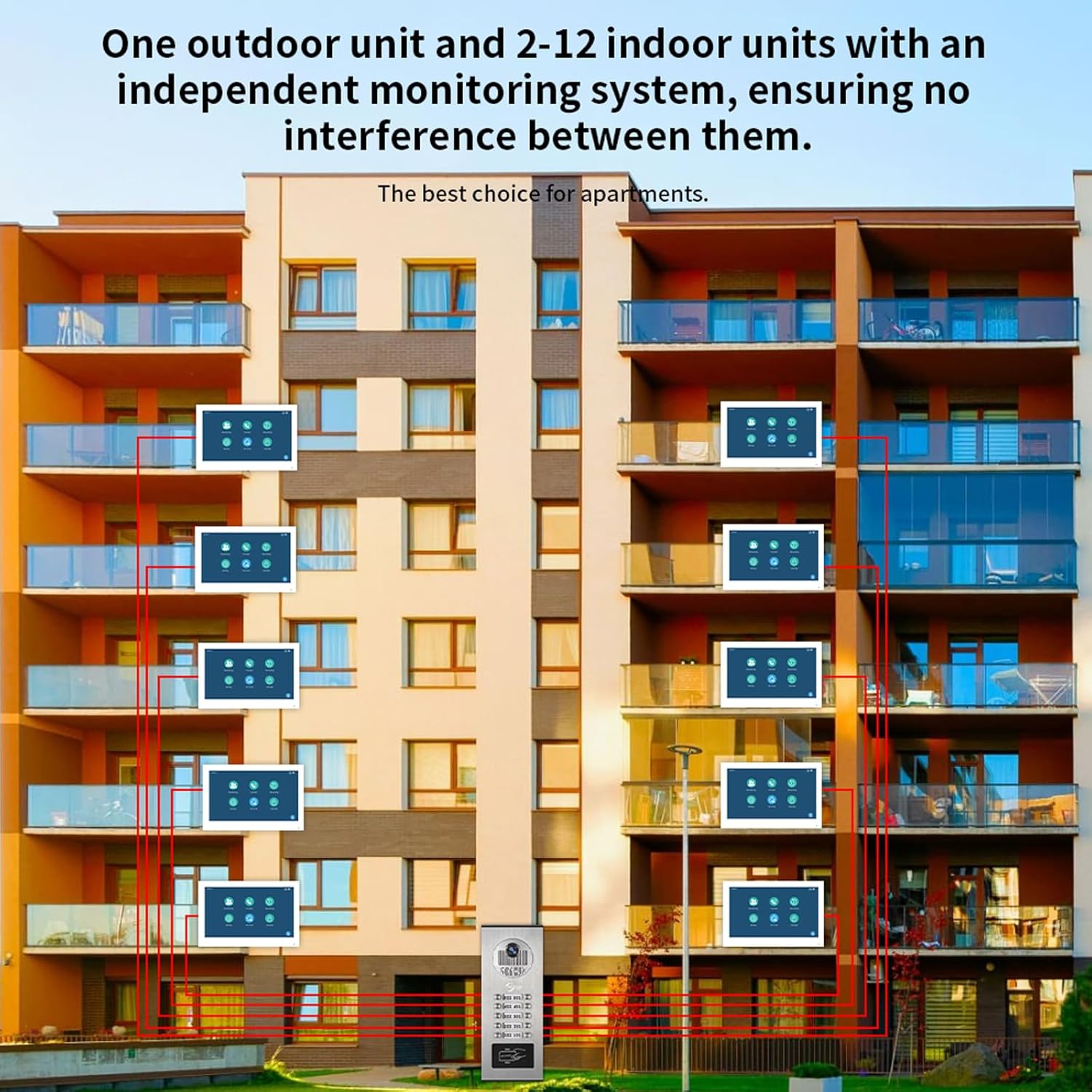
Расми 1.1: Система ба охир расидview for multi-unit buildings, illustrating one outdoor unit serving multiple indoor monitors independently.
2. Танзим ва насб
2.1 Мундариҷаи баста
Пеш аз оғози насб, боварӣ ҳосил кунед, ки ҳамаи ҷузъҳо мавҷуданд:
- Outdoor Doorbell Unit
- Indoor Monitor(s) (quantity varies by system configuration)
- Power Adapter(s) (DC 12V, 2A for each monitor)
- 3-meter connection cable
- Виддаҳо ва лангарҳои васлкунӣ
- ID Cards (for unlocking)
- Дастури корбар (ин ҳуҷҷат)
2.2 Дастурҳои насб
- Монтажи воҳиди берунӣ: The outdoor unit is designed for surface mounting. Choose a location that provides a clear view of visitors and is protected from direct impact. Ensure the unit is installed at an appropriate height for all users.
- Mounting the Indoor Monitor(s): Install indoor monitors in a convenient location within each apartment. They are also designed for surface mounting.
- Пайвастшавии ноқилҳо:
- The indoor monitor and doorbell require a wired connection. Use the provided 4-wire cable to connect the outdoor doorbell unit to each indoor monitor.
- Each indoor monitor must be connected to its dedicated 12V 2A power supply.
- The system supports extending the doorbell and camera with additional wiring, but be aware of distance limitations between the screen and doorbell for optimal performance.
- The monitor connects to your Wi-Fi network for Tuya App functionality, but the primary connection between the doorbell and monitor is wired for stability.
- Пайвасти барқ: Connect the power adapters to each indoor monitor and plug them into a standard AC 100-240V 50/60Hz power outlet.
- Фаъолсозии ибтидоӣ: Once all connections are secure, power on the system. The indoor monitor should display the initial setup screen.

Расми 2.1: Detailed wiring diagram for connecting indoor monitors, the outdoor doorbell, power supplies, and an optional electronic lock.
3. Дастурҳои истифодабарӣ
3.1 Indoor Monitor Functions
The 7-inch TFT-LCD touchscreen monitor is the central control unit for your intercom system.
- Ҷавоб додан ба зангҳо: When a visitor presses the doorbell, the indoor monitor will ring. Touch the screen to answer and initiate two-way communication.
- Мониторинг: Шумо метавонед дастӣ view the outdoor camera feed at any time by selecting the monitoring function on the screen.
- Кушодани дарҳо: During a call or while monitoring, an unlock icon will appear on the screen. Tap it to remotely unlock the connected door.
- Volume and Color Adjustment: Navigate through the monitor settings to adjust ringtone volume, display color, and other preferences.

Расми 3.1: Indoor monitor interface and notification modes (At home, Not at home, Dormant).
3.2 Гуфтугӯи дуҷониба
The system supports hands-free two-way audio communication. When a visitor rings the doorbell, you can see, speak, and hear them directly through the indoor monitor.

Расми 3.2: Demonstrating two-way audio communication via the indoor monitor.
3.3 Motion Detection and Auto-Recording
The outdoor unit features smart PIR motion detection. When movement is detected, the system will automatically capture video or photos and save them to the included 32GB microSD card. You will receive notifications on your smartphone via the Tuya App.
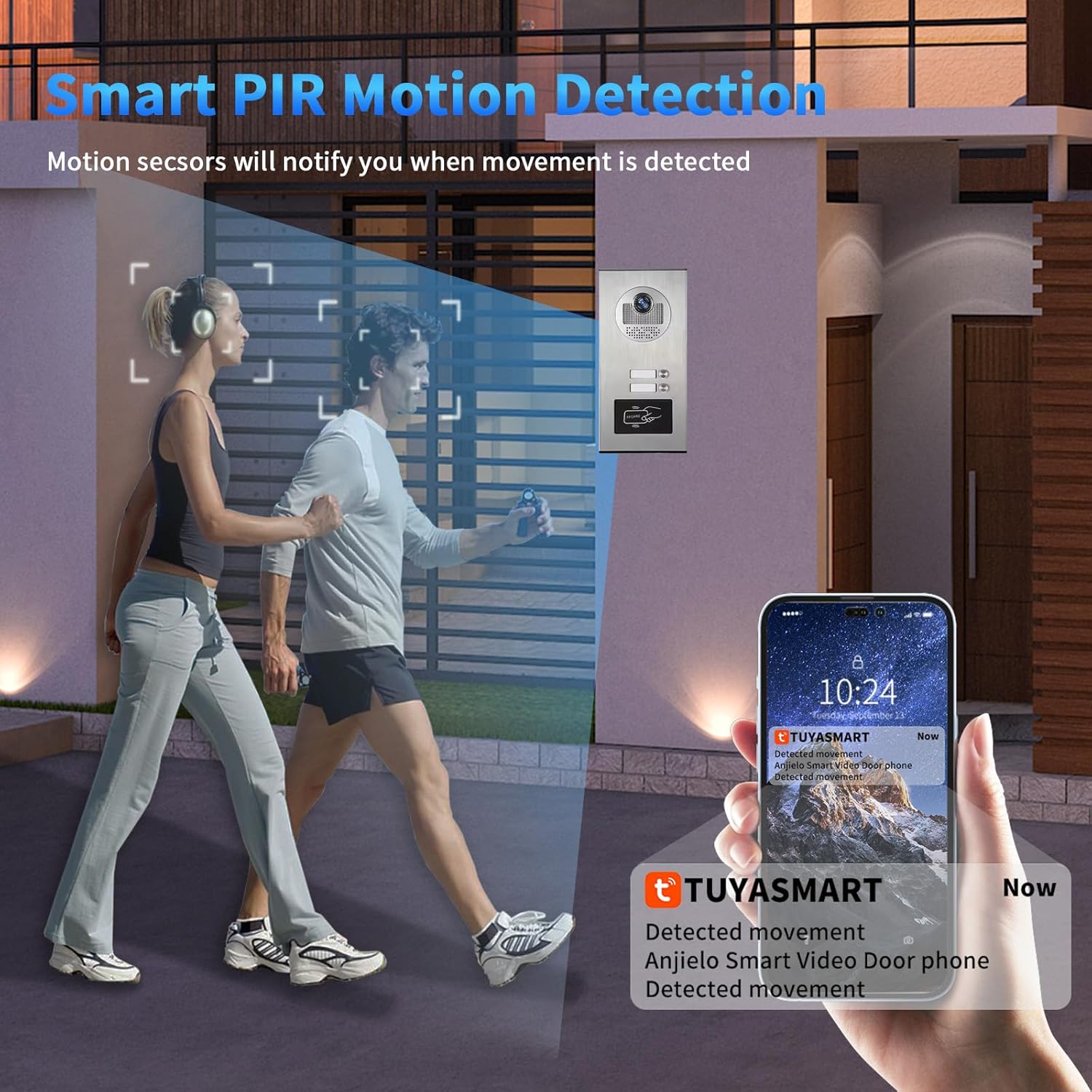
Расми 3.3: Motion detection triggering a notification on the Tuya Smart app.

Расми 3.4: Motion detection automatically recording video or taking photos.
3.4 Tuya App Remote Control
Connect your indoor monitor to your Wi-Fi network to enable remote control via the Smart Tuya App. This allows you to:
- Receive calls and notifications from the doorbell on your smartphone.
- View live video from the outdoor camera.
- Engage in two-way talk with visitors remotely.
- Remotely unlock the door from anywhere.
- Review recorded motion detection footage.

Расми 3.5: Remote unlocking via the Tuya App.

Расми 3.6: Receiving doorbell calls and unlocking via the mobile phone app.
3.5 ID Card Unlocking
The outdoor unit supports ID card swiping for convenient access. Present a registered ID card to the designated area on the outdoor unit to unlock the door. The system can store up to 500 ID cards with a frequency of 13.56MHZ and a card reading time of 1 second.
4. Нигоҳдорӣ
Regular maintenance ensures optimal performance and longevity of your intercom system.
- Тозакунӣ: нармро истифода баред, гamp cloth to clean the outdoor unit and indoor monitor screens. Avoid abrasive cleaners or solvents that could damage surfaces.
- Навсозии нармафзор: Давра ба давра аз ҷониби истеҳсолкунанда тафтиш кунед website or the Tuya App for any available firmware updates to ensure your system has the latest features and security enhancements.
- Санҷиши кабелӣ: Regularly inspect all wired connections for any signs of wear, damage, or loose connections.
- Таъмини нерӯ: Ensure all power adapters are securely connected and functioning correctly.
- Корти MicroSD: Давра ба давра аз навview and manage recordings on the microSD card. Replace the card if it shows signs of degradation or if storage capacity becomes an issue.
5. Баррасии мушкилот
If you encounter issues with your ANJIELO SMART intercom system, refer to the following common problems and solutions:
| Мушкилот | Сабаби эҳтимолӣ | Ҳалли |
|---|---|---|
| No image or sound on indoor monitor. | Loose wiring connection between doorbell and monitor, no power to monitor. | Check all 4-wire connections. Ensure the monitor's 12V 2A power adapter is securely plugged in and receiving power. |
| Wi-Fi connection issues for Tuya App. | Incorrect Wi-Fi password, weak signal, monitor not connected to Wi-Fi. | Ensure the indoor monitor is within Wi-Fi range. Verify Wi-Fi password in monitor settings. Remember, the doorbell-monitor connection is wired, only the monitor connects to Wi-Fi. |
| Motion detection not recording or notifying. | Motion detection disabled, microSD card full or faulty, app notifications off. | Check motion detection settings on the monitor and in the Tuya App. Ensure the 32GB microSD card is properly inserted and has free space. Enable notifications in the Tuya App settings. |
| Door unlocking not working. | Electronic lock not properly connected, ID card not registered, app not connected. | Verify the connection to the electronic lock. Ensure ID cards are correctly registered. Check Tuya App connectivity for remote unlocking. |
| Сифати биниши шабона. | Obstruction in front of camera, IR sensors blocked. | Clear any obstructions from the outdoor camera lens and IR sensors. |
6. Мушаххасоти маҳсулот
Outdoor Doorbell Unit:
- Sensor Kamera: 2.0MP, 1/4" CMOS, 3.6MM Lens
- View Кунҷ: 120 degrees wide angle
- Rainproof & Night Vision: IP65 rated, 3M night vision distance (Infrared night vision)
- Night Vision Sensitivity: 0.01 люкс
- Таъмини нерӯ: Аз монитор дарунӣ дода мешавад
- Насбкунӣ: Монтажи рӯизаминӣ
- Ҳарорати корӣ: -30°С то 60°С
- Мавод: Хӯлаи алюминий
- Навъи сигнал: CVBS/AHD720/AHD1080
- Unlocking Type: Indoor unit unlocking / ID card swiping
- Number of ID Cards: 500 варақ
- ID Card Frequency: 13.56 МГц
- Card Reading Time: 1 сония
- Dimensions (2-6 units): 264х127х43мм
- Dimensions (8-12 units): 330х127х43мм
Indoor Touch Monitor:
- Экран: 7-inch TFT-LCD touch screen
- Қарор: 1024 х 680
- Оҳанги занг: 7-chord melody rings
- Танзимшаванда: Volume, color
- Роҳи пайвастшавӣ: 4-wires, WIFI Tuya solution
- Маводҳои панел: Acrylic/ABS cover
- Насбкунӣ: Монтажи рӯизаминӣ
- Вуруди ҷилдиtage: AC 100-240В 50/60Гц
- Ҷилди корӣtage: DC 12V, 2А
- Dimensions (7 inch): 176x115x21 мм
Мушаххасоти умумии система:
- Номи модел: 60120HD-60075F-W
- ASIN: B0G46WYVVG
- Манбаи нерӯ: Электри симдор
- Қарори сабти видео: 1080p
- Компонентҳои дохилшуда: Doorbell, Monitor
- Навъи насб: Ворид кунед
- Усули назорат: Барнома, ламс
- Технологияи пайвастшавӣ: Wired (between doorbell and monitor), Wi-Fi (for monitor to app)
- Дастгоҳҳои мувофиқ: Smartphone (via Tuya App)
- Андозаҳои маҳсулот: 8 x 5 x 1 inches (for the 12-family variant)
7. Маълумот дар бораи кафолат
ANJIELO SMART products are manufactured to high quality standards. For specific warranty details regarding your 1080P Video Intercom System, please refer to the warranty card included in your product packaging or visit the official ANJIELO SMART website. Typically, warranty coverage addresses manufacturing defects under normal use conditions.
Лутфан далели хариди худро барои ҳама даъвоҳои кафолат нигоҳ доред.
8. Дастгирии муштариён
For technical assistance, troubleshooting, or further inquiries regarding your ANJIELO SMART 1080P Video Intercom System, please contact our customer support team.
- Дастгирии онлайн: Расмий ташриф буюринг ANJIELO SMART Store on Amazon Саволҳо ва маълумоти маҳсулот.
- Дастгирии почтаи электронӣ: Ба бастабандии маҳсулоти худ ё ба расмӣ муроҷиат кунед webсайт барои навтарин маълумоти тамос бо почтаи электронӣ.
Ҳангоми тамос бо дастгирӣ, лутфан рақами модели маҳсулоти худро (60120HD-60075F-W) and purchase details ready.


