1. Муқаддима
This manual provides essential information for the proper setup, operation, and maintenance of your MESWAO 15.6-inch Android 14 Tablet (Model MES-B3). Please read this manual thoroughly before using the device to ensure optimal performance and longevity. Keep this manual for future reference.
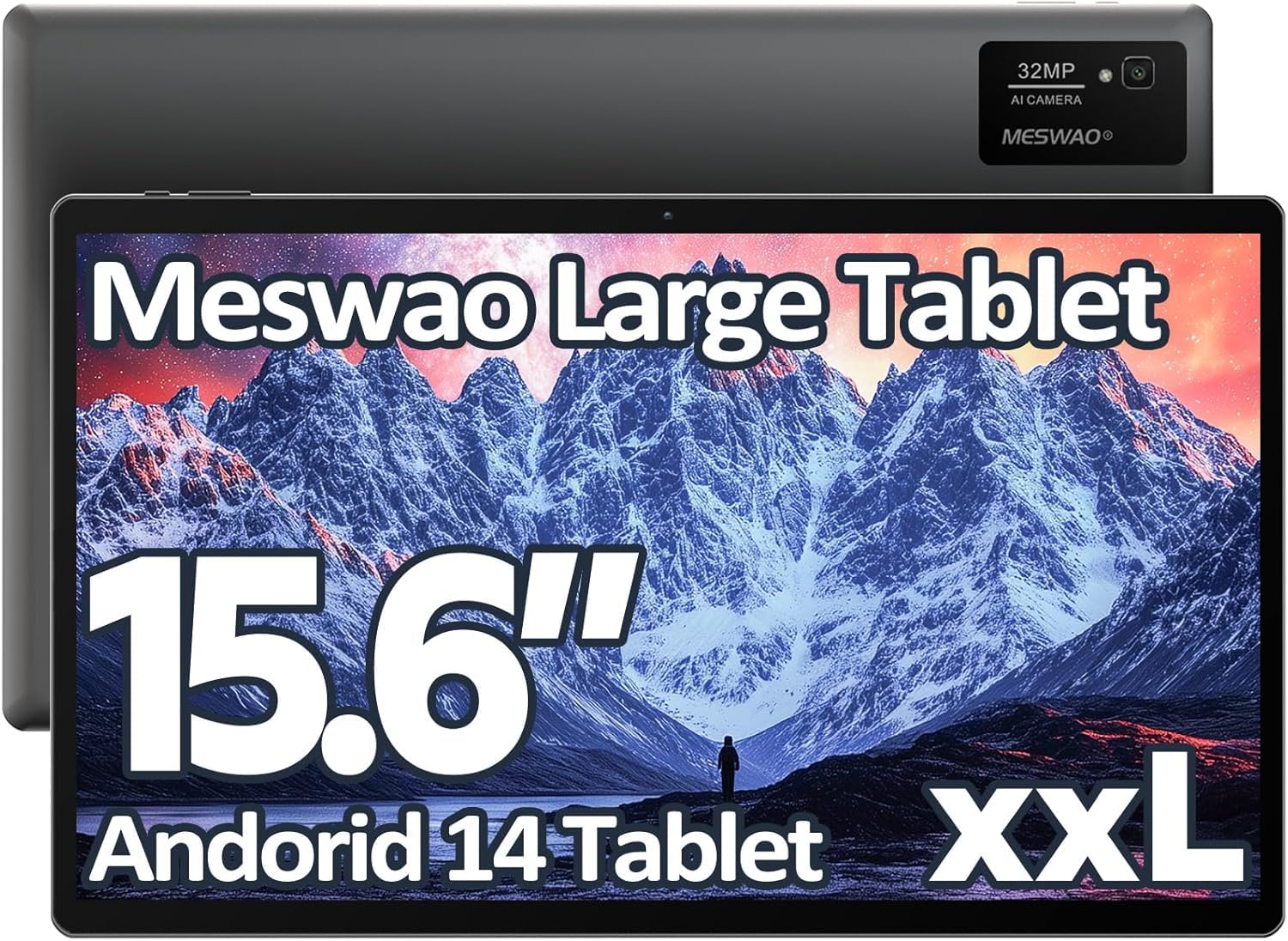
Image: The MESWAO 15.6-inch Android 14 Tablet, showcasing дисплейи калон ва дизайни зебои он.
2. Танзимот
2.1 Кушодани қуттӣ ва санҷиши ибтидоӣ
Ҳама ҷузъҳоро аз бастабандӣ бодиққат хориҷ кунед. Боварӣ ҳосил кунед, ки ҳамаи ҷузъҳои дар мӯҳтавои баста номбаршуда мавҷуд ва осеб надидаанд. Агар ягон ашё гум ё осеб дида бошад, фавран бо дастгирии мизоҷон тамос гиред.
2.2 Пур кардани планшет
Before first use, fully charge the tablet. Connect the provided USB-C cable to the tablet's charging port and the other end to the power adapter. Plug the power adapter into a wall outlet. The charging indicator will illuminate. A full charge typically takes approximately 3 hours with the 30W fast charging capability.
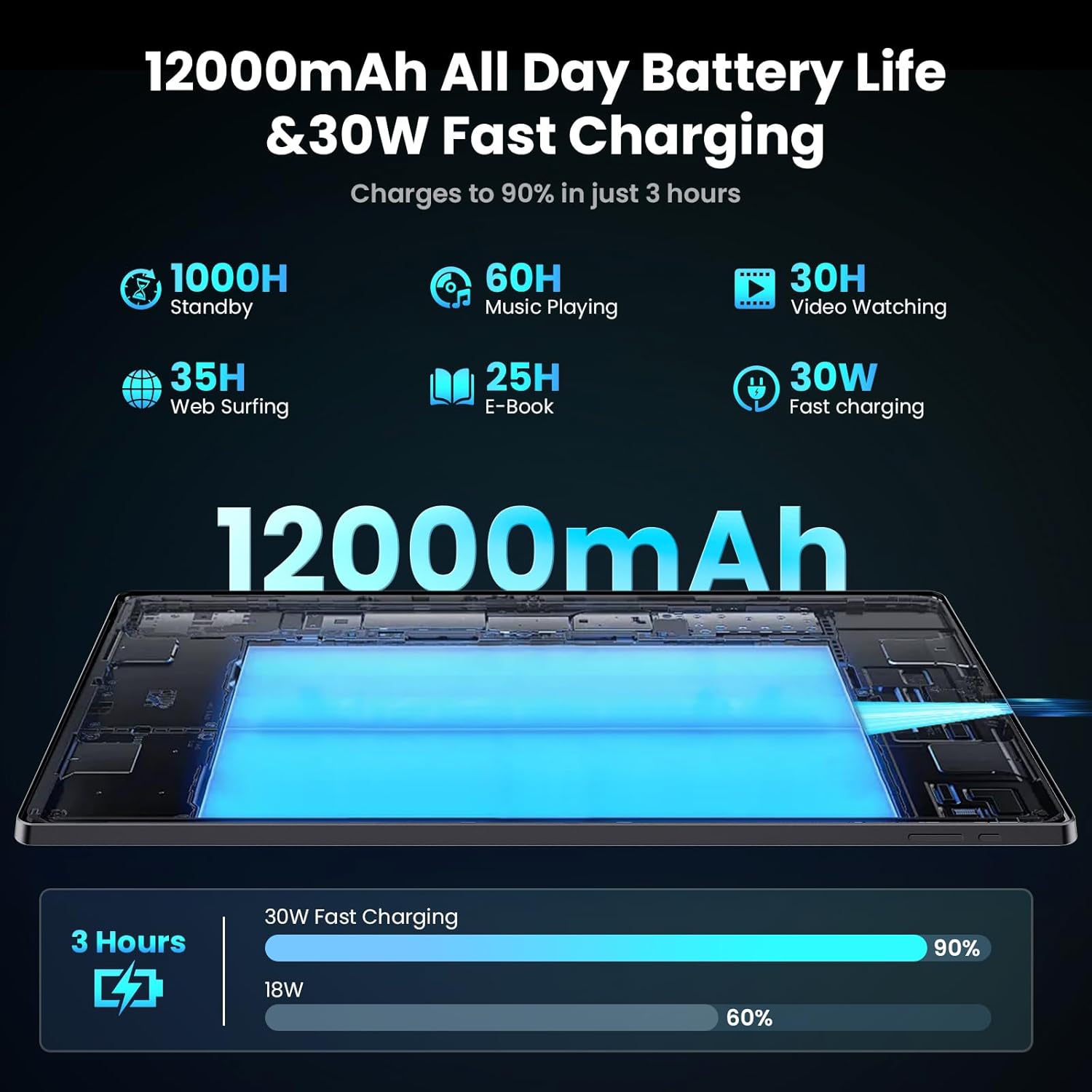
Image: Diagram illustrating the 12000mAh battery capacity and 30W fast charging feature, showing a charge to 90% in 3 hours.
2.3 Фаъолсозии барқ ва конфигуратсияи ибтидоӣ
- Press and hold the Power button until the MESWAO logo appears.
- Барои интихоб кардани забон, минтақа ва пайваст шудан ба шабакаи Wi-Fi, дастурҳои дар экран бударо иҷро кунед.
- Бо ҳисоби Google-и худ ворид шавед ё ҳисоби нав эҷод кунед, то ба Google Play Store ва дигар хидматҳо дастрасӣ пайдо кунед.
- Complete any remaining setup steps, such as setting up a screen lock (PIN, pattern, or password) and reviewтанзимоти махфият.
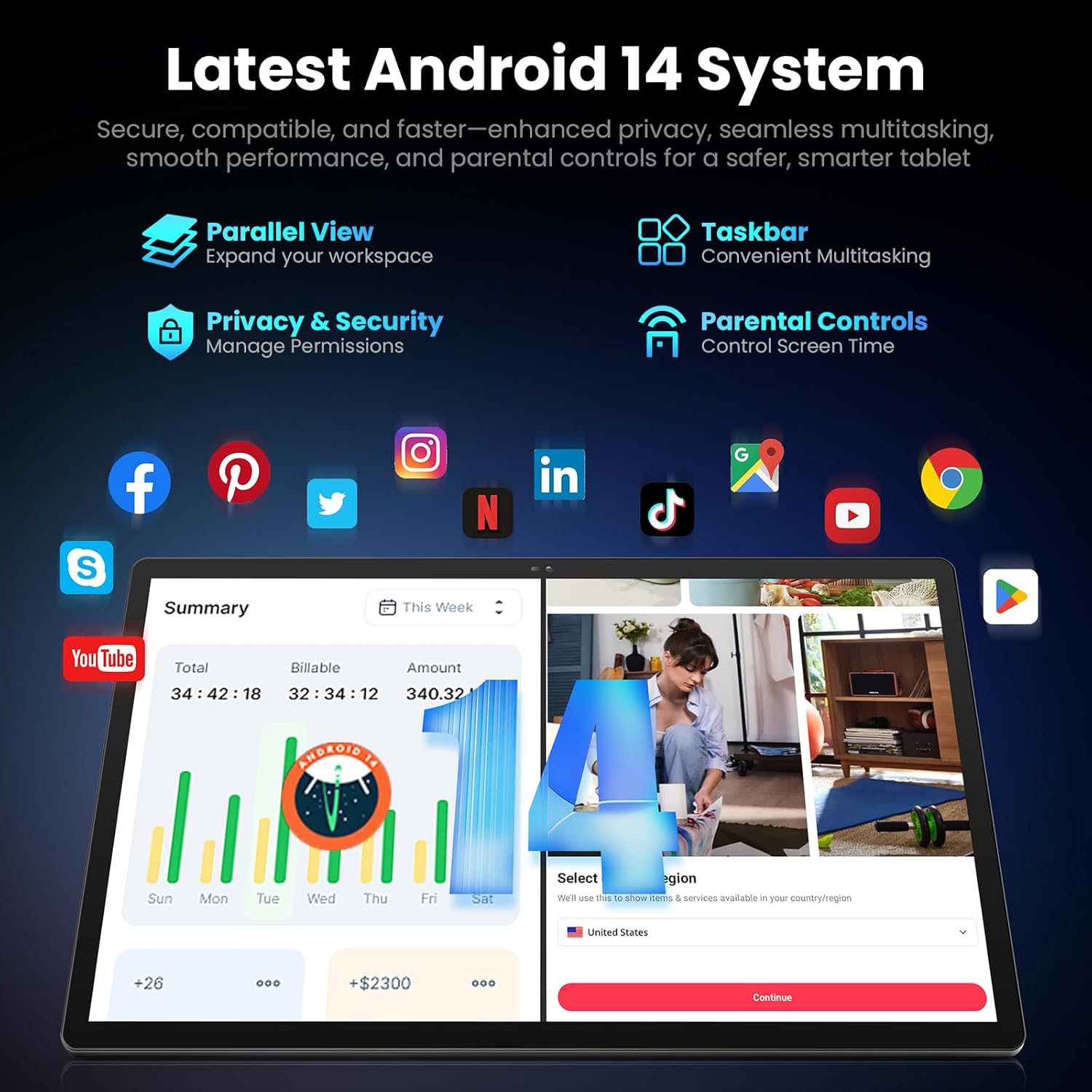
Image: Screenshot of the Android 14 system interface on the MESWAO tablet, highlighting features like Parallel View, Taskbar, Privacy & Security, and Parental Controls.
3. Дастурҳои истифодабарӣ
3.1 Навигатсияи асосӣ
- Ишораҳои ламс: Барои интихоб клик кунед, барои ҳаракат кардан лағжед, барои калон кардан ламс кунед.
- Экрани асосӣ: Ба барномаҳо, виджетҳо ва огоҳиҳо дастрасӣ пайдо кунед.
- Панели огоҳӣ: Аз болои экран ба поён лағжед view огоҳиҳо ва танзимоти зуд.
- Обовари барнома: Барои дастрасӣ ба ҳама барномаҳои насбшуда аз поёни экран боло лағжед.
3.2 Таҷрибаи намоишӣ ва визуалӣ
The 15.6-inch Full HD (1920x1080) IPS display offers vivid colors and wide viewing angles. Adjust brightness and display settings in the Settings menu under "Display" for optimal viewing comfort. The large screen is ideal for multitasking and immersive media consumption.

Image: The MESWAO tablet displaying a high-definition image, emphasizing the 1920x1080P Full HD IPS display with eye protection features.
3.3 Иҷро ва нигоҳдорӣ
Equipped with an Octa-Core Helio G99 processor and Android 14, the tablet provides smooth performance for various applications. It includes 8GB RAM and 256GB internal storage, expandable up to 1TB via a TF (microSD) card. To insert a TF card, locate the card slot on the side of the tablet, open the tray, and carefully place the card into the designated slot before reinserting the tray.
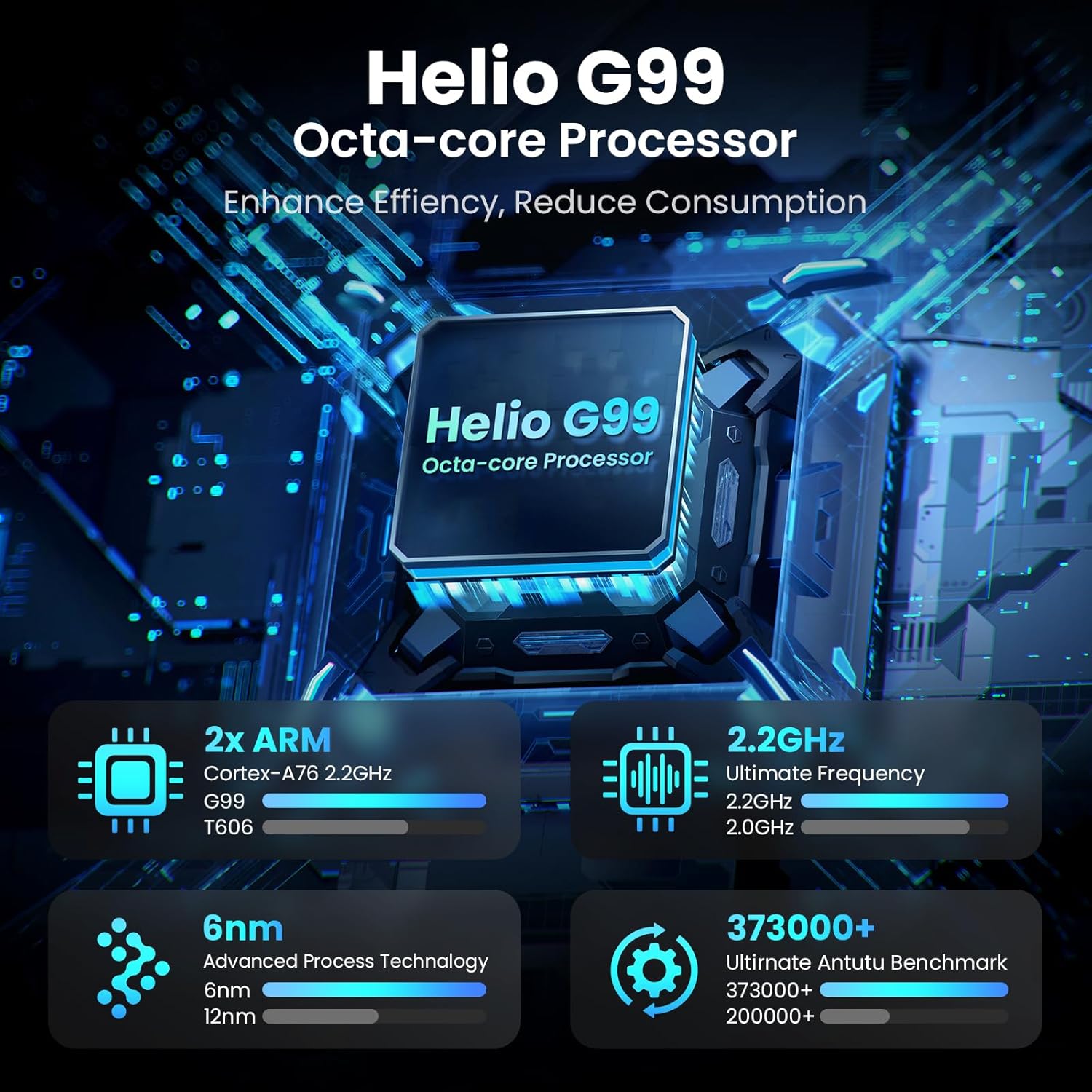
Image: Visual representation of the Helio G99 Octa-core Processor, detailing its architecture and performance metrics like 2.2GHz frequency and 6nm process technology.

Image: The MESWAO tablet screen showing multiple open applications and storage capacity details: 8GB RAM, 256GB ROM, and support for up to 1TB external storage.
3.4 Истифодаи камера
The tablet features a 32MP rear camera with flash and a 5MP front camera. Open the Camera application to capture photos, record videos, or engage in video calls. Ensure good lighting for best results.

Image: A visual demonstrating the MESWAO tablet's 5MP front camera and 32MP rear camera, showing a family photo being taken and a video call in progress.
3.5 Пайвастшавӣ
The tablet supports dual-band Wi-Fi (2.4GHz & 5GHz) for stable internet connectivity. Bluetooth is also available for connecting wireless accessories. Access these settings via the Notification Panel or the main Settings app.
4. Нигоҳдорӣ
4.1 Тоза кардани планшет
Барои тоза кардани экран ва бадани планшет аз матои мулоим ва ифлос истифода баред. Барои доғҳои якрав, каме гampматоъро бо об ё маҳлули тозакунандаи барои экран бехатар тоза кунед. Аз истифодаи маводи кимиёвии сахт ё маводҳои абразивӣ худдорӣ намоед.
4.2 Навсозии нармафзор
Барои боварӣ ҳосил кардан, ки планшети шумо дорои хусусиятҳои навтарин, навсозиҳои амниятӣ ва беҳбудиҳои самаранокӣ мебошад, мунтазам навсозиҳои системаро тафтиш ва насб кунед. Ба Танзимотҳо > Система > Навсозии система барои санҷидани навсозиҳо.
4.3 Нигоҳубини батарея
- Аз ҳарорати шадид худдорӣ кунед, зеро онҳо метавонанд мӯҳлати хизмати батареяро коҳиш диҳанд.
- Нагузоред, ки батарея зуд-зуд пурра холӣ шавад.
- Танҳо пуркунандаи пуркунандаи додашуда ё пуркунандаи мувофиқи сертификатсияшударо истифода баред.
5. Баррасии мушкилот
5.1 Планшет фаъол нест
- Ensure the tablet is sufficiently charged. Connect it to the charger for at least 30 minutes before attempting to power on again.
- Барои бозоғозкунии маҷбурӣ тугмаи барқро барои 10-15 сония пахш карда нигоҳ доред.
5.2 Масъалаҳои пайвастшавӣ ба Wi-Fi
- Check if Wi-Fi is enabled in the Quick Settings or Settings menu.
- Роутери Wi-Fi ва планшетро аз нав оғоз кунед.
- Шабакаро дар танзимоти Wi-Fi фаромӯш кунед ва дубора пайваст шавед.
- Боварӣ ҳосил кунед, ки шумо дар доираи сигнали Wi-Fi ҳастед.
5.3 Иҷрои суст
- Барномаҳои пасзаминаи нолозимро пӯшед.
- Clear cache data for frequently used apps (Танзимотҳо > Барномаҳо > [Номи барнома] > Захира ва кэш > Тозакунии кэш).
- Ensure sufficient free storage space. Delete unused fileс ё барномаҳо.
- Планшетро давра ба давра аз нав оғоз кунед.
5.4 Экран ҷавоб намедиҳад
- Perform a forced restart (hold Power button for 10-15 seconds).
- Боварӣ ҳосил кунед, ки экран тоза ва аз намӣ ё партовҳо нест.
6. Мушаххасоти
| Хусусият | Тафсилот |
|---|---|
| Номи модел | MES-B3 |
| Андозаи намоиш | 15.6 инч |
| Ҳалномаи максималии экран | 1920 x 1080 Pixels (Full HD IPS) |
| Низоми амал | Android 14 |
| Протсессор | Octa-Core Helio G99 (up to 2.2 GHz) |
| RAM | 8 ГБ |
| Захираи дохилӣ (ROM) | 256 ГБ |
| Захираи васеъшаванда | То 1 ТБ (корти TF) |
| Иқтидори батарея | 12000 мАч |
| Пур кардан | Пуркунии зуд 30 Вт |
| Камераи пушти | 32MP бо флеш |
| Камераи пеши | 5 МП |
| Пайвастшавӣ | Dual-band Wi-Fi (2.4GHz & 5GHz), Bluetooth |
| Андозаҳо (LxWxH) | 14.53 x 8.78 x 0.43 инч |
| Вазни ашё | 3.84 фунт |
7. Кафолат ва дастгирӣ
7.1 Маълумот дар бораи кафолат
MESWAO products are covered by a limited warranty. Please refer to the warranty card included in your product packaging for specific terms and conditions. Keep your proof of purchase for warranty claims.
7.2 Дастгирии муштариён
For technical assistance, troubleshooting, or warranty inquiries, please contact MESWAO customer support. Contact information can typically be found on the official MESWAO webсайт ё дар корти кафолат.
Online resources such as FAQs and support forums may also be available on the MESWAO webсайт.


