1. Муқаддима
This manual provides comprehensive instructions for the VISHANGYAES Y18 Hidden Camera Wireless Phone Charger. This device integrates a high-definition surveillance camera with a functional wireless phone charger, designed for discreet monitoring and convenient charging in home or office environments. Please read this manual thoroughly before operation to ensure proper use and to maximize the product's capabilities.
2. Маълумот оид ба бехатарӣ
- Ensure the device is placed on a stable, flat surface to prevent accidental falls.
- Дастгоҳро ба ҳарорати аз ҳад зиёд, нурҳои бевоситаи офтоб ё намии баланд нагузоред.
- Дастгоҳро аз об ё дигар моеъҳо дур нигоҳ доред.
- Танҳо адаптери барқии додашуда ё манбаи барқии мувофиқро истифода баред.
- Кӯшиш накунед, ки дастгоҳро ҷудо кунед ё тағир диҳед. Ин кафолатро бекор мекунад ва метавонад зарар расонад.
- Аз дастрасии кӯдакон дур нигоҳ доред.
- Operate the device in accordance with all local laws and regulations regarding surveillance.
3. Мундариҷаи баста
Боварӣ ҳосил кунед, ки ҳама ашё дар баста мавҷуд аст:
- VISHANGYAES Y18 Hidden Camera Wireless Phone Charger
- Сими барқи USB
- Дастури корбар
- (Note: Micro SD card is not included and must be purchased separately.)
4. Хусусиятҳои маҳсулот
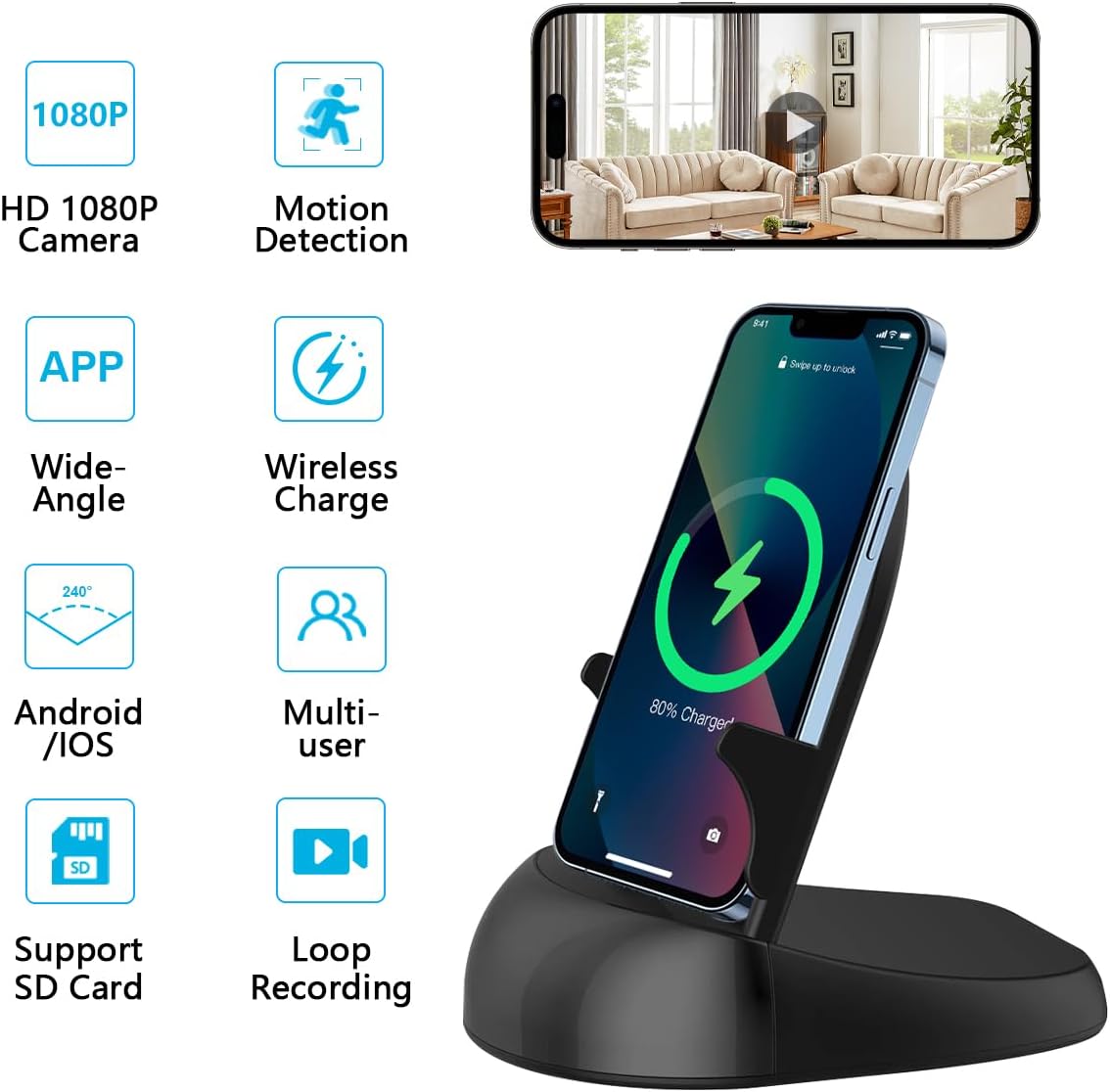
Тасвир: тамомview of the VISHANGYAES Y18 device highlighting its key features such as HD 1080P camera, motion detection, wide-angle view, wireless charging, Android/iOS app support, multi-user access, SD card support, and loop recording.
- Тарҳрезии интегралӣ: Combines a hidden camera, wireless fast charger, and mobile phone holder.
- Видеои баландсифат: Supports 1080P/4K resolution for clear video recording.
- Васеъ Viewкунҷи ангушт: Features a rotatable lens providing up to a 250° viewкунҷи дохилӣ.
- Муайянкунии ҳаракат: Sensitive human figure detection with automatic picture capture and mobile app alarm notifications.
- Real-time Streaming: Live video streaming via a dedicated mobile application (Android/iOS).
- Сабти давр: Continuous 24/7 recording to an SD card (up to 128GB, not included), automatically overwriting old footage when full.
- Дастрасии дурдаст: Connects via Wi-Fi (2.4/5GHz) for remote monitoring from anywhere.
- Пуркунии бесим: Provides wireless charging functionality for compatible smartphones.
5. Танзимот
5.1 Фаъол кардани дастгоҳ
- Connect the provided USB power cable to the device's power input port.
- Plug the other end of the USB cable into a compatible USB power adapter (not included) and then into a wall outlet.
- Дастгоҳ ба таври худкор фаъол мешавад.
5.2 Гузоштани корти Micro SD
(Micro SD card not included)
- Дар дастгоҳ ковокии корти Micro SD-ро ҷойгир кунед.
- Gently insert a Micro SD card (Class 10 or higher, up to 128GB) into the slot until it clicks into place.
- To remove, press the card inward until it springs out.
5.3 Зеркашӣ ва насби барнома
Ҷустуҷӯ the official application (refer to the packaging or quick start guide for the app name) in your device's app store (Apple App Store for iOS or Google Play Store for Android) and install it.
5.4 Пайвастшавӣ ба Wi-Fi
- Open the installed application on your smartphone.
- Follow the in-app instructions to add a new device. This typically involves scanning a QR code on the device or manually selecting the device from a list.
- Connect the camera to your home or office Wi-Fi network (supports 2.4GHz and 5GHz). Enter your Wi-Fi password when prompted.
- Once connected, the camera status indicator will change (refer to the app or device for specific indicator behavior), and you will be able to view ғизои зинда.
6. Дастурҳои истифодабарӣ
6.1 Зиндагӣ View ва Идоракунии Дурдасти

Image: A smartphone screen showing the live camera feed with directional arrows for remote lens rotation, indicating a 160-degree rotation capability and a 250-degree angle of view.
- Open the mobile application and select your device to access the live video feed.
- Use the on-screen controls within the app to remotely rotate the camera lens, adjusting the viewing angle up to 250 degrees.
- You can take snapshots or manually record video directly from the live view интерфейс.
6.2 Муайянкунии ҳаракат ва огоҳиҳо

Image: A smartphone displaying a motion detection alert notification, indicating that movement has been detected by the camera. The image also shows a child playing, illustrating a typical scenario for motion detection.
- Enable motion detection in the app settings. You can often adjust sensitivity levels.
- When motion is detected, the camera will automatically capture images or record video clips.
- You will receive push notifications on your smartphone via the app.
- Review recorded motion events in the app's playback section.
6.3 Сабти давр

Image: An illustration depicting the loop recording function, showing a timeline of video segments and a smartphone screen with playback controls, indicating continuous recording and automatic overwriting of old files.
With a Micro SD card inserted, the camera will continuously record video 24/7. When the SD card's memory is full, the system will automatically delete the oldest video files to make space for new recordings, ensuring uninterrupted surveillance.
6.4 Функсияи пуркунии бесим

Image: The VISHANGYAES Y18 device functioning as a wireless charger, with a smartphone placed on it displaying a charging indicator. The image also shows the device used as a phone stand.
Place your Qi-compatible smartphone on the charging pad of the device. Ensure the phone is properly aligned for optimal charging. The device supports various charging speeds (e.g., 5W, 7.5W, 10W) depending on the phone model and power adapter used.
7. Нигоҳдорӣ
- Тозакунӣ: Барои тоза кардани дастгоҳ аз матои мулоим ва хушк истифода баред. Аз тозакунандаҳои моеъ ё маводҳои абразивӣ истифода набаред.
- Нигоҳдорӣ: Ҳангоми дар муддати тӯлонӣ истифода нашудан, дастгоҳро дар ҷои хунук ва хушк, дур аз нурҳои бевоситаи офтоб нигоҳ доред.
- Навсозии нармафзор: Periodically check the mobile application for available firmware updates to ensure optimal performance and security.
8. Баррасии мушкилот
| Мушкилот | Сабаби эҳтимолӣ | Ҳалли |
|---|---|---|
| Дастгоҳ фурӯзон нест. | No power, faulty cable/adapter. | Ensure power cable is securely connected. Try a different USB power adapter and outlet. |
| Ба Wi-Fi пайваст шуда наметавонад. | Incorrect Wi-Fi password, weak signal, incompatible network. | Verify Wi-Fi password. Ensure the device is within Wi-Fi range. Confirm your router supports 2.4GHz or 5GHz. Restart the device and router. |
| No video recording to SD card. | SD card not inserted, full, or corrupted; recording feature disabled. | Ensure SD card is properly inserted. Format the SD card via the app. Check app settings to confirm recording is enabled. Replace SD card if corrupted. |
| Огоҳиномаҳо дар бораи муайянкунии ҳаракат қабул карда нашуданд. | Motion detection disabled, app notifications blocked, poor network. | Enable motion detection in app settings. Check phone notification settings for the app. Ensure stable internet connection. |
| Пуркунии бесим кор намекунад. | Phone not Qi-compatible, misaligned, foreign objects, insufficient power. | Ensure your phone supports Qi wireless charging. Realign phone on the charging pad. Remove any metal objects or thick cases. Use a power adapter with sufficient output. |
9. Мушаххасоти
| Бренд | VISHANGYAES |
| Номи модел | Y18 |
| Истифодаи дарунӣ/берунӣ | Дарунӣ |
| Протоколи пайвастшавӣ | Wi-Fi (2.4/5GHz) |
| Навъи васлкунӣ | Монтажи болои миз |
| Қарори сабти видео | 1080p (supports 4K output) |
| Формати сабти видео | MJPEG |
| Viewкунҷи ангушт | 250° (with rotatable lens) |
| Нигоҳдорӣ | Micro SD card, up to 128GB (not included) |
| Манбаи нерӯ | Wired (No batteries required) |
| Андозаҳои ашё (L x W x H) | 13.7 x 9.8 x 13.7 сантиметр |
10. Кафолат ва дастгирӣ
- Кафолати истеҳсолкунанда: Ин маҳсулот бо кафолати 1-солаи истеҳсолкунанда меояд.
- Хидмат ба муштари: For any issues or inquiries, please contact VISHANGYAES customer service. Refer to the product packaging or official webсайт барои маълумот барои тамос.


